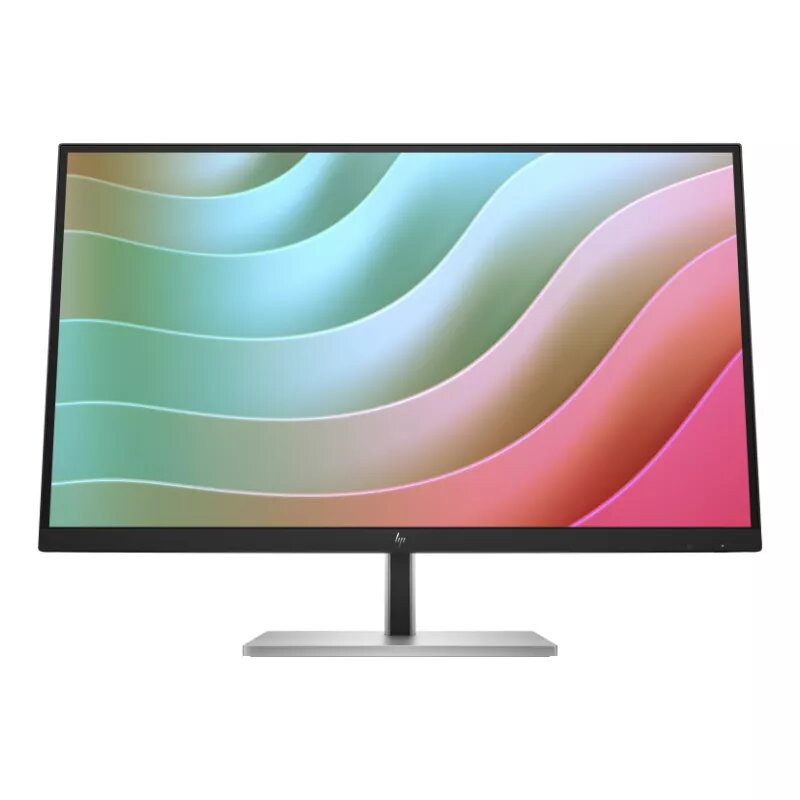
The HP E27k G5 is a 27-inch 4K UHD monitor engineered to enhance professional productivity through superior visual clarity and integrated connectivity. Featuring an IPS panel with a resolution of 3840x2160, this display provides precise color reproduction and consistent image quality across wide viewing angles. The monitor serves as a comprehensive workspace hub, combining high-resolution performance with a versatile docking solution that simplifies cable management and streamlines your desk setup.
Advantages
This monitor offers significant benefits for professionals who require high-resolution displays for detailed work. The integrated USB-C docking station provides up to 65W of power delivery, allowing you to charge your laptop directly through the monitor while simultaneously transferring data and video signals. The inclusion of an RJ-45 Ethernet port ensures a stable and reliable wired network connection, which is essential for seamless video conferencing and large file transfers. Furthermore, the ergonomic stand allows for extensive adjustments, including height, tilt, swivel, and pivot, ensuring that users can position the screen for optimal comfort during long working hours.
Suitable for
- Graphic design and photo editing tasks requiring 4K resolution
- Office environments needing a clean, single-cable docking solution
- Professional multitasking with multiple windows open simultaneously
- Video conferencing and remote work setups
When it may not be suitable
This monitor is not intended for high-end competitive gaming, as it features a standard 60Hz refresh rate rather than the higher refresh rates preferred by gamers. Additionally, users who require specialized color gamuts for professional-grade print production may need to verify if the panel specifications meet their specific color space requirements.
Key specifications
- Screen size: 27 inches
- Resolution: 3840x2160 4K UHD
- Panel type: IPS with anti-glare coating
- Brightness: 350 nits
- Refresh rate: 60Hz
- Connectivity: USB-C (65W power delivery), USB-C (15W), HDMI, DisplayPort, 3x USB-A, RJ-45 LAN
- Integrated audio: Built-in speakers
- Ergonomics: Height, tilt, swivel, and pivot adjustable stand
How to use
To set up the monitor, connect your computer to the USB-C port on the display using a compatible cable to enable both video output and power delivery. If your computer lacks USB-C, you can use the HDMI or DisplayPort connections for video while utilizing the USB-A ports for peripherals. Once connected, adjust the stand to your preferred height and angle to ensure ergonomic alignment. Use the on-screen display menu to fine-tune brightness, contrast, and color settings to suit your specific lighting environment.
What to consider before purchase
- Ensure your laptop supports USB-C Power Delivery and DisplayPort Alt Mode for full functionality
- Verify that your desk space accommodates the 27-inch footprint and the adjustable stand range
- Check if your primary work applications benefit from 4K resolution density
Usage recommendations
For the best experience, keep the monitor firmware updated and ensure that your laptop's graphics drivers are current to maintain stable connectivity through the USB-C docking interface.