Immersive Poly Studio Audio with DTS® Virtual:X™
Experience rich, room-filling sound from four built-in Poly Studio speakers enhanced by DTS® Virtual:X™. Whether for meetings, music, or multimedia, enjoy immersive audio that feels like it surrounds you for clearer conversations and a more engaging experience.
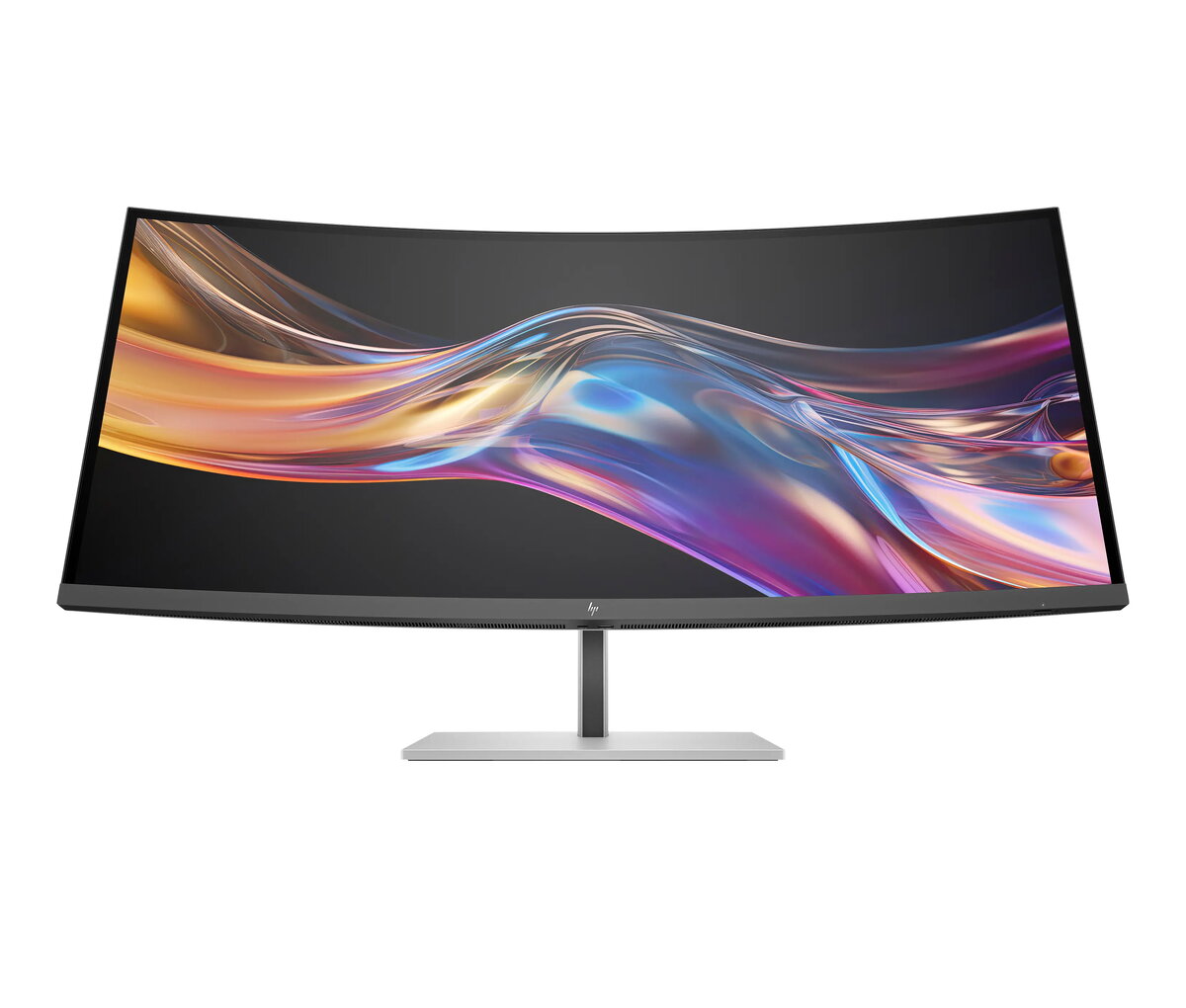
Expansive Ultrawide WQHD+ Curved Display
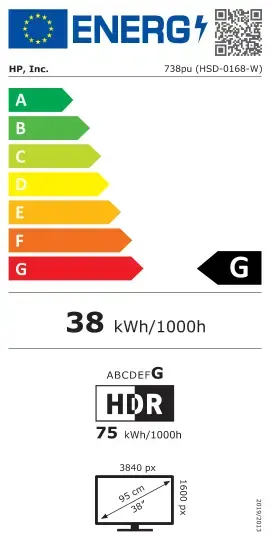
Work across multiple windows and detailed projects on a 37.5" ultrawide curved WQHD+ screen (3840 x 1600). The large 21:9 canvas reduces distractions and boosts productivity by letting you see more at once.
Deeper Contrast with IPS Black Technology
See deeper blacks, brighter highlights and richer color depth with IPS Black technology. The enhanced panel delivers a 2000:1 contrast ratio and wide viewing angles for consistent image quality from almost any position.[2]
Pantone-Validated Color Accuracy
Rely on factory-calibrated color precision for color-critical work. This Pantone-validated display ensures strict color calibration so over 300 colors achieve Delta E < 2, making color differences virtually imperceptible.
Wide Color Gamut and HDR Performance
Reproduce lifelike visuals with support for 98% Display P3, 100% sRGB and VESA DisplayHDR™ 400. Enjoy a broader range of vibrant colors and deeper hues for accurate representation of real-world tones.[2]
HP User Color Recalibration for Long-Term Accuracy
Maintain professional-grade color accuracy throughout the monitor’s lifetime with HP User Color Recalibration, allowing you to recalibrate as needed for consistent results.[7]
Thunderbolt™ 4 for Fast Video, Data and Power
Connect and power devices with a single cable. Thunderbolt™ 4 delivers up to 40 Gbps for video and data while providing up to 100W charging, streamlining your workstation and reducing cable clutter.[3]
Smart KVM and Picture-by-Picture Multitasking
Switch seamlessly between two computers with the Smart KVM switch—use one keyboard and mouse to control both. Or view both sources simultaneously with Picture-by-Picture to streamline multitasking.[8]
HP Device Bridge 2.0 for Simple File Sharing
Simplify cross-device workflows with HP Device Bridge 2.0. Copy and paste files, switch views, and control two devices with one keyboard and mouse to make multitasking effortless.[9]
Comprehensive Connectivity
Expand your setup with a broad selection of ports including Thunderbolt™ 4, full-function USB-C®, HDMI 2.0, DisplayPort™ 1.4 In/Out, RJ-45, one USB-C® 3.2 Gen 2 and five USB-A 3.2 Gen 2 ports. Daisy-chain multiple monitors and connect peripherals with ease.[10]
Always-On Low-Blue Light with True Color
HP Eye Ease provides an always-on low-blue light filter that reduces eye strain without adding a yellow tint or compromising color accuracy, keeping your eyes comfortable during long work sessions.
Sleek, Functional Design
Enhance your workspace with a clean, three-sided micro-edge bezel, adjustable stand and a smooth light-silver back. The elegant design combines form and function for a professional look at home or in the office.
HP Display Center for Personalized Setup
Customize display settings, partition screens and optimize your layout using HP Display Center from your host PC. Use the included HP Ergonomic Setup Guide to find the best posture and monitor position.[11]
Remote Management Made Easy
Manage displays at scale with HP Client Management Script Library (CMSL). Seamlessly integrate with Intune/SCCM and use PowerShell to simplify remote deployment and management.[12]
Reliable Coverage and Zero Bright Dot Guarantee
Work with confidence backed by a 3-year limited warranty and HP Zero Bright Dot Guarantee. If a single subpixel fails on Series 7 Pro monitors, HP will replace the entire unit for your peace of mind.[13]
DreamColor-Class, Factory-Calibrated Visuals
Deliver stunning out-of-box color and contrast with a DreamColor-class, factory-calibrated display. Combined with IPS Black, HDR400 and 98% Display P3, the monitor presents vivid colors and rich contrast for creative work.[1][2]
Uncompromised Productivity
Power advanced workflows with Thunderbolt™ 4—high-resolution video, high-speed data transfer and up to 100W power delivery make multitasking and charging multiple devices effortless.[3]
Ergonomic Comfort and Adaptive Brightness
Find your ideal viewing position with three-way adjustability and follow ergonomic recommendations from the Setup Guide. An ambient light sensor auto-adjusts brightness to keep visuals comfortable in any lighting.