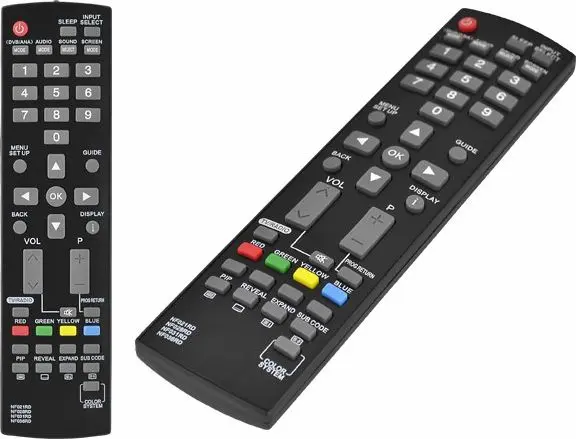
The HQ LXP204 replacement TV remote control is a dedicated controller designed to work seamlessly with Funai television models utilizing infrared protocols such as NF021, NF028, NF031, NF036RD, and compatible variants including LCDA1504, LCDA2004, LCDD1506, LCDD2006, LCDD2007, LC5D20BB, LC5D32BB, NF011RD, and LDD2006. Finished in a classic black color, this device provides reliable operation for standard television functions, offering an efficient solution when your original controller is lost, damaged, or ceases to function properly.
Advantages
This replacement remote control is engineered to match the core functionality of original equipment manufacturer devices, ensuring that all standard television settings, channel navigation, and volume adjustments remain fully accessible. The unit features an ergonomic layout that fits comfortably in the hand during extended viewing sessions. Because it is pre-programmed for specific infrared protocols, it eliminates the need for complex setup procedures or manual code entry, allowing for immediate operation upon inserting batteries.
Suitable for
- Replacing lost or broken original remote controls for Funai televisions
- Operating compatible Funai models including LCDA1504, LCDA2004, and LCDD series
- Standard daily television viewing and menu navigation in home entertainment environments
When it may not be suitable
This controller is specifically designed for supported Funai infrared protocols and will not function with television brands from other manufacturers. Additionally, it cannot be used as a universal remote control to operate external devices such as cable boxes, satellite receivers, or audio soundbars unless they share the exact specified Funai infrared command set.
Key specifications
- Device type: Replacement TV remote control
- Compatibility: Funai infrared protocols NF021, NF028, NF031, NF036RD, NF011RD
- Compatible television series: LCDA1504, LCDA2004, LCDD1506, LCDD2006, LCDD2007, LC5D20BB, LC5D32BB, LDD2006
- Color: Black
- Connectivity: Infrared wireless
How to use
To begin using the remote control, insert the appropriate batteries into the battery compartment, observing the correct polarity markings. Point the front infrared emitter directly toward the television sensor and press the desired function buttons. No pairing or programming is required for supported television models. If the television does not respond, verify that the batteries are charged and correctly positioned with no physical obstructions blocking the signal path between the remote and the television.
What to consider before purchase
- Verify your specific television model number against the listed compatible Funai protocols
- Confirm that your original remote control utilized one of the supported infrared codes
- Ensure that batteries are available, as they are typically not included with the unit
Usage recommendations: To maintain optimal performance, keep the infrared transmitter window clean and free from dust. Remove the batteries if the remote control is not going to be used for an extended period to prevent potential damage from battery leakage.