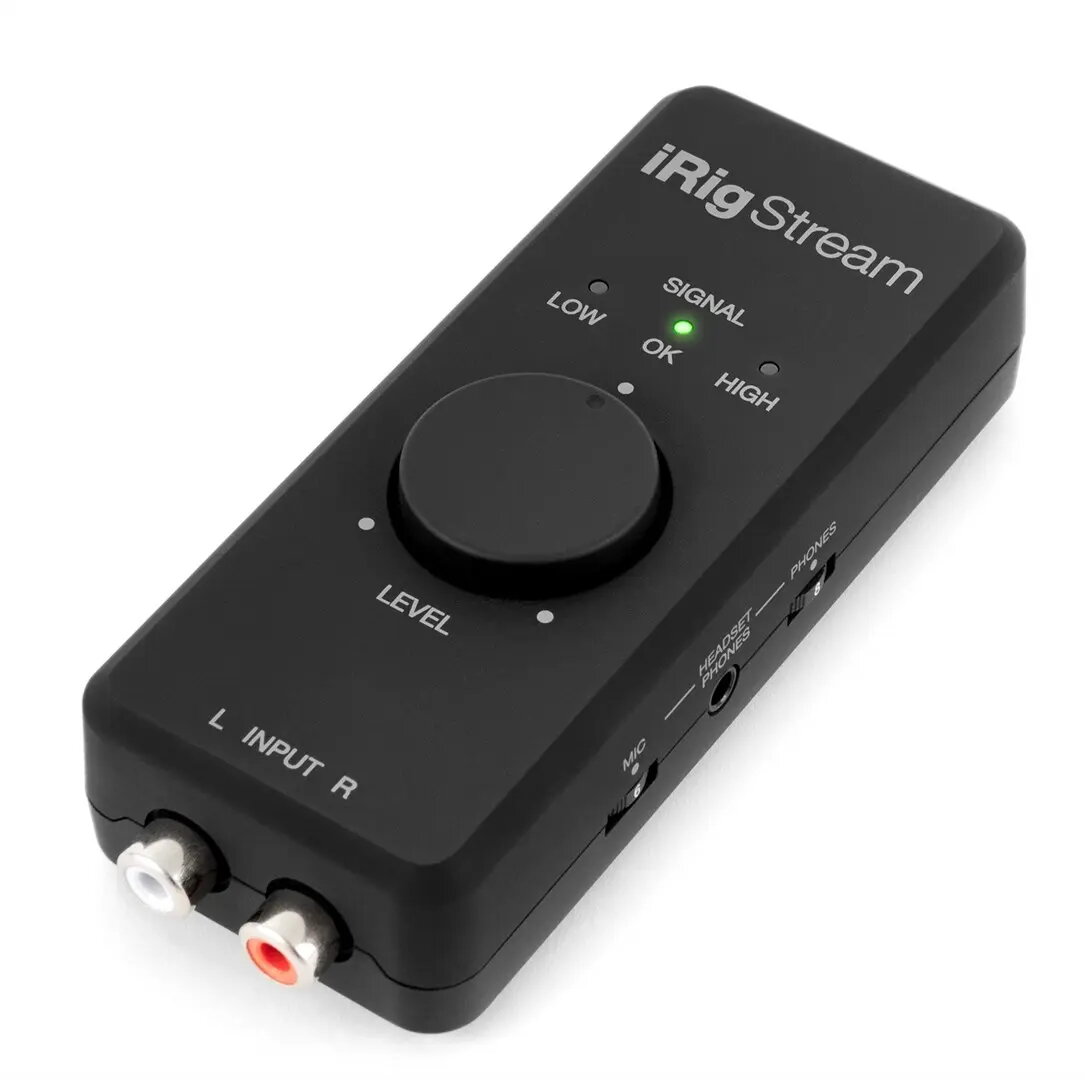
The IK Multimedia iRig Stream is a versatile and compact audio interface engineered for high-quality stereo streaming and recording. Designed to bridge the gap between professional audio equipment and mobile or desktop devices, this interface allows users to route stereo line-level audio sources directly into streaming apps, social media platforms, or recording software. Its portable form factor makes it an essential tool for creators who require reliable audio performance without the bulk of traditional studio hardware.
Advantages
The iRig Stream offers seamless integration with a wide range of devices, ensuring that your audio signal remains clean and professional. By providing a dedicated stereo input, it eliminates the need for complex signal routing, allowing for a direct connection from mixers, keyboards, or other line-level gear. The built-in monitoring feature enables real-time audio feedback, which is critical for maintaining broadcast quality during live sessions. Furthermore, its plug-and-play functionality simplifies the setup process, making it accessible for both beginners and experienced content creators who need to get up and running quickly.
Suitable for
- Live streaming on social media platforms
- Podcasting and remote interviews
- Mobile recording of musical performances
- Content creation for video platforms
- Connecting external mixers to mobile devices
When it may not be suitable
This device is designed specifically for line-level stereo signals and does not feature built-in microphone preamplifiers with phantom power. Therefore, it is not suitable for users who need to connect professional condenser microphones directly without an external mixer or preamp.
Key specifications
- Stereo line-level RCA inputs
- Headphone output with integrated volume control
- Direct monitoring capability
- USB and Lightning connectivity options
- Compact and lightweight design
- Compatible with major mobile and desktop operating systems
How to use
To use the iRig Stream, connect the interface to your mobile device or computer using the appropriate cable. Connect your audio source, such as a mixer or instrument, to the RCA inputs on the device. Plug your headphones into the dedicated output to monitor the audio signal. Once connected, select the iRig Stream as the primary audio input device within your streaming or recording application settings. Adjust the input gain using the controls on the unit to ensure the signal level is optimal for your broadcast or recording.
What to consider before purchase
- Ensure your device supports the required connection type
- Verify that your audio source provides a line-level signal
- Check if your specific streaming application supports external audio interfaces
Usage recommendations
For the best audio quality, always ensure that your input levels are properly calibrated to avoid clipping. Use high-quality shielded cables to minimize interference during your stream or recording session.