
Hurry and order now – up to 50% off!

{{ totalProductsCount }}
In cart {{totalProductsCount}} item(s)
In cart {{totalProductsCount}} item(s)
Total:
{{sum | formatAmount}}
Your cart is empty
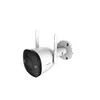 IP security camera Imou Bullet 2 4MP
Product specification IP security camera Imou Bullet 2 4MP
Manufacturer:
IMOU
Category:
Surveillance Cameras
Description
The Imou Bullet 2 4MP is an outdoor IP security camera featuring both wired and wireless connectivity. It has a bullet form factor and is designed for ceiling or wall mounting. With a horizontal viewing angle of 104°, vertical angle of 56°, and diagonal angle of 124°, it provides comprehensive coverage. The camera uses a CMOS sensor with a 2.8 mm fixed focal length and offers a digital zoom of 16x, ensuring clear images in various conditions.
The Imou Bullet 2 4MP is an outdoor IP security camera designed for wall or ceiling installation. It delivers QHD 4MP (1440p) video with a 2.8 mm fixed focal length lens, a 104° horizontal field of view and a 16x digital zoom for closer inspection of scenes. The camera supports both 2.4 GHz Wi‑Fi (dual antenna) and Ethernet LAN for flexible connectivity, records at up to 30 fps, and is weather resistant with an IP67 rating. Built-in night-vision modes, AI human detection, two-way audio and local or cloud storage options make this unit suitable for continuous perimeter monitoring of homes and small businesses.
Advantages
The Bullet 2 4MP combines high-resolution imaging with efficient H.265 compression to reduce bandwidth and storage requirements while maintaining clear footage. Multiple night-vision modes including Smart Full Color allow grayscale recording with automatic color spotlight activation on motion, providing clearer identification of people at night. AI human detection lowers false alarms by distinguishing people from other moving objects. Dual connectivity (Wi‑Fi and wired Ethernet), a MicroSD slot for local storage and compatibility with Imou Cloud offer flexible recording and networking choices. The camera is compact, lightweight and finished in white for discreet outdoor installation.
Suitable for
- Monitoring front yards, backyards and driveways
- Securing garage entrances and side passages
- Perimeter surveillance for small retail or commercial locations
- Remote visual checks and two‑way communication at entry points
Key specifications
- Image sensor: CMOS, 4MP (QHD 1440p)
- Lens: 2.8 mm fixed focal length
- Field of view: 104° horizontal, 56° vertical, 124° diagonal
- Frame rate: up to 30 fps
- Video compression: H.265
- Digital zoom: 16x
- Connectivity: 2.4 GHz Wi‑Fi (dual antenna) and Ethernet LAN
- Audio: two‑way talk
- Night vision modes: Smart Full Color, Color Night Vision, Infrared, Off
- Detection: AI human detection and video motion detection
- Storage options: MicroSD slot (local) and cloud support
- Ingress protection: IP67 (weather resistant)
- Mounting: ceiling or wall
- Colour: white
- Weight: 0.357 kg
How to use
Install the camera on a wall or ceiling using the included mounting hardware and ensure the connection points are covered when mounting outdoors. Download the Imou Life app on an iOS, Android or Windows device and create or sign in to your Imou account. In the app, add a new device by scanning the camera QR code and follow the guided steps to connect via 2.4 GHz Wi‑Fi or plug an Ethernet cable for wired operation. Place the camera within range of the router during setup and adjust the angle to cover the desired area. Configure recording preferences to local MicroSD storage or Imou Cloud and set detection zones and notification schedules as required.
Usage recommendations
Position the camera at a height that reduces glare from headlights and prevents easy tampering; for best night performance, avoid mounting directly opposite strong light sources. Keep the camera firmware and the Imou Life app updated, use H.265 for efficient storage, and set human detection with custom detection regions to reduce false alarms.
Specifications
Design
- Form factor:
- Bullet
- Product colour:
- White
- Housing material:
- Plastic, Metal
- Mounting type:
- Ceiling/Wall
- International Protection (IP) code: Device protection rating against dust and water according to the international IP standard.
- IP67
- Protection features:
- Waterproof, Dust resistant
- Weatherproof:
- Yes
Image sensor
- Sensor type:
- CMOS
- Optical sensor size:
- 25.4 / 2.7
Logistics data
- Harmonized System (HS) code:
- 85258900
Operational conditions
- Operating relative humidity (H-H):
- 0 - 95
- Operating temperature (T-T):
- -30 - 60
Network
- Wi-Fi standards:
- 802.11b, Wi-Fi 4 (802.11n), 802.11g
- Supported network protocols:
- ONVIF
- Ethernet LAN:
- Yes
- Frequency band:
- 2.4
- Bluetooth:
- No
- Wi-Fi:
- Yes
Audio
- Audio system:
- 2-way
- Built-in microphone:
- Yes
- Built-in speaker(s):
- Yes
Video
- Maximum resolution:
- 2560 x 1440
- Video compression formats:
- H.265, H.264
- Frame rate:
- 30 fps
- Total megapixels:
- 4 MP
Night vision
- Night vision:
- Yes
- Night vision distance:
- 30
Camera
- Lens viewing angle, horizontal:
- 104
- Lens viewing angle, vertical:
- 56
- Lens viewing angle, diagonal:
- 124
Performance
- Type:
- IP security camera
- Antenna type:
- External
- Connectivity technology:
- Wired & Wireless
- Placement supported:
- Outdoor
- Antennas quantity:
- 2
- Built-in light:
- Yes
Power
- Power consumption (typical): Power consumption in switched-on state expressed in W.
- 7 W
- DC output voltage:
- 12
- DC output current:
- 1 A
- Power source type:
- DC
Lens system
- Digital zoom:
- 16 x
- Zoom capability:
- Yes
- Fixed focal length:
- 2.8 mm
Features
- Number of cameras:
- 1
Weight & dimensions
- Weight:
- 0.357 kg
- Height:
- 74.2 mm
- Width:
- 74.2 mm
- Depth:
- 147.7 mm
Security
- Built-in siren:
- Yes
- Video motion detection:
- Yes
- Alert notification type:
- Text alert message
- Siren noise level:
- 110 dB
Ports & interfaces
- Ethernet LAN (RJ-45) ports:
- 1
Storage
- Compatible memory cards:
- MicroSD (TransFlash)
- Card reader integrated:
- Yes
- Maximum memory card size:
- 256 GB
- Built-in HDD:
- No
Packaging content
- AC adapter included:
- Yes
- Manual:
- Yes
- Screws included:
- Yes
- Waterproof connector:
- Yes
Management features
- Reset button:
- Yes
System requirements
- Mobile operating systems supported:
- iOS, Android
Technical details
- Compliance certificates:
- CE


