{{ totalProductsCount }}

In cart {{totalProductsCount}} item(s)

Total:
{{sum | formatAmount}}

Your cart is empty

header-product INFOCUS ScreenPlay SP2234ST Standard Throw Multimedia Projector DLP XGA 1024x768 4200 ANSI Lumens 3D White
557.99 €

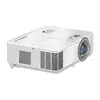
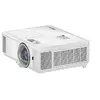
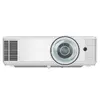
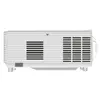
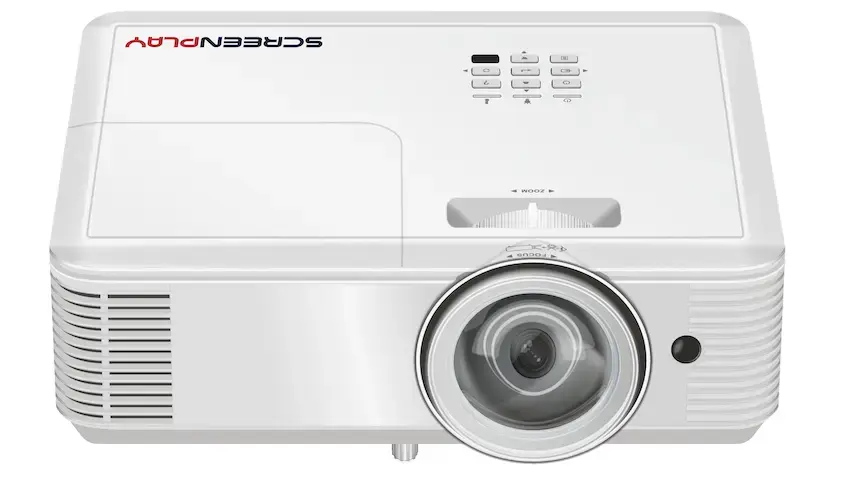
INFOCUS ScreenPlay SP2234ST Standard Throw Multimedia Projector DLP XGA 1024x768 4200 ANSI Lumens 3D White

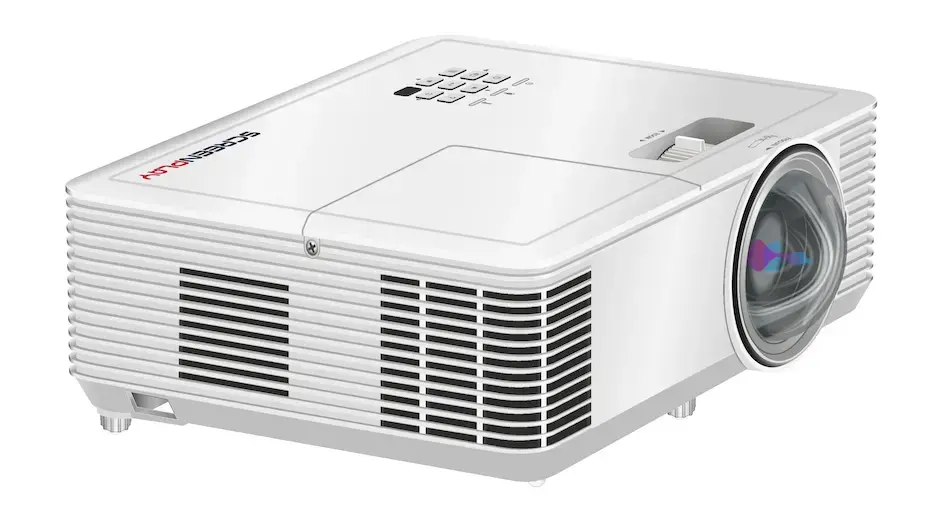
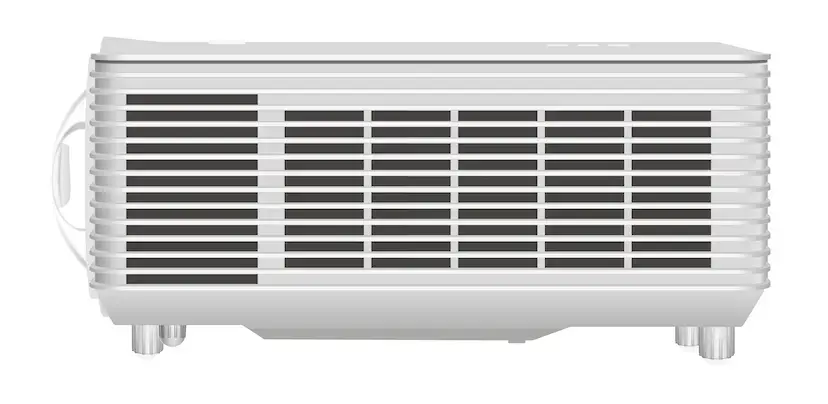
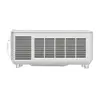
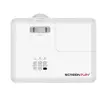
INFOCUS ScreenPlay SP2234ST Projector Photo 1
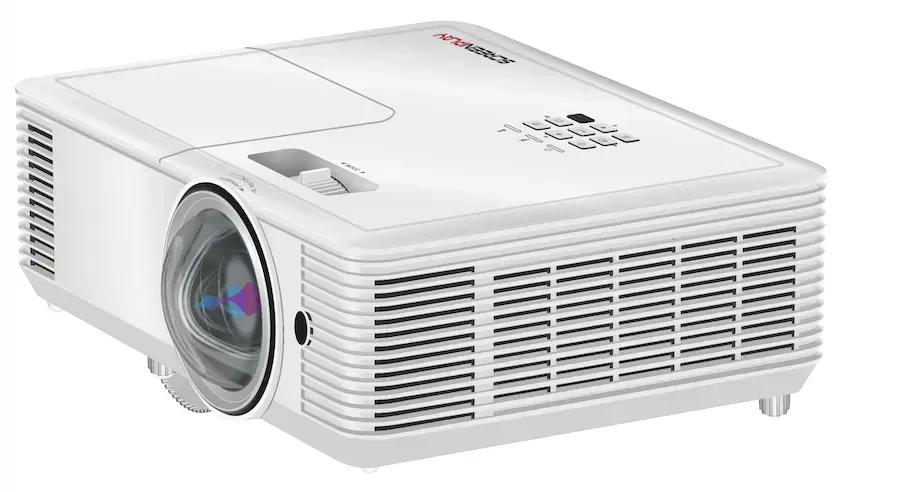
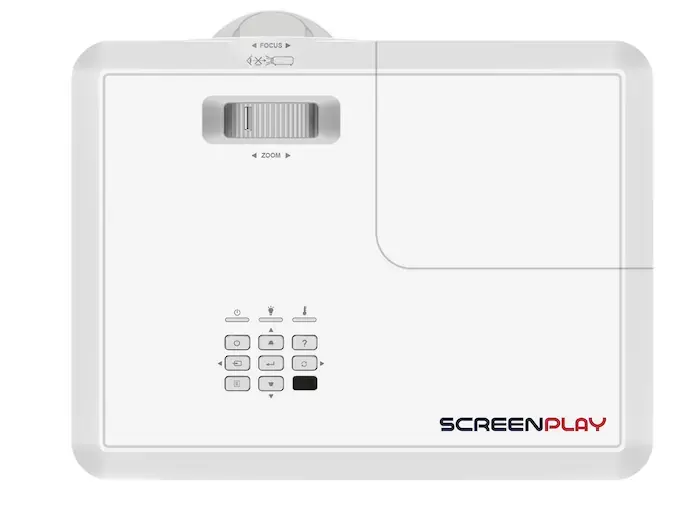
INFOCUS ScreenPlay SP2234ST Projector Photo 2
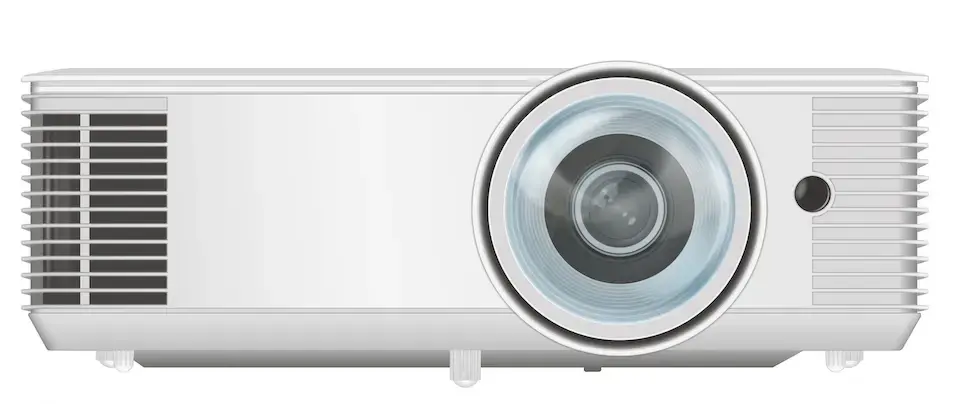
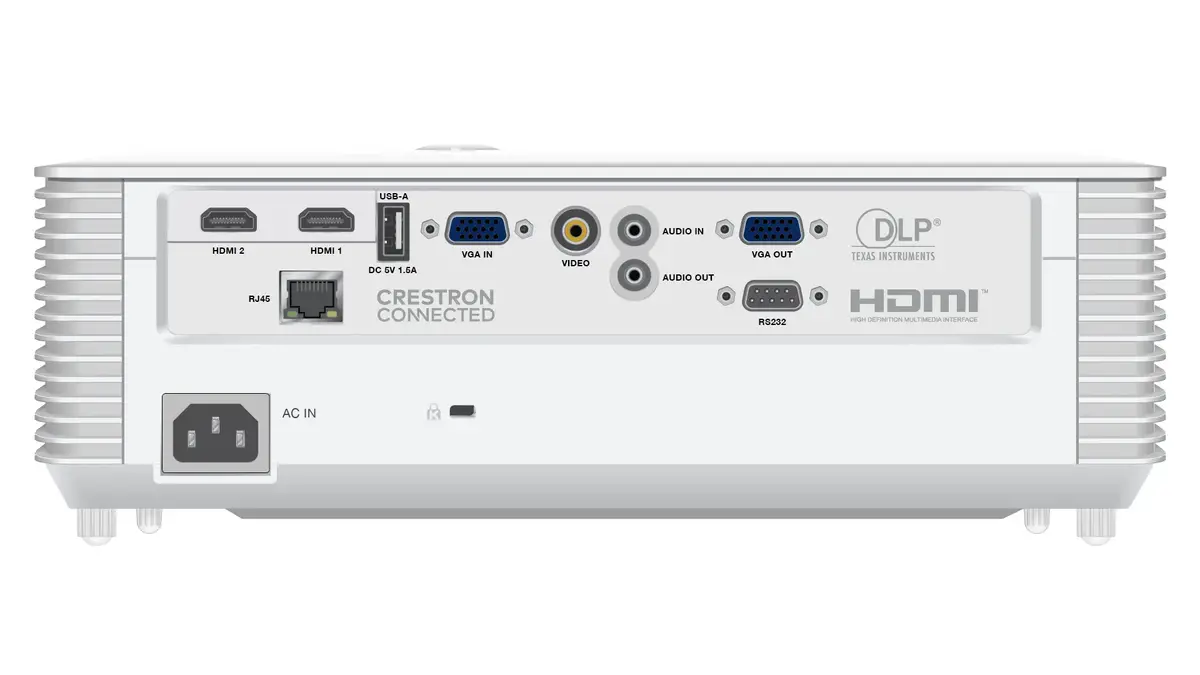
INFOCUS ScreenPlay SP2234ST Projector Photo 3
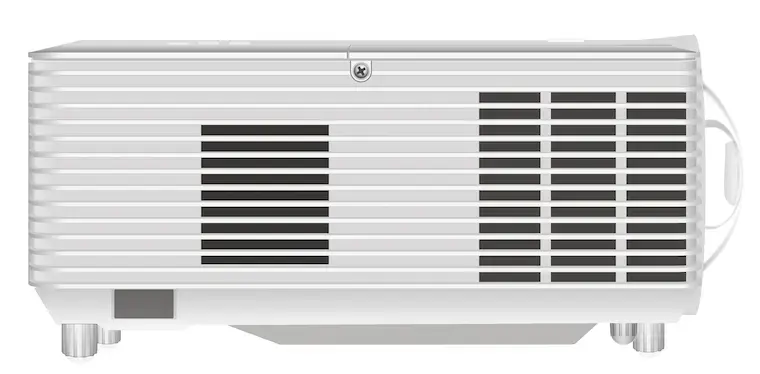
INFOCUS ScreenPlay SP2234ST Projector Photo 4
INFOCUS ScreenPlay SP2234ST Projector Photo 5
INFOCUS ScreenPlay SP2234ST Projector Photo 6
INFOCUS ScreenPlay SP2234ST Projector Photo 7
INFOCUS ScreenPlay SP2234ST Projector Photo 8
INFOCUS ScreenPlay SP2234ST Projector Photo 1
INFOCUS ScreenPlay SP2234ST Projector Photo 2
INFOCUS ScreenPlay SP2234ST Projector Photo 3
INFOCUS ScreenPlay SP2234ST Projector Photo 4
INFOCUS ScreenPlay SP2234ST Projector Photo 5
INFOCUS ScreenPlay SP2234ST Projector Photo 6
INFOCUS ScreenPlay SP2234ST Projector Photo 7
INFOCUS ScreenPlay SP2234ST Projector Photo 8
Keep track of price changes You keep track of price changes
Watch the price drop

Leave your address - as soon as the price of the product goes down, you'll know about it right away

You keep track of price changes

INFOCUS ScreenPlay SP2234ST Standard Throw Multimedia Projector DLP XGA 1024x768 4200 ANSI Lumens 3D White

{{email}}
You keep track of price changes

INFOCUS ScreenPlay SP2234ST Standard Throw Multimedia Projector DLP XGA 1024x768 4200 ANSI Lumens 3D White

{{email}}
{{selectedOffer && selectedOffer.price | formatAmount}}

Short description

INFOCUS ScreenPlay SP2234ST standard throw multimedia projector delivers 4200 ANSI lumens of brightness with DLP technology and native XGA 1024x768 resolution. Designed for business environments, it features 3D capability, a lamp light source with up to 15000 hours service life in economic mode, dual HDMI ports, manual focus, and a built-in speaker. Ideal for presentations and meetings in office and educational spaces.
Available for order: 3 pcs.
Warranty: 2 Years
SKU: 11638137
Charging device not included Charging device not included
free shipment

Cheapest delivery:

Unisend LV

Pick-up points

Unisend LV

Cost

1.99 €

Deliver

{{selectedOffer.parcelStationDeliveryString}}

Customer service center
2b. Kengaraga str., Riga, Latvia, LV-1063
04.11.2026 {{selectedOffer.officeDeliveryString}}
free
Courier Delivery Please note that in case of a large parcel additional delivery costs may apply!
09.11.2026 {{selectedOffer.courierDeliveryString}}
From 4.99 € (Weight: 4.10 kg)
Parcel couriers
Unisend LV / Venipak Pickup LV / Venipak Locker LV / DPD Paku skapis / Omniva LV / Latvijas Pasts pakomāts / Latvijas Pasts nodaļa
09.11.2026 {{selectedOffer.parcelStationDeliveryString}}
From 1.99 €
0 credit

pay in 3 equal parts

today

0 €

afterward

3 mth. × 186 €

overpayment

0 €

All payment Methods:
Bank transfer, Bank cards on-line, Apple Pay, Google Pay, Installment
36 months installment: from 15.50 euros per month
Together cheaper
{{product.price | formatAmount}}
{{product.title}}
{{productBundle.reference.specialPrice | formatAmount}}
{{productBundle.title}}
{{productBundlePreviousPrice | formatAmount}}
{{productBundleSpecialPrice | formatAmount}}

You saving {{productBundleYouSave | formatAmount}}

Product information

Description

The INFOCUS ScreenPlay SP2234ST Standard Throw Multimedia Projector is designed to meet the rigorous demands of modern business environments and educational spaces. Utilizing advanced DLP technology, this white projector delivers a native XGA resolution of 1024x768 alongside a high brightness level of 4200 ANSI lumens, ensuring clear and legible presentations even in moderately lit rooms. It features a reliable lamp light source with an extended service life reaching up to 15000 hours in economic mode, minimizing maintenance requirements. Equipped with dual HDMI ports, a built-in speaker, manual focus, and 3D capability, it provides a dependable display solution for everyday office tasks and professional meetings.

Advantages

This multimedia projector offers high luminous intensity of 4200 ANSI lumens combined with a 30000:1 typical contrast ratio, resulting in sharp text and distinct graphics suitable for professional settings. Its robust lamp design provides up to 15000 hours of operation in economic mode, reducing the frequency of replacements and lowering total cost of ownership. The inclusion of two HDMI ports allows seamless connection to multiple video sources without constant cable swapping. Additionally, the lightweight build of 2.6 kg ensures straightforward placement or relocation within office buildings and classrooms.

Suitable for

  • Business presentations in meeting rooms and boardrooms
  • Educational lectures and training sessions in classrooms
  • Displaying detailed spreadsheets, text documents, and charts
  • Standard throw multimedia projections in professional environments

This standard throw projector may not be suitable for home theater setups requiring Full HD or 4K resolution, as its native aspect ratio is 4:3 and resolution is XGA. It lacks built-in Wi-Fi and Ethernet connectivity, making it less ideal for wire-free network environments or remote device management without external adapters.

Key specifications

  • Projection technology: DLP
  • Projector native resolution: XGA 1024x768
  • Brightness: 4200 ANSI lumens
  • Contrast ratio: 30000:1
  • Native aspect ratio: 4:3
  • Light source type: Lamp
  • Lamp service life: Up to 15000 hours in economic mode
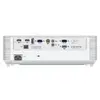
  • Connectivity: 2 x HDMI, 1 x VGA, Audio in, RS-232
  • Focus: Manual
  • Built-in speaker: Yes
  • Weight: 2.6 kg
  • 3D capability: Yes

Place the projector on a stable, flat surface or mount it securely at an appropriate distance from the projection screen. Connect your video source, such as a laptop or media player, using an HDMI cable to the available ports on the device. Power on the unit and adjust the manual focus ring until the projected image appears sharp and clear. Utilize the built-in menu settings to configure audio levels, input sources, and display preferences according to your environment.

What to consider before purchase

  • Check the throw distance and room size to ensure the standard throw lens fits your installation space
  • Verify that your source devices are compatible with HDMI or VGA connections
  • Assess lighting conditions in your room to ensure 4200 ANSI lumens meet your visibility requirements
  • Confirm whether audio requirements are met by the internal speaker or if external sound reinforcement is needed

For optimal performance and extended lamp longevity, operate the projector in economic mode when maximum brightness is not strictly required, and ensure proper ventilation around the unit during extended operation.

Specifications

Remote control included: Component of an electronics device, most commonly a television set, DVD player and home theater systems originally used for operating the device wirelessly from a short line-of-sight distance.
Yes
Weight: Weight of the product without packaging (net weight). If possible, the net weight is given including standard accessories and supplies. Please note that sometimes the manufacturer leaves out the weight of accessories and/or supplies.
2.6 kg
Power consumption (standby): The amount of electricity that is consumed when the product is on standby.
0.5 W
Power consumption (typical): Amount of power consumed by this model, often expressed in watts (W). Typical values that manufacturers give are power consumption when off, standby/suspended mode, typical use, maximum usage.
267 W
Power source: What is providing power for the product e.g. mains electricity.
AC
Built-in display: A display which is part of the product, so you do not need to attach another display.
No
Market positioning: Under which category can the device be positioned in the market, e.g. camera phone.
Business
Product type: The sub-category of the product.
Standard throw projector
Built-in speaker(s): The device contains speaker(s) to produce sound.
Yes
Noise level: The amplitude level of the undesired background noise, usually measured in decibels (db).
30 dB
Interactive:
No
Wi-Fi: Popular technology that allows an electronic device to exchange data or connect to the internet wirelessly using radio waves.
No
Ethernet LAN: An Ethernet LAN (Local Area Network) interface is present, for a wired conection via a cable.
No
Smart TV: Smart TV features access to a large number of channels that offer TV programs, movies, and music without the need to connect a TV antenna or subscribe to a cable/satellite service. Some smart TVs provide web browsing, gaming, and access to compatible media content stored on computers.
No
Audio (L/R) in: The two sockets (ports) for receiving left audio signal (white cable) and right audio signal (red cable).
1
Composite video in: The socket (port) for the composite video input (white cable).
0
Component video (YPbPr/YCbCr) in: The number of sockets (ports) for RF (radio frequency) connections into the product.
0
DVI port: Digital Visual Interface (DVI) is a video display interface to connect a video source to a display device, such as a computer monitor.
No
HDMI ports quantity: The number of sockets (ports) for HDMI connections. HDMI (High-Definition Multimedia Interface) is a compact audio/video interface for transferring uncompressed video data and compressed/uncompressed digital audio data from a HDMI-compliant device ("the source device") to a compatible computer monitor, video projector, digital television, or digital audio device. HDMI is a digital replacement for existing analog video standards.
2
VGA (D-Sub) ports quantity: Number of VGA (D-Sub) ports (connecting interfaces) in the device. The VGA (D-Sub) connector is a 15 pin connector between a computer and a monitor. It was first introduced in 1987 by IBM.
1
3D: The device can be used with 3D technology.
Yes
Full HD: Full High Definition (HD) means that a display supports a resolution of 1920 x 1080 pixel, and has a digital TV connection.
No
Focus:
Manual
Service life of light source:
8000 h
Light source type:
Lamp
Screen size compatibility: The different screen sizes which the device can work with.
711.2 - 7620
Native aspect ratio: The aspect ratio is the ratio of the width of an image to its height. The native aspect ratio is the one which the projector/display is particularly designed for. Images shown in native aspect ratio will utilize the entire resolution of the display and achieve maximum brightness. Images shown in other than native aspect ratio will always have less resolution and less brightness than images shown in native aspect ratio.
4:3
Contrast ratio (typical): The difference in light intensity between the brightest white and the darkest black.
30000:1
Projector native resolution:
XGA (1024x768)
Projection technology:
DLP
Projector brightness:
4200 ANSI lumens
Product colour: The colour e.g. red, blue, green, black, white.
White
Serial interface type:
RS-232
Analog signal format system: The supported protocols for exchanging analog signals.
NTSC, NTSC 4.43, PAL, PAL M, PAL N, SECAM

All features

Technical details

Sustainability compliance:
Yes

Packaging content

AC adapter included:
No
Cables included:
AC, VGA
Carrying case: A case in which the product can be carried.
No
Manual:
Yes
Mounting brackets included:
No
Tripod included:
No
Interactive pen included:
No
3D glasses included:
No
Batteries included:
No
Remote control type:
IR
Remote control included: Component of an electronics device, most commonly a television set, DVD player and home theater systems originally used for operating the device wirelessly from a short line-of-sight distance.
Yes

Weight & dimensions

Package weight: Weight of the packaged product.
4100 g
Package height: The distance from the top to the bottom of the packaging.
166 mm
Package depth: The distance from the front to the back of the packaging.
337 mm
Package width: The distance from one side of the packaging to the other.
395 mm
Height: The measurement of the product from head to foot or from base to top.
96 mm
Depth: The distance from the front to the back of something.
236 mm
Width: The measurement or extent of something from side to side.
313 mm
Weight: Weight of the product without packaging (net weight). If possible, the net weight is given including standard accessories and supplies. Please note that sometimes the manufacturer leaves out the weight of accessories and/or supplies.
2.6 kg

Operational conditions

Operating altitude:
0 - 3048
Storage temperature (T-T): The minimum and maximum temperatures at which the product can be safely stored.
-10 - 60
Operating temperature (T-T): The minimum and maximum temperatures at which the product can be safely operated.
5 - 40

Supplier features

Manual languages (ISO 639 format):
Multi
Orderable unit:
Yes
Invoice unit:
Yes
Battery type: Description of battery supplied with the product, such battery form factor (e.g. AA/AAA).
AA
Batteries required:
Yes
Assembly required:
No
Recommended gender: The kind of user to whom the product is most appropriate.
Any gender

Processor

Built-in processor: Whether or not a processor is built into the device.
No

Power

Auto power off: The device switches itself off automatically after a certain activity, or after a certain time of inactivity.
Yes
AC input frequency:
50 - 60
AC input voltage: The voltage of the AC electricity that is inputted into the product.
100 - 240
Power consumption (economy mode):
210 W
Power consumption (max): The maximum amount of power used by the device.
267 W
Power consumption (standby): The amount of electricity that is consumed when the product is on standby.
0.5 W
Power consumption (typical): Amount of power consumed by this model, often expressed in watts (W). Typical values that manufacturers give are power consumption when off, standby/suspended mode, typical use, maximum usage.
267 W
Power source: What is providing power for the product e.g. mains electricity.
AC

Display

Built-in display: A display which is part of the product, so you do not need to attach another display.
No

Design

Cable lock slot: Holes on the edge of devices through which a cable lock can be passed, so the device can be locked to a desk etc.
Yes
LED indicators:
Y
Cable lock slot type:
Kensington
Placement: Where the product can be placed e.g. floor, wall.
Desktop, Ceiling
Product colour: The colour e.g. red, blue, green, black, white.
White
Housing material: What the casing of the product is made of.
Plastic
Market positioning: Under which category can the device be positioned in the market, e.g. camera phone.
Business
Product type: The sub-category of the product.
Standard throw projector

Multimedia

Audio formats supported: The audio formats which this device or software can read/use e.g. MP3, MP4.
AAC, MP3, WAV, WMA
Image formats supported: The type of image files that the device can use/display e.g. gif, JPEG (jpg).
BMP, JPEG XR, JPG, PNG
Video formats supported: The type of video formats that can be used by this device.
3GP, AVI, MOV, MP4, MPEG, MPG, RM, RMVB
Equalizer: Device that attempts to reverse the distortion incurred by a signal transmitted through a channel.
No
TV tuner integrated: Device has an in-built TV tuner.
No
Logical Channel Number (LCN):
No
Built-in microphone: Microphone that is found inside the product.
No
Number of built-in speakers:
1
RMS rated power: RMS (Root mean square) is a measure of the continuous power required by a device, in particular audio amplifiers and loudspeakers.
10 W
Built-in speaker(s): The device contains speaker(s) to produce sound.
Yes

Features

Certification:
UL and c-UL, FCC, CE, CCC+CECP, NOM, PCT/CU/EAC, CB, Nemco/GS
Noise reduction:
No
Password protection: The computer, smartphone etc. can only be used when the correct password is entered, therefore making it more secure.
Yes
Eye protection:
No
Teletext function: The TV has Teletext, which is a means of sending text and diagrams to a properly equipped television screen by use of one of the vertical blanking interval lines that together form the dark band dividing pictures horizontally on the television screen. It offers a range of text-based information, typically including news, weather and TV schedules. Subtitle (or closed captioning) information is also transmitted within the television signal (usually accessed by pressing 888 on the remote control.
No
Electronic Programme Guide (EPG): An Electronic Programme Guide (EPG) allows device users to navigate scheduling information menus interactively, selecting and discovering programming by time, title, station, or genre using an input device such as a keypad, computer keyboard, or TV remote control. Its interactive menus are generated entirely within local receiving or display equipment using raw scheduling data sent by individual broadcast stations or centralized scheduling information providers. A typical IPG provides information covering the next 7 or 14 days.
No
Separate H/V sync: Device has separate horizontal and vertical synchronization.
Yes
Composite sync: Combines horizontal and vertical synchronization onto one pair of wires. When used in RGB connections, four separate signals are sent (Red, Green, Blue, Sync).
No
Sync-on-green (SOG): Combines composite sync with the green signal in RGB. Only three signals are sent (Red, Green with Sync, Blue).
No
Air filter:
No
Hybrid Broadcast Broadband TV (HbbTV):
No
4K Ultra HD upscaling:
No
Hotel mode:
No
HID support:
No
High Dynamic Range (HDR) supported:
No
Menu position select:
No
Sleep timer:
Yes
Standby timer:
No
Test patterns:
No
Auto signal detection:
Yes
Screen mirroring:
No
Trumotion technology:
No
Number of OSD languages:
27
On Screen Display (OSD) languages:
ARA, CHI (SIMPL), CHI (TR), CZE, DEU, DUT, ENG, ESP, FRE, HIN, HUN, IND, ITA, NOR, POL, POR, RUS, SWE, THA, TUR, VIE
On Screen Display (OSD):
Yes
Preset modes:
Presentation, Bright, Cinema, sRGB, Blackboard, Custom, 3D
Projection modes:
Ceiling, Front, Rear
HDCP: High-bandwidth Digital Content Protection (HDCP) is a form of digital copy protection to prevent copying of digital audio and video content as it travels across connections.
Yes
Noise level (economic mode):
26 dB
Noise level: The amplitude level of the undesired background noise, usually measured in decibels (db).
30 dB
Interactive:
No

Network

Bluetooth Low Energy (BLE):
No
Bluetooth: Bluetooth is a low-power radio technology developed to replace the cables and wires currently used to link or connect electronic devices such as personal computers, printers, and a wide variety of handheld devices including mobile phones. Because it uses radio-wave connectivity, a Bluetooth-enabled device has a constant, established connection to whatever browser it uses. This saves the user the trouble of logging on to check for emails or news updates, for example.
No
Web browser:
No
Miracast:
No
Wi-Fi: Popular technology that allows an electronic device to exchange data or connect to the internet wirelessly using radio waves.
No
Ethernet LAN (RJ-45) ports: Number of Ethernet LAN (RJ-45) ports (connecting interfaces) in the device. Ethernet LAN (RJ-45) ports allow a computer to connect to the ethernet.
0
Ethernet LAN: An Ethernet LAN (Local Area Network) interface is present, for a wired conection via a cable.
No
Smart TV: Smart TV features access to a large number of channels that offer TV programs, movies, and music without the need to connect a TV antenna or subscribe to a cable/satellite service. Some smart TVs provide web browsing, gaming, and access to compatible media content stored on computers.
No

Ports & interfaces

Audio Return Channel (ARC):
No
Consumer Electronics Control (CEC) support:
No
DC-in jack: The socket/plug where the DC electricity supply connects to the device.
No
AC (power) in:
Yes
Common interface Plus (CI+): In Digital Video Broadcasting, the Common Interface (CI) is a technology which allows separation of conditional access functionality from a digital TV receiver-decoder (Host) into a removable conditional access module (CAM). CI+ or Common Interface Plus implements a form of copy protection between a Conditional Access Module (CAM) and the television receiver (Host). CI+ is backward compatible with CIv1. Old television receivers, which have CIv1 CI-slot, can be used with CI+ CAM and vice versa, but for viewing only those of TV programs which are not marked as CI+ protected.
No
Mobile High-Definition Link (MHL):
No
3D sync port:
No
S/PDIF out port: S/PDIF (Sony/Philips Digital Interconnect Format) is a digital audio interconnect used in consumer audio equipment over relatively short distances. The signal is transmitted over either a coaxial cable with RCA connectors or a fibre optic cable with TOSLINK connectors.
No
PC in (D-Sub): The socket (port) to receive input from a PC via a D-sub, which is a connector with a characteristic D-shaped metal shield.
Yes
AUX in:
No
PC Audio out:
Yes
PC Audio in: The socket (port) for the PC audio input.
Yes
Serial interface type:
RS-232
Microphone in: The socket where a microphone is connected to the device.
No
Audio (L/R) out: The two sockets (ports) for transmitting left audio signal (white cable) and right audio signal (red cable).
1
Audio (L/R) in: The two sockets (ports) for receiving left audio signal (white cable) and right audio signal (red cable).
1
Mini-USB 2.0 ports quantity:
0
HDBaseT port:
No
S-Video inputs quantity: The number of ports (input sockets) for S-Video, which is a signalling standard for standard definition video, typically 480i or 576i.
1
DVI port: Digital Visual Interface (DVI) is a video display interface to connect a video source to a display device, such as a computer monitor.
No
Composite video in: The socket (port) for the composite video input (white cable).
0
Component video (YPbPr/YCbCr) in: The number of sockets (ports) for RF (radio frequency) connections into the product.
0
HDMI version:
1.4b
HDMI connector type:
Full-size
HDMI ports quantity: The number of sockets (ports) for HDMI connections. HDMI (High-Definition Multimedia Interface) is a compact audio/video interface for transferring uncompressed video data and compressed/uncompressed digital audio data from a HDMI-compliant device ("the source device") to a compatible computer monitor, video projector, digital television, or digital audio device. HDMI is a digital replacement for existing analog video standards.
2
VGA (D-Sub) ports quantity: Number of VGA (D-Sub) ports (connecting interfaces) in the device. The VGA (D-Sub) connector is a 15 pin connector between a computer and a monitor. It was first introduced in 1987 by IBM.
1

Video

Adjustable colour temperature:
Yes
Supported graphics resolutions: The graphic resolutions that can be displayed by the device. The graphic resolution describes the width and height dimensions of a display, such as a computer monitor, measured in pixels.
800 x 600 (SVGA), 854 x 480 (WVGA), 1024 x 600, 1024 x 768 (XGA), 1280 x 1024 (SXGA), 1280 x 720 (HD 720), 1280 x 800 (WXGA), 1440 x 900 (WXGA+), 1600 x 1200 (UXGA), 1680 x 1050 (WSXGA+), 1920 x 1080 (HD 1080), 1920 x 1200 (WUXGA)
Supported video modes: The video modes that can be displayed by the device.
480i, 480p, 576i, 720p, 1080i, 1080p
3D: The device can be used with 3D technology.
Yes
Full HD: Full High Definition (HD) means that a display supports a resolution of 1920 x 1080 pixel, and has a digital TV connection.
No
Analog signal format system: The supported protocols for exchanging analog signals.
NTSC, NTSC 4.43, PAL, PAL M, PAL N, SECAM
Lens system

Offset:
115 %
Interchangeable lens: The lens in the device can be swapped round.
No
Throw ratio:
0.617:1
Zoom ratio: Measures how much the camera can adjust its focus for distance shots. A 3x zoom ratio changes the camera's focal length by a factor of three, from 35 mm to 105 mm for example.
1.1:1
Zoom type:
Fixed
Zoom capability: The amount that the camera lens can zoom.
No
Focus:
Manual

Light source

Lamp power:
203 W
Lamp type: The characteristics of the lamp.
UHP
Service life of light source (economic mode):
15000 h
Service life of light source:
8000 h
Light source type:
Lamp

Projector

Keystone correction, vertical:
± 20
Matrix type:
DMD
Horizontal synchronization (max):
97 kHz
Horizontal synchronization (min):
15 kHz
Vertical synchronization (min):
54 kHz
Vertical synchronization (max):
85 kHz
Digital gamma correction:
No
Horizontal scan range:
31.469 - 97.551
Vertical scan range:
56 - 85
Uniformity: Defines in percentage the harmonious spread of the projection
80 %
Projector brightness (economic mode):
3040 ANSI lumens
Number of colours:
1.073 billion colours
Projection distance: The maximum length at which an image can be projected.
0.4 - 3.37
Screen size compatibility: The different screen sizes which the device can work with.
711.2 - 7620
Supported aspect ratios: The aspect ratio is the ratio of the width of an image to its height. The supported aspect ratios are the aspect ratios that can be shown by the device.
4:3, 16:10, 16:9
Native aspect ratio: The aspect ratio is the ratio of the width of an image to its height. The native aspect ratio is the one which the projector/display is particularly designed for. Images shown in native aspect ratio will utilize the entire resolution of the display and achieve maximum brightness. Images shown in other than native aspect ratio will always have less resolution and less brightness than images shown in native aspect ratio.
4:3
Contrast ratio (typical): The difference in light intensity between the brightest white and the darkest black.
30000:1
Projector native resolution:
XGA (1024x768)
Projection technology:
DLP
Projector brightness:
4200 ANSI lumens

Description

Machine translation.

Similar products

{{product.title}}
Show details Hide details

{{highlightedFeature.featureTitle}}:

{{getProductFeatureValueById(product, highlightedFeature.featureId)}}

{{product.price | formatAmount}}
Might be useful
{{product.manufacturerName}}
{{product.categoryName}}
{{product.title}}
{{product.specialPrice}}
{{product.price}}

Customer reviews

Customer questions

FAQ

How much does the INFOCUS ScreenPlay SP2234ST Projector cost, and is it available for purchase?

The price is 557.99 € (valid at the time of publication and already includes all taxes). The item is available for order — 3 pcs. are in stock, and you can place your purchase right now with delivery across Latvia and Europe or choose pickup at the Riga collection point. We offer favorable purchase terms, including the option to split the payment into convenient monthly installments. Availability and price are updated in real time, so we recommend placing your order in advance.

If I order this product today, when will I receive my order?

If you place your order today, delivery will be as fast and convenient as possible. You will be able to pick up your order on 04.11.2026 at the Riga pickup point or choose delivery across Latvia and Europe. We carefully inspect every purchase and pack it securely for safe transportation.

What payment options are available?

AiO.lv offers several payment methods: Bank transfer, Bank cards on-line, Apple Pay, Google Pay, Installment. All transactions are 100% secure and encrypted.

Can INFOCUS ScreenPlay SP2234ST Projector be purchased with a lease?

Yes, the purchase is available both on credit and with an interest-free installment plan. We work with leading banks and leasing companies in Latvia, allowing you to make your purchase on convenient terms — with a minimal down payment and a repayment period from 3 to 36 months. You can apply for credit or installments for the INFOCUS ScreenPlay SP2234ST Projector online, and the application process is as simple as possible:
  • Select the product on the website and add it to your cart;
  • When placing your order, choose the payment method “Installments”;
  • Fill in the required details for the lending partner;
  • Receive a decision within a few minutes.
For more information about available payment options, interest-free installment terms, and credit conditions in Latvia, please visit the Payment page.

Can this product be purchased for a company (with VAT)?

Yes. AiO.lv works with legal entities in Latvia and across Europe. The product price already includes VAT. For certain product categories, as well as for companies from other EU countries with a valid VAT number, a 0% VAT rate may apply. We issue the invoice immediately after the order is placed, support electronic BIS invoices, and automatically generate all necessary accounting documents. You can complete the purchase for a company online — simply select the company profile and choose bank transfer as the payment method during checkout.

What is the warranty period?

All INFOCUS products come with an official 2 Years warranty. It covers all manufacturing defects and malfunctions that may occur during use. The warranty is valid at all authorized INFOCUS service centers and through AiO.lv

Can the product be returned after purchase?

Yes, you can return the product within 14 days of purchase if you bought it as a consumer (not a legal entity). Returns are possible without giving any reason — the main condition is that the product retains its original appearance and full set of accessories. We will make the process as simple and convenient as possible: just contact our customer support team, and we will help you arrange the return.

Where should I contact for warranty service?

For warranty-related questions you can contact the AiO.lv (SIA VSPRO) customer support team. We will assist with consultation, warranty claim processing, and coordination with certified service centers.

How can I tell if this product suits my needs?

When making a choice, we recommend paying attention to the key features: remote control included, weight, power consumption (standby), power consumption (typical), power source, built-in display, market positioning, product type, built-in speaker(s), noise level, interactive, wi-fi, ethernet lan, smart tv, audio (l/r) in, composite video in, component video (ypbpr/ycbcr) in, dvi port, hdmi ports quantity, vga (d-sub) ports quantity, 3d, full hd, focus, service life of light source, light source type, screen size compatibility, native aspect ratio, contrast ratio (typical), projector native resolution, projection technology, projector brightness, product colour, serial interface type, analog signal format system, compatibility with your devices or usage conditions, material quality, functionality, and warranty terms. These characteristics will help you determine how well the model meets your needs.

Where can I download the instructions for INFOCUS ScreenPlay SP2234ST Projector?

You can download the instructions in PDF format from the “Instructions” section on the product description page. The file contains complete information about installation, setup, and usage.
warranty
14-Day Return Policy We are confident in our quality, but if the purchase doesn’t fit — you have 14 days to return the product with peace of mind.
shipping
Fast Delivery Get your orders as quickly as possible — right to your door, parcel lockers, or pickup points across Latvia and the EU.
payment
Secure Payment Pay the way you prefer: cash, VISA, MasterCard, Apple Pay, Google Pay, bank transfer, or 0% installment plan.
warranty
Quality Since 2008 AiO.lv has been on the market for over 18 years and has earned trust — with more than 6000 genuine positive reviews on Google.