Leave your address - as soon as the price of the product goes down, you'll know about it right away
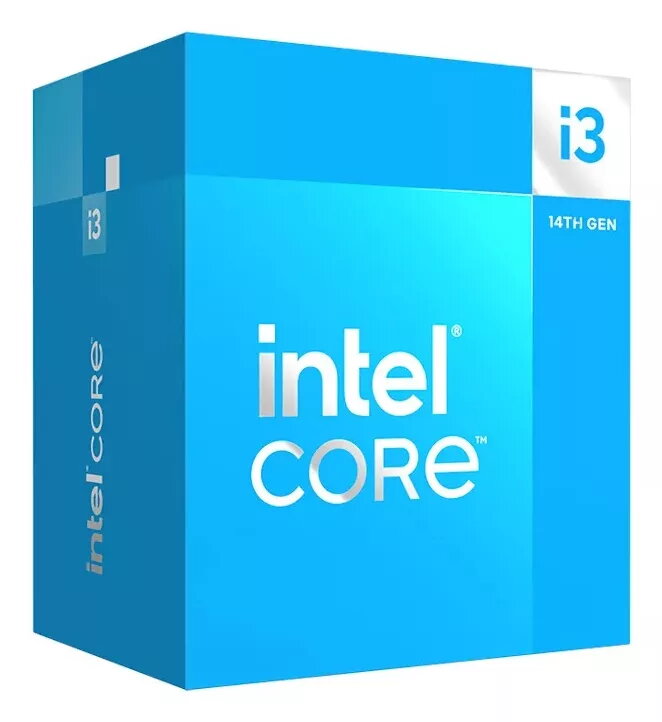
Processor Intel Core i3-14100F 3.0 GHz 6 Cores 12 MB Cache LGA 1700
In cart {{totalProductsCount}} item(s)
Your cart is empty
Processor Intel Core i3-14100F 3.0 GHz 6 Cores 12 MB Cache LGA 1700
Leave your address - as soon as the price of the product goes down, you'll know about it right away
Processor Intel Core i3-14100F 3.0 GHz 6 Cores 12 MB Cache LGA 1700
The Intel Core i3-14100F is a desktop processor from Intel's Raptor Lake family, delivering a base frequency of 3.0 GHz and a Smart Cache of 12 MB. This LGA 1700 CPU supports dual-channel DDR4 and DDR5 memory configurations with a maximum capacity up to 192 GB and provides PCI Express 4.0 and 5.0 connectivity for modern expansion devices. The compact package size (45 x 37.5 mm) allows straightforward installation in compatible motherboards for office, home and entry-level gaming systems. Note: this model does not include integrated graphics.
The i3-14100F combines six processing threads with efficient single-core frequency behavior and a boost frequency up to 4.7 GHz, offering responsive performance for common desktop tasks. Support for both DDR4 and DDR5 memory types and PCIe 4.0/5.0 lanes provides flexibility for system builders and upgrades. The LGA 1700 socket compatibility and compact package enable easy integration into a wide range of desktop motherboards.
Install the Intel Core i3-14100F into an LGA 1700 compatible motherboard following the motherboard and CPU cooler manufacturer instructions. Use an appropriate CPU cooler and thermal interface material, secure the retention mechanism, and connect required power connectors from the PSU. Populate memory modules according to the motherboard manual to enable dual-channel DDR4 or DDR5 operation and update BIOS/UEFI to the recommended version to ensure full memory and PCIe support. Because this processor has no integrated graphics, connect a discrete graphics card to a PCIe slot and install corresponding drivers in the operating system.
For stable system operation, pair the processor with a motherboard BIOS that explicitly lists support for the i3-14100F, use quality cooling that matches the expected workload, and choose DDR4 or DDR5 memory kits validated by the motherboard vendor. For graphics-dependent workloads or gaming, install a compatible discrete GPU and keep system drivers up to date.
{{highlightedFeature.featureTitle}}:
{{getProductFeatureValueById(product, highlightedFeature.featureId)}}