Save time and money with our discounts!
In cart {{totalProductsCount}} item(s)
Your cart is empty
Intel PRO/1000 PT DP Server Adapter - high-performance network solution
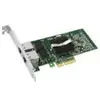
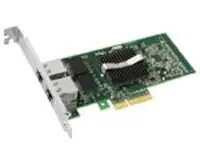
The Intel PRO/1000 PT DP Server Adapter - high-performance network solution (MPN: EXPI9402PT-RFB, EAN: 5706998253934) is a dual-port gigabit Ethernet adapter designed for server environments that require reliable, high-throughput network connectivity. This PCI Express network card provides two RJ-45 10/100/1000 Mbps ports, complies with IEEE 802.3, 802.3u and 802.3ab standards, and includes Wake on LAN support and diagnostic tools for monitoring and configuration. The adapter is intended for integration into rack or tower servers where consistent bandwidth, low latency, and network manageability are important.
The adapter delivers full-duplex gigabit performance on two independent ports, enabling aggregated throughput and redundancy without additional components. Hardware-level support for standard Ethernet protocols ensures compatibility with a wide range of network switches and server operating systems. Built-in Wake on LAN simplifies remote management of servers, while on-board diagnostic functions assist with link status verification and troubleshooting. The product's Intel branding and model EXPI9402PT-RFB denote industry-standard engineering and component interoperability.
Install the adapter into an available PCI Express slot on the server motherboard following standard electrostatic discharge (ESD) precautions. Secure the card to the chassis, connect standard CAT5e/CAT6 network cables to the RJ-45 ports, and ensure the server BIOS and operating system detect the device. Install Intel-supported drivers for the EXPI9402PT-RFB model appropriate to your server OS, then configure network settings, bonding, or teaming as required by your environment. Use the provided diagnostic tools and link status indicators to verify connectivity and performance after installation.
For optimal performance, use certified CAT5e or CAT6 cabling and gigabit-capable switches. When deploying in virtualized or high-traffic environments, consider configuring port aggregation or link redundancy to distribute load and maintain availability. Keep drivers up to date from Intel's official source and follow server vendor guidance on BIOS and slot priority to ensure stable operation.
{{highlightedFeature.featureTitle}}:
{{getProductFeatureValueById(product, highlightedFeature.featureId)}}
{{ productComparisonGenerationError }}