Dreame vacuums for fast and efficient cleaning!
In cart {{totalProductsCount}} item(s)
Your cart is empty
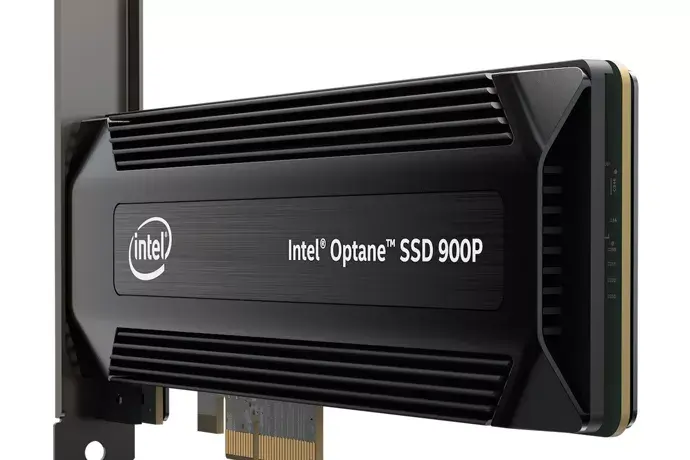
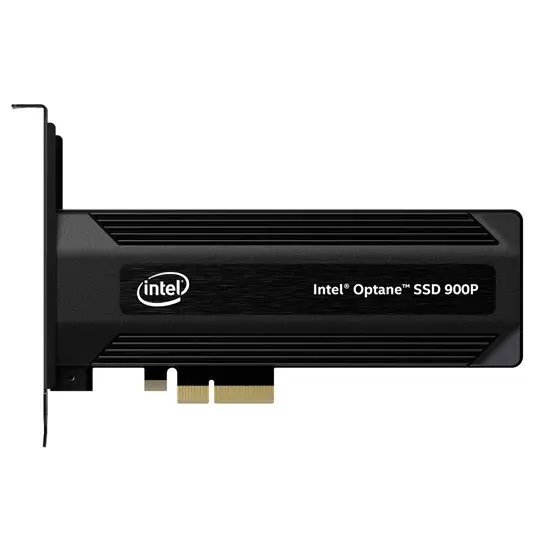
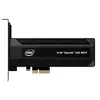
Intel Optane SSD 480 GB Internal Solid State Drive HH/HL PCI Express 3.0 NVMe 3D XPoint with Hardware Encryption
The Intel Optane SSD 480 GB Internal Solid State Drive is designed to significantly upgrade your PC storage performance. Featuring innovative 3D XPoint memory technology and a 480 GB capacity, this internal solid state drive delivers reliable performance and extremely low latency. Built with a Half-Height/Half-Length HH/HL form factor and utilizing a PCI Express 3.0 NVMe interface, it ensures high-speed data transfer for demanding computing tasks. Additionally, it features built-in hardware encryption to provide enhanced security for your sensitive data.
This internal solid state drive utilizes advanced 3D XPoint memory technology, which provides exceptional responsiveness and significantly reduces latency compared to standard storage solutions. The inclusion of a PCI Express 3.0 NVMe interface allows for high-speed data transfer rates, making it an excellent choice for systems handling intensive workloads. Furthermore, the integrated hardware encryption helps keep stored data secure against unauthorized access, adding an extra layer of protection for professional and personal use.
This internal solid state drive may not be suitable for motherboards that lack an available PCI Express slot or support for Half-Height/Half-Length add-in cards. It is also not ideal for compact small form factor PCs or laptops where standard M.2 or 2.5-inch drives are required.
To install the solid state drive, power down your computer, unplug it from the power source, and open the computer case. Locate an available PCI Express slot on your motherboard and firmly insert the Half-Height/Half-Length drive into the slot. Secure the bracket to the chassis, close the case, and reconnect power. Once your operating system boots, initialize and format the drive through your system disk management utility to begin storing data.
Usage recommendations: Handle the expansion card by its edges to avoid touching the sensitive gold contacts. Ensure your system BIOS is up to date before installation for optimal hardware compatibility and performance stability.
{{highlightedFeature.featureTitle}}:
{{getProductFeatureValueById(product, highlightedFeature.featureId)}}
{{ productComparisonGenerationError }}