Powerful EcoFlow stations for energy anywhere!
In cart {{totalProductsCount}} item(s)
Your cart is empty
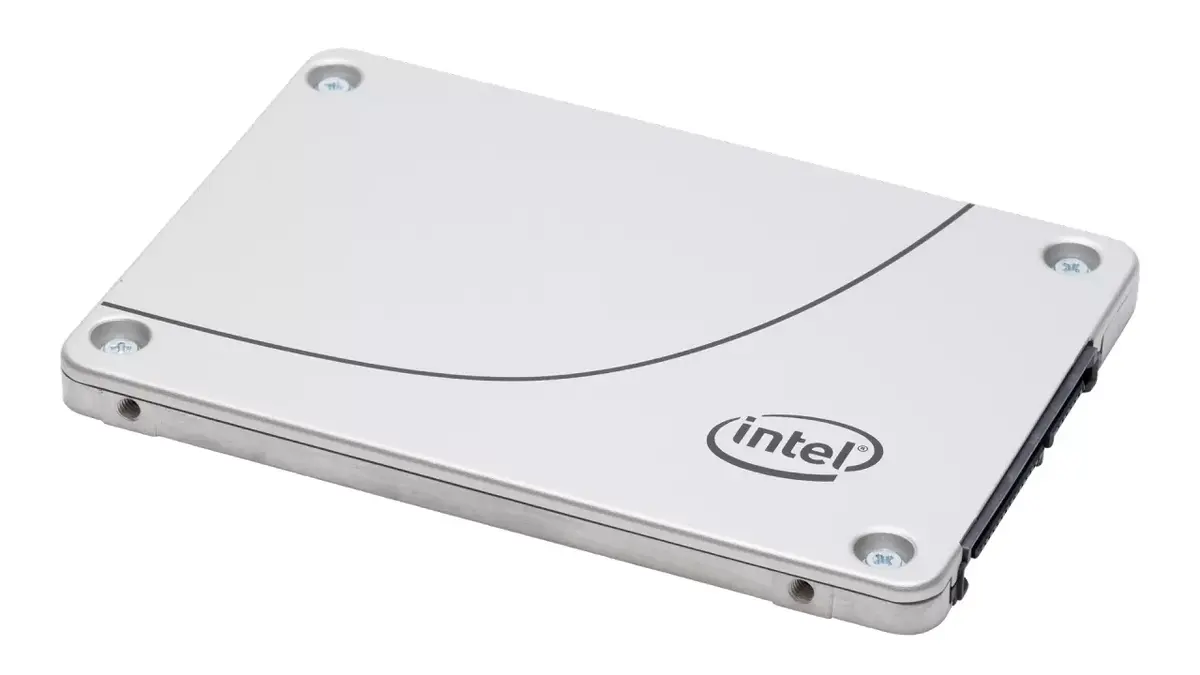
Intel DC S4600 1.9 TB 2.5-inch Solid State Drive Serial ATA III 3D TLC Server and Workstation
The Intel DC S4600 1.9 TB 2.5-inch Solid State Drive Serial ATA III 3D TLC Server and Workstation is a reliable data storage solution designed to meet the demanding requirements of enterprise environments. Utilizing advanced 3D TLC memory technology and a standard Serial ATA III interface, this solid state drive offers consistent performance and robust efficiency for mixed workloads. It bridges the gap between legacy infrastructures and modern data storage needs, helping to streamline operations and enhance overall system responsiveness without requiring a complete hardware overhaul.
This solid state drive delivers significant operational improvements by replacing traditional hard disk drives with modern flash technology. It provides high storage capacity within a compact 2.5-inch form factor, allowing data centers to store more information per rack unit without expanding the physical server footprint. The inclusion of hardware encryption ensures that sensitive data remains secure at rest. Furthermore, innovative firmware design allows for seamless updates without requiring a server reset, which helps minimize operational downtime and reduces maintenance overhead for IT departments.
This drive may not be suitable for high-performance computing environments that require NVMe protocols or PCIe speeds exceeding the limitations of the Serial ATA III interface. It is also not optimized for consumer-grade laptops or standard desktop gaming rigs where enterprise-level endurance features are unnecessary.
To install the solid state drive, mount it into a compatible 2.5-inch drive bay within your server or workstation chassis. Connect the appropriate Serial ATA III data cable and power supply cable from your system motherboard or storage controller to the drive. Ensure that your operating system or hardware RAID controller recognizes the new storage device, and initialize or format the drive according to your system requirements before deploying it for data storage.
For optimal reliability and performance in enterprise setups, ensure your system BIOS and storage controller firmware are up to date, and monitor drive health regularly using compatible management tools.
{{highlightedFeature.featureTitle}}:
{{getProductFeatureValueById(product, highlightedFeature.featureId)}}
{{ productComparisonGenerationError }}