


Leave your address - as soon as the price of the product goes down, you'll know about it right away
Charging Station iPega P5003 for PS5 Controllers - Dual Dock, USB Power
In cart {{totalProductsCount}} item(s)
Your cart is empty
Charging Station iPega P5003 for PS5 Controllers - Dual Dock, USB Power
Leave your address - as soon as the price of the product goes down, you'll know about it right away
Charging Station iPega P5003 for PS5 Controllers - Dual Dock, USB Power
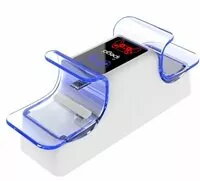
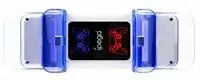
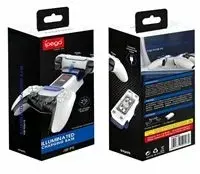
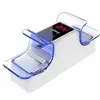
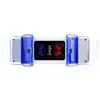
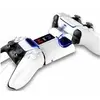
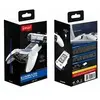
The iPega P5003 charging station for PS5 controllers is a compact dual dock that powers and stores two DualSense gamepads simultaneously. Designed for PlayStation 5 setups, this USB-powered charger provides a neat, space-saving solution to keep controllers ready for play. The unit connects to any compatible USB power source and offers a stable docking area that aligns with the controller charging ports for straightforward recharging.
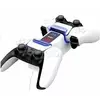
The dual-dock design allows two PS5 controllers to charge at the same time, reducing downtime between gaming sessions. USB power compatibility provides flexibility to use common USB wall adapters, power banks, or console USB ports. Its compact footprint helps organize gaming areas by combining storage and charging in a single accessory, and the alignment design ensures reliable contact with DualSense charging pins.
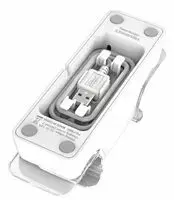
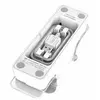
Place the charging station on a flat surface near a USB power source. Connect the included USB cable to a compatible USB adapter, console USB port, or power bank, then insert each DualSense controller into a dock so the charging contacts align. The station will begin charging once a stable USB power supply is detected. Remove controllers once charging is complete or when you need them for gameplay.
For reliable performance, use a stable USB power adapter that provides sufficient current for simultaneous charging of two controllers, and avoid exposing the station to liquids or extreme temperatures. Regularly check contact points on both the controller and dock for dust and keep the unit on a stable, well-ventilated surface.
{{highlightedFeature.featureTitle}}:
{{getProductFeatureValueById(product, highlightedFeature.featureId)}}