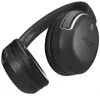
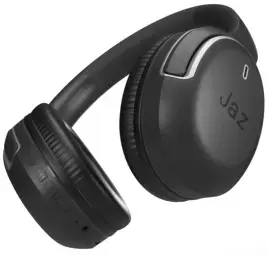
The Jaz PRO AERO Wireless On-Ear Headphones are designed to provide a balanced audio experience for daily activities. These headphones utilize Bluetooth technology to ensure a stable wireless connection with your smartphone, tablet, or computer, allowing you to enjoy music and media without the restriction of cables. The on-ear design is complemented by an integrated microphone, making it easy to manage voice calls while on the move. With passive noise isolation, these headphones help minimize background distractions, allowing for a more focused listening experience.
Advantages
The primary benefit of the Jaz PRO AERO headphones is the combination of wireless freedom and ergonomic comfort, which makes them suitable for extended wear. The built-in microphone provides clear voice transmission for hands-free calling, while the intuitive on-device controls allow users to adjust volume and manage playback without needing to reach for their connected device. The passive noise isolation feature effectively reduces ambient noise, enhancing the clarity of your audio content in various environments. Furthermore, the robust construction and reliable wireless performance make these headphones a practical accessory for everyday use.
Suitable for
- Daily commuting and travel
- Hands-free phone calls and video conferencing
- Listening to music, podcasts, and audiobooks
- Office work or remote learning environments
When it may not be suitable
These headphones may not be the ideal choice for users requiring active noise cancellation for high-noise environments, such as air travel or construction sites. Additionally, those who prefer the deep bass and complete sound immersion of over-ear or studio-grade headphones might find the on-ear design less isolating.
Key specifications
- Connectivity: Bluetooth wireless
- Design: On-ear
- Microphone: Integrated
- Noise isolation: Passive
- Controls: On-device buttons
How to use
To begin using the Jaz PRO AERO headphones, ensure they are fully charged using the provided cable. Activate Bluetooth on your playback device and put the headphones into pairing mode by holding the power button until the indicator light flashes. Select the headphones from your device's Bluetooth menu to establish the connection. Once paired, you can use the buttons located on the ear cup to play or pause audio, skip tracks, and answer or end incoming calls.
What to consider before purchase
- Compatibility with your specific Bluetooth-enabled devices
- Preference for on-ear versus over-ear fit
- Requirement for passive versus active noise cancellation
- Battery life needs for your daily usage patterns
Usage recommendations
For the best audio quality and connection stability, keep your paired device within a ten-meter range of the headphones. Regularly clean the ear cushions with a soft, dry cloth to maintain hygiene and comfort during prolonged use.