
Powerful EcoFlow stations for energy anywhere!
In cart {{totalProductsCount}} item(s)
Your cart is empty
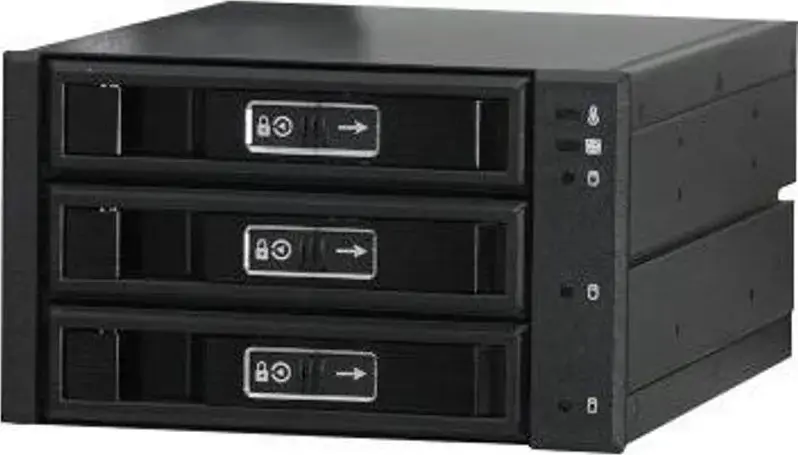
JJ Computer JOUJYE JJ-N-36TM Mobile Rack for 3x 2.5-inch or 3.5-inch SATA/SAS HDD/SSD
The JJ Computer JOUJYE JJ-N-36TM is a professional-grade mobile rack engineered to accommodate up to three 2.5-inch or 3.5-inch SATA or SAS hard drives and solid-state drives. Designed for seamless integration into standard computer chassis drive bays, this internal enclosure offers a robust solution for users requiring high-capacity storage expansion and efficient data management. It supports hot-swap functionality, allowing for quick drive replacement without powering down the system, which is essential for maintaining continuous operation in server and workstation environments.
This mobile rack provides exceptional versatility by supporting both 2.5-inch and 3.5-inch drive form factors within a single unit, making it highly adaptable to evolving storage needs. The construction prioritizes durability and reliable connectivity, ensuring stable data transfer rates for SATA and SAS interfaces. Integrated cooling features help maintain optimal operating temperatures for high-performance drives, effectively preventing thermal throttling and extending the lifespan of your storage media. The tool-less design approach facilitates quick installation and maintenance, significantly reducing downtime during drive upgrades or replacements.
This unit is not designed for external use and must be installed within a standard internal drive bay. It is not compatible with systems lacking sufficient internal space or those that do not support SATA or SAS interface protocols.
To install the JJ Computer JOUJYE JJ-N-36TM, slide the unit into an available internal drive bay of your computer case and secure it with the appropriate mounting screws. Connect the necessary data and power cables from your motherboard and power supply unit to the rear of the rack. Once installed, you can insert your 2.5-inch or 3.5-inch drives into the individual slots. The hot-swap mechanism allows you to insert or remove drives while the system is running, provided your motherboard and operating system support this feature.
For optimal performance and longevity, ensure that the internal cooling fans are not obstructed and that the rack is installed in a well-ventilated area of the computer chassis. Always follow proper drive ejection procedures within your operating system before physically removing a drive to prevent data corruption.
{{highlightedFeature.featureTitle}}:
{{getProductFeatureValueById(product, highlightedFeature.featureId)}}
{{ productComparisonGenerationError }}