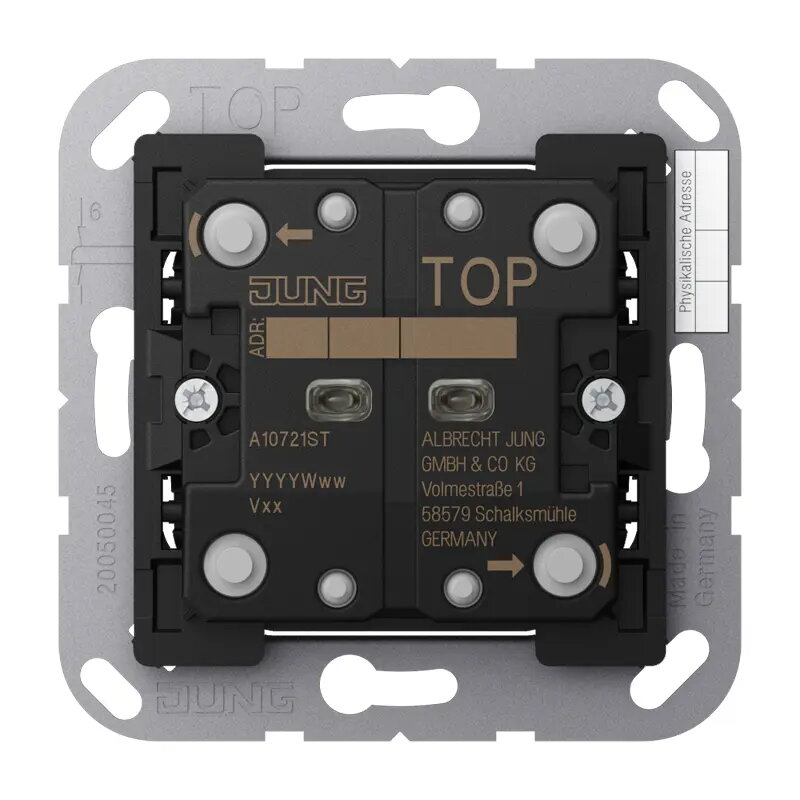
The Jung A10721ST is a 2-fold KNX push-button light switch in a durable plastic housing designed for integration into KNX smart-home and building automation systems. It provides two separate actuator buttons that can be configured to switch lights, send scene commands, or trigger other KNX telegrams. The unit is intended for flush mounting in standard installation boxes and connects to a KNX bus system to operate as part of a broader automated control network.
Advantages
This two-button KNX push-button offers compact, modular control for lighting and automation functions where a minimal footprint is required. The plastic housing is lightweight and electrically insulating, simplifying installation in residential and commercial environments. Integration with KNX enables flexible assignment of functions, such as switching, dimming commands, or scene activation, and allows centralized or distributed configuration within the KNX topology.
Suitable for
- Residential lighting control using KNX systems
- Commercial rooms or offices requiring two-function wall controls
- Scene control or multi-function inputs in automation installations
- Flush-mounting into standard electrical installation boxes
When it may not be suitable
This device is designed specifically for KNX bus systems; it will not function as a standalone conventional mechanical switch without KNX integration or an appropriate interface. If you require analog dimming, wireless remote control, or a non-bus, simple electrical switch, this KNX push-button may not match those requirements.
Key specifications
- Control type: 2-fold push-button for KNX telegrams and switching functions
- Housing material: Plastic, suitable for flush-mounted installation
- Mounting: Flush installation into standard electrical boxes
- Integration: Designed for connection to KNX bus systems
- Functions supported: Switching, scene activation, multi-function input assignments
How to use
Install the Jung 2-fold KNX push-button into a compatible flush-mounted installation box and connect the device to the KNX bus according to local wiring standards and KNX installation practices. Configure the button functions using ETS or a compatible KNX configuration tool: assign group addresses and parameters for switching, scene control, or other telegram types as required by the automation setup. After configuration, use the two push-buttons to send KNX commands for lighting, scenes, or other assigned functions.
What to consider before purchase
- Confirm compatibility with your KNX installation and required group addresses
- Ensure you have a KNX-certified configuration tool or access to a professional for ETS programming
- Check that flush mounting depth and installation box type match your site conditions
- Verify the desired functions (switching, scenes, etc.) can be assigned to two buttons
Usage recommendations
For reliable operation, perform KNX parameterization and group address assignment via ETS before final installation. Use the push-button for primary on/off commands or scene activation and pair it with KNX actuators and sensors for comprehensive automation. Protect the device from moisture and extreme temperatures by installing in appropriate interior environments.