
Leave your address - as soon as the price of the product goes down, you'll know about it right away
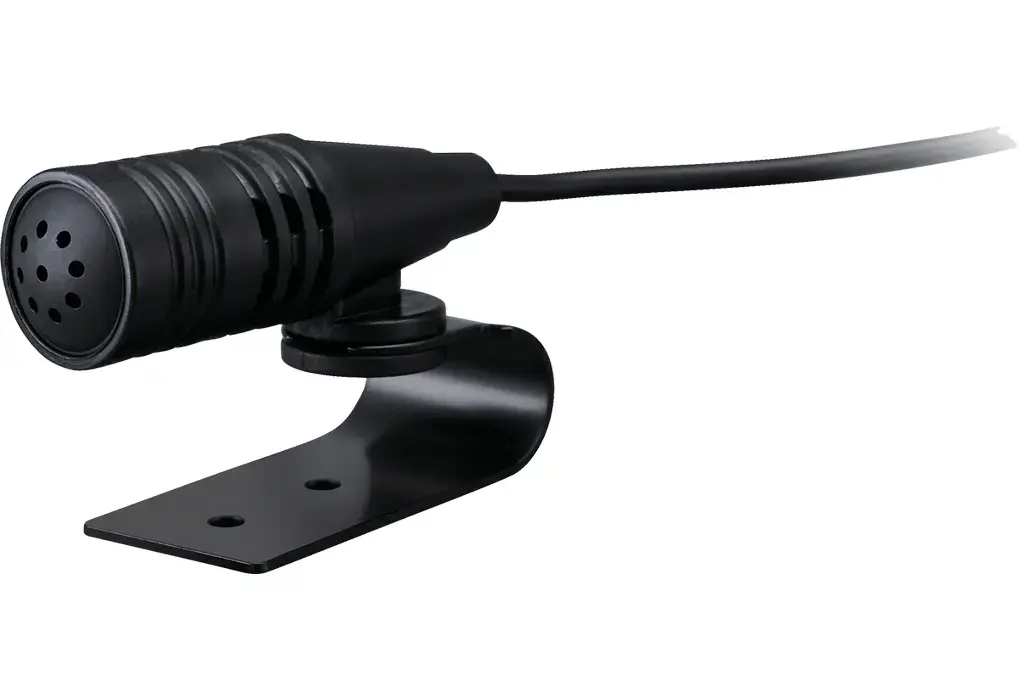
Contact microphone Kenwood KCA-MC10 Wired Black 3m
In cart {{totalProductsCount}} item(s)
Your cart is empty
Contact microphone Kenwood KCA-MC10 Wired Black 3m
Leave your address - as soon as the price of the product goes down, you'll know about it right away
Contact microphone Kenwood KCA-MC10 Wired Black 3m
The Kenwood KCA-MC10 is a high-quality wired contact microphone engineered for clear and reliable audio capture. Designed to integrate seamlessly with compatible car radio systems, this microphone ensures that your voice is transmitted with precision. Its compact and sleek black design allows for discreet installation within your vehicle, while the generous 3-meter cable provides the flexibility needed for optimal placement, ensuring it reaches the desired location without restriction.
This microphone stands out due to its high sensitivity, which allows it to pick up clear audio even in environments where background noise might be present. The wired connection ensures a stable and consistent signal transmission, eliminating the potential interference or battery issues often associated with wireless alternatives. Its robust construction and simple plug-and-play functionality make it a dependable choice for users who prioritize performance and ease of installation in their automotive audio setup.
This microphone may not be suitable for professional studio recording or high-fidelity music production, as it is specifically optimized for voice communication within a vehicle cabin. It is also not compatible with devices that lack a standard mono mini-jack microphone input.
To use the Kenwood KCA-MC10, simply connect the mono mini-jack plug into the designated microphone input port on your compatible car radio or audio device. Once connected, ensure the microphone is securely mounted in a position that faces the driver or the primary speaker to maximize audio clarity. Adjust the microphone gain settings within your radio's menu if necessary to achieve the best balance between volume and background noise suppression.
For the best performance, mount the microphone away from direct airflow from air conditioning vents and ensure the cable is routed securely to prevent it from interfering with vehicle controls or driver visibility.
{{highlightedFeature.featureTitle}}:
{{getProductFeatureValueById(product, highlightedFeature.featureId)}}
