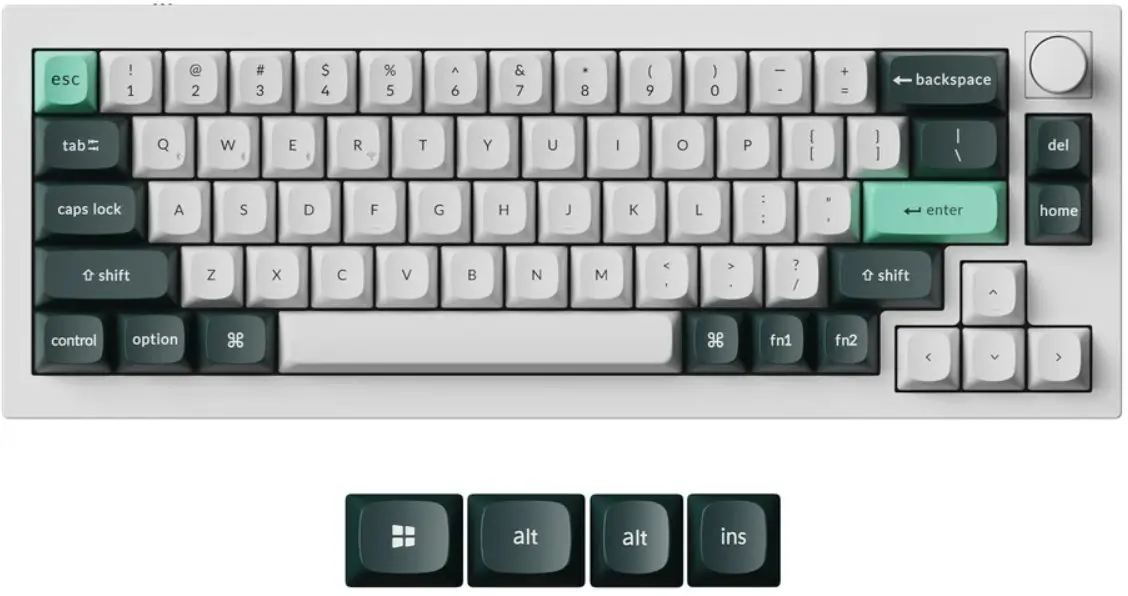
This product page focuses on the Keychron Q2 HE QMK Mechanical Keyboard with Gateron Double-Rail Magnetic Nebula Switches and RGB Backlight, which is compared against alternative models including Keychron Q2 HE QMK Gateron Double-Rail Magnetic Nebula Keyboard Q2H-M1 with Magnetic Switches, Keychron K2 HE Concrete Edition Keyboard with Gateron Double-Rail Magnetic Nebula Switches, Keychron K2 HE Resin Edition Mechanical Keyboard Gateron Double-Rail Magnetic Nebula, Mechanical Keyboard Keychron K6 HE Standard Edition with Gateron Double-Rail Switches, 65% Layout, and Keychron V3 8K QMK Mechanical Keyboard Keychron Super Brown Switches TKL Layout. All these devices are designed by Keychron for productivity, programming, and gaming. Most of these options share advanced magnetic switches with customizable actuation, but they differ in form factor, body materials, and switch types.
⚙️ The specifications comparison table below will contrast parameters such as switch type, programming support, and design features for each model.
| Parameter | Keychron Q2 HE QMK | Keychron Q2 HE QMK (Q2H-M1) | Keychron K2 HE Concrete Edition | Keychron K2 HE Resin Edition | Keychron K6 HE Standard Edition | Keychron V3 8K QMK | Practical Significance |
|---|
| Switch Type | Gateron Double-Rail Magnetic Nebula | Gateron Double-Rail Magnetic Nebula | Gateron Double-Rail Magnetic Nebula | Gateron Double-Rail Magnetic Nebula | Gateron Double-Rail | Keychron Super Brown | Magnetic switches offer adjustable actuation and rapid response for gaming, whereas Super Brown switches deliver a classic tactile typing feel. |
| Programming | QMK Support | QMK Support | Not specified | Not specified | Not specified | QMK Support | QMK support allows complete customization of macros and key layouts tailored to individual workflows. |
| Design Features | Standard Q2 HE version | Q2H-M1 modification | Concrete Edition | Resin Edition | Compact 65% layout | TKL layout | Differences in body materials and layouts directly affect ergonomics, weight, and desk footprint. |
◎ The suitability and use cases table below evaluates which product is best suited for different tasks and user preferences.
| Use Case | Recommended Product | Why |
|---|
| Competitive gaming and precise actuation tuning | Keychron Q2 HE QMK Mechanical Keyboard with Gateron Double-Rail Magnetic Nebula Switches and RGB Backlight | The use of Nebula magnetic switches with adjustable actuation points ensures maximum precision and speed during gaming sessions. |
| Everyday office work and space-saving setups | Mechanical Keyboard Keychron K6 HE Standard Edition with Gateron Double-Rail Switches, 65% Layout | The 65% compact layout combined with magnetic switches makes this model convenient for both office desks and travel use. |
| Classic tactile typing and high polling rates | Keychron V3 8K QMK Mechanical Keyboard Keychron Super Brown Switches TKL Layout | Tactile Super Brown switches and QMK firmware support are well-suited for programming and heavy text entry tasks. |
The primary difference between the Keychron Q2 HE QMK Mechanical Keyboard with Gateron Double-Rail Magnetic Nebula Switches and RGB Backlight and its alternatives lies in the integration of advanced magnetic switches and versatile QMK customization within the specific Q2 series layout. This model is optimal for enthusiasts and gamers who prioritize maximum accuracy and durability. A buyer should prefer this option if fine-tuning switch travel and premium build quality are top priorities, whereas other versions cater better to lovers of compact layouts or traditional tactile switches.