
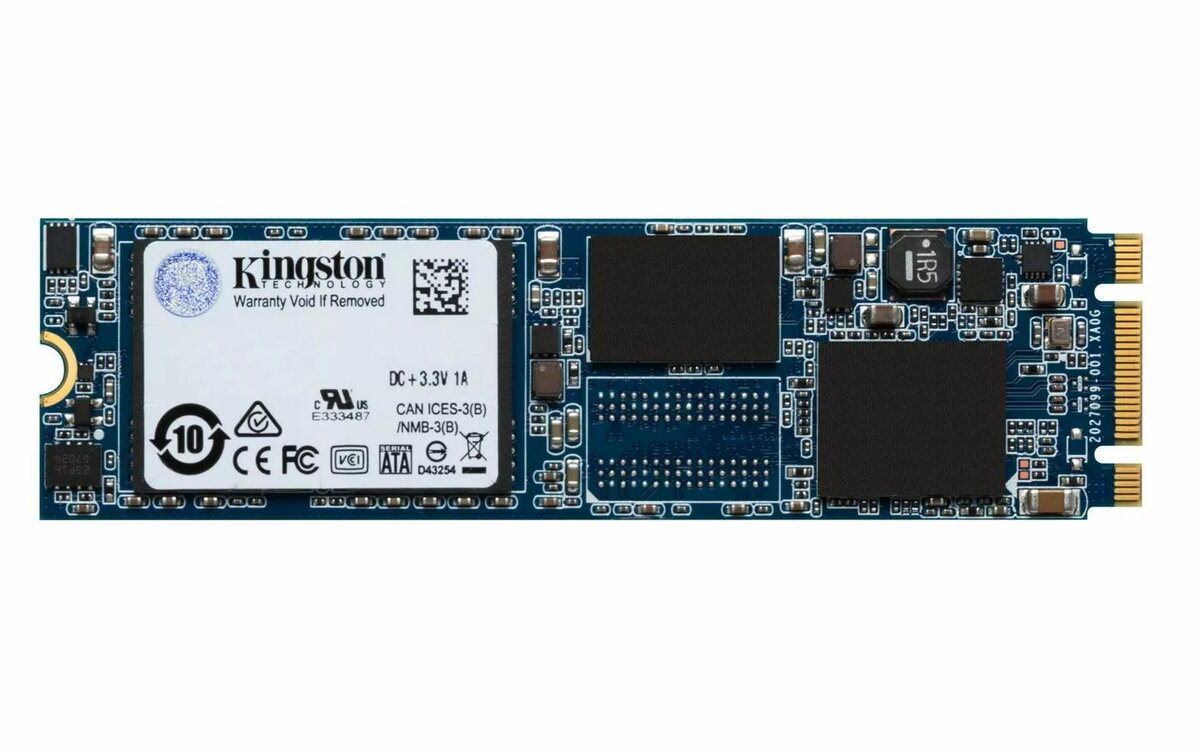
The Kingston 120GB SSDNOW UV500 M.2 is a high-performance solid-state drive designed to enhance the responsiveness of your computer system. Utilizing advanced 3D NAND technology, this drive provides reliable storage and efficient data management for both desktop and portable computers. With its compact M.2 form factor and SATA III interface, it offers a seamless upgrade path for users looking to improve boot times, application loading speeds, and overall system stability.
Advantages
This SSD delivers significant performance improvements over traditional mechanical hard drives, offering rapid data access and reduced latency. The integration of 3D NAND technology ensures greater durability and power efficiency, making it an ideal choice for daily computing tasks. Furthermore, the drive includes built-in data protection features that help safeguard your information, providing peace of mind during intensive read and write operations.
Suitable for
- Upgrading older laptops and desktop PCs
- Improving system boot and application launch times
- General office work and web browsing
- Compact builds requiring M.2 storage solutions
This drive may not be suitable for users requiring high-capacity storage for large media libraries or professional video editing, as the 120GB capacity is relatively limited. Additionally, it is intended for systems with an available M.2 slot that supports the SATA III interface; it will not function in systems that exclusively require NVMe PCIe storage.
Key specifications
- Capacity: 120GB
- Form factor: M.2
- Interface: SATA III
- Read speed: Up to 520MB/s
- Write speed: Up to 500MB/s
- Technology: 3D NAND
How to use
To install the Kingston 120GB SSDNOW UV500 M.2, ensure your computer is powered off and disconnected from the power source. Locate the M.2 slot on your motherboard, insert the drive at a slight angle, and secure it with the appropriate mounting screw. Once installed, you may need to initialize the drive through your operating system's disk management utility or perform a clean installation of your OS to utilize it as a primary boot drive.
What to consider before purchase
- Verify that your motherboard or laptop has an M.2 slot compatible with SATA III drives
- Ensure 120GB of storage is sufficient for your operating system and primary applications
- Check if your system requires specific mounting hardware for M.2 drives
Usage recommendations: For optimal performance, ensure your system BIOS is updated to the latest version and enable AHCI mode in the settings to fully leverage the speed capabilities of the SATA III interface.