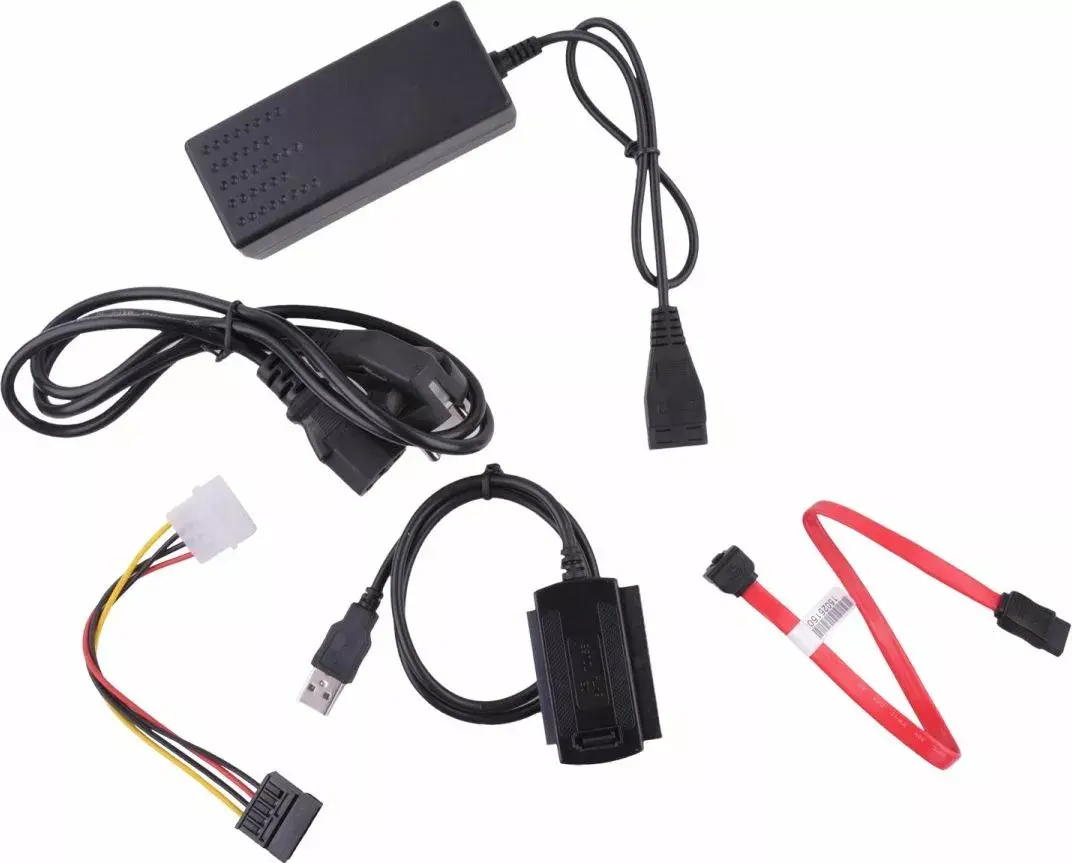
The KO URZ1993 external hard drive enclosure is a versatile hardware solution designed to house both 2.5-inch and 3.5-inch SATA and IDE hard drives. This device transforms internal storage into a portable external drive, allowing users to connect legacy and modern hard disks to a computer via a USB interface. It serves as a reliable tool for data migration, system backups, and the recovery of information from older computer systems.
Advantages
This enclosure offers exceptional compatibility by supporting both older IDE and modern SATA drive standards in a single unit. Its robust design ensures that hard drives are securely held and protected during operation. By providing a bridge between internal drive interfaces and standard USB connectivity, it simplifies the process of accessing data without the need for internal installation. The unit is engineered for efficiency, making it an essential utility for IT professionals and home users who need to manage multiple types of storage media.
Suitable for
- Backing up important files from old hard drives
- Transferring data between different computer systems
- Repurposing internal hard drives as external storage
- Recovering data from legacy IDE drives
When it may not be suitable
This enclosure is not designed for high-speed data transfer environments that require the latest USB 3.0 or higher standards, as it is limited by the interface speed of the enclosure. It is also not suitable for users looking for a compact, pocket-sized portable drive, as the support for 3.5-inch drives requires a larger physical footprint and an external power supply.
Key specifications
- Compatible drive sizes: 2.5-inch and 3.5-inch
- Supported drive interfaces: SATA and IDE
- Connection type: USB
- External power supply requirement: Included for 3.5-inch drives
How to use
To use the enclosure, open the housing and carefully connect your 2.5-inch or 3.5-inch SATA or IDE hard drive to the internal connector. Ensure the drive is properly seated and secured within the casing. Connect the provided power adapter to the enclosure if you are using a 3.5-inch drive, then connect the USB cable to your computer. Once connected, the operating system should automatically detect the drive as an external storage device, allowing you to read or write data as needed.
What to consider before purchase
- Verify the interface type of your hard drive (IDE or SATA)
- Ensure you have a stable power source for 3.5-inch drive operation
- Check if your computer has an available USB port
Usage recommendations: Always safely eject the drive from your operating system before disconnecting the USB cable or powering off the enclosure to prevent data corruption. Keep the device on a flat, stable surface during operation to avoid vibrations.