
Hurry and order now – up to 50% off!
In cart {{totalProductsCount}} item(s)
Your cart is empty
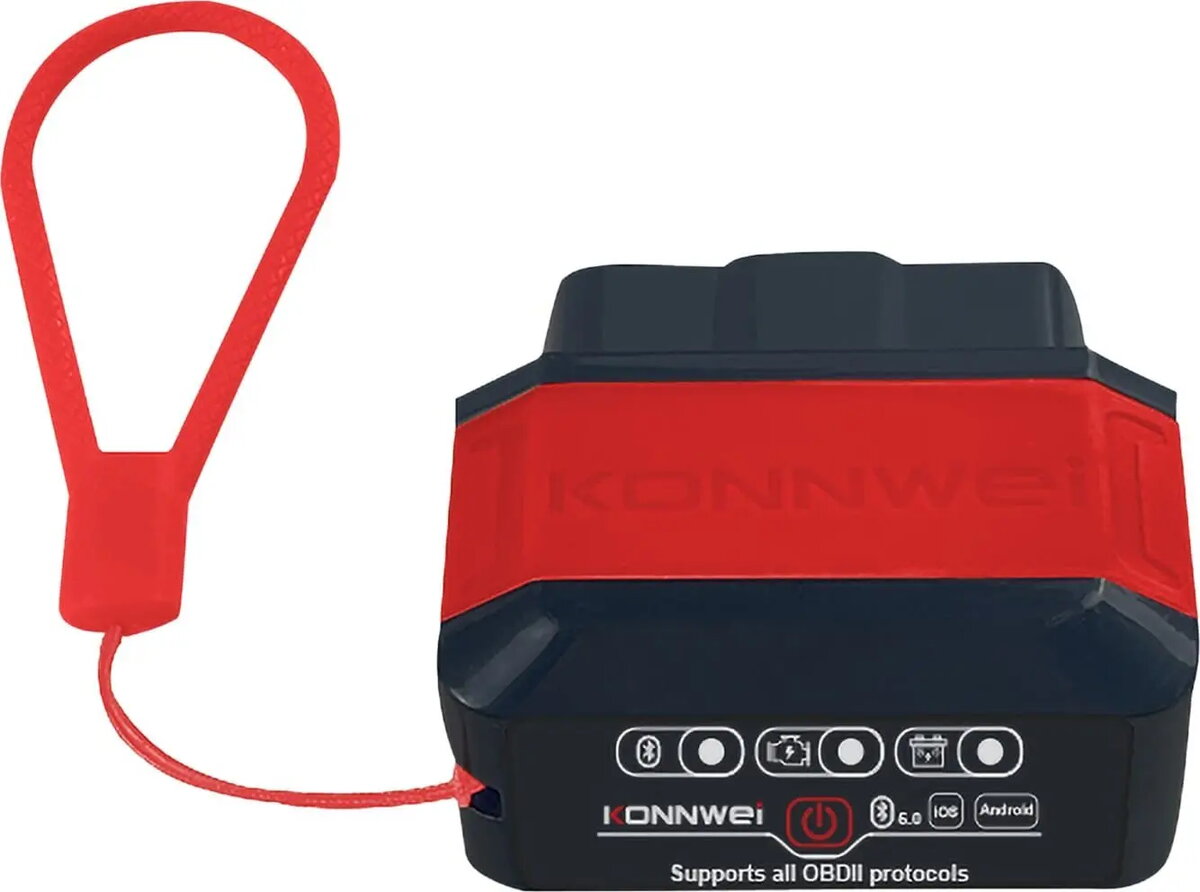
KONNWEI KW906 OBDII Diagnostic Scanner
The KONNWEI KW906 OBDII diagnostic scanner is a compact and efficient tool engineered for comprehensive vehicle health monitoring. By connecting directly to your car's OBDII diagnostic port, this device allows users to read and clear engine fault codes, monitor real-time sensor data, and gain valuable insights into engine performance. It serves as a bridge between your vehicle's onboard computer and your smartphone or tablet, making professional-grade diagnostics accessible to everyday car owners and DIY enthusiasts.
The primary benefit of the KONNWEI KW906 is its portability and ease of use, as its small form factor ensures it does not obstruct the driver while plugged in. It provides a reliable wireless connection to mobile devices, allowing for seamless data streaming and instant access to diagnostic reports. By enabling users to identify and clear check engine lights independently, it helps save time and money on unnecessary visits to repair shops. Furthermore, the device supports a wide range of engine parameters, offering a clear view of how the vehicle is operating under various conditions.
This device is specifically designed for OBDII-compliant vehicles and may not be compatible with older cars manufactured before the OBDII standard was implemented. It is primarily focused on engine diagnostics and may not support advanced manufacturer-specific functions like ABS, airbag, or transmission system scanning on all vehicle models.
To use the KONNWEI KW906, locate the OBDII diagnostic port in your vehicle, which is typically found under the dashboard on the driver's side. Insert the scanner firmly into the port and ensure the vehicle ignition is turned on. Open the designated diagnostic application on your smartphone or tablet, enable Bluetooth or Wi-Fi as required by the app, and pair the device. Once connected, you can select the desired function from the app menu to scan for codes or view live engine data.
For the most accurate results, always perform diagnostic scans while the engine is running or in the ignition-on position as specified by the application. Regularly update the diagnostic software on your mobile device to ensure compatibility with the latest vehicle data.
{{highlightedFeature.featureTitle}}:
{{getProductFeatureValueById(product, highlightedFeature.featureId)}}