
{{ totalProductsCount }}

In cart {{totalProductsCount}} item(s)

Total:
{{sum | formatAmount}}

Your cart is empty

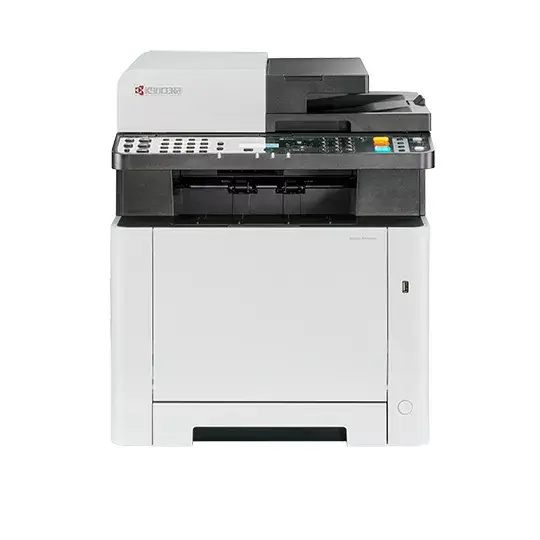
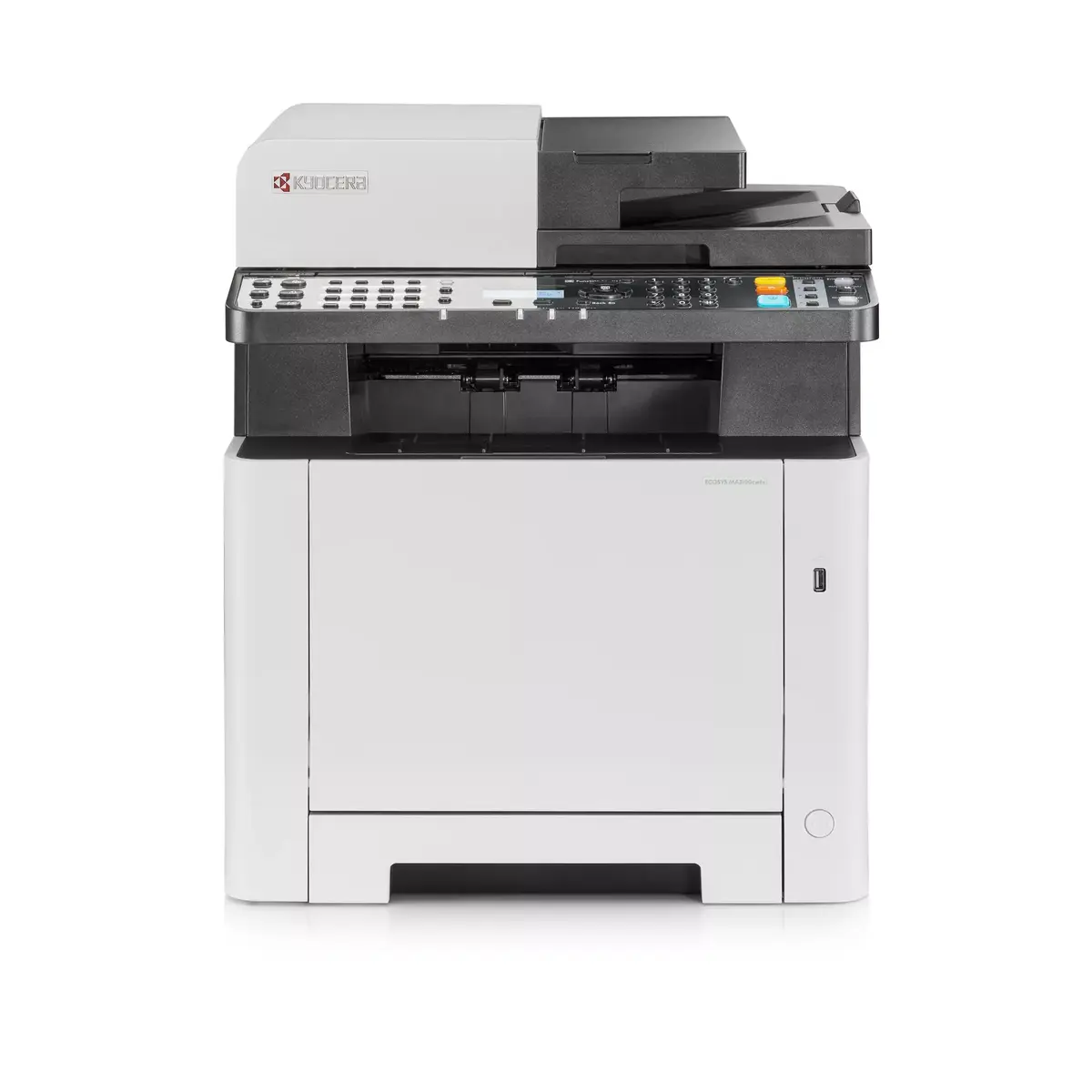
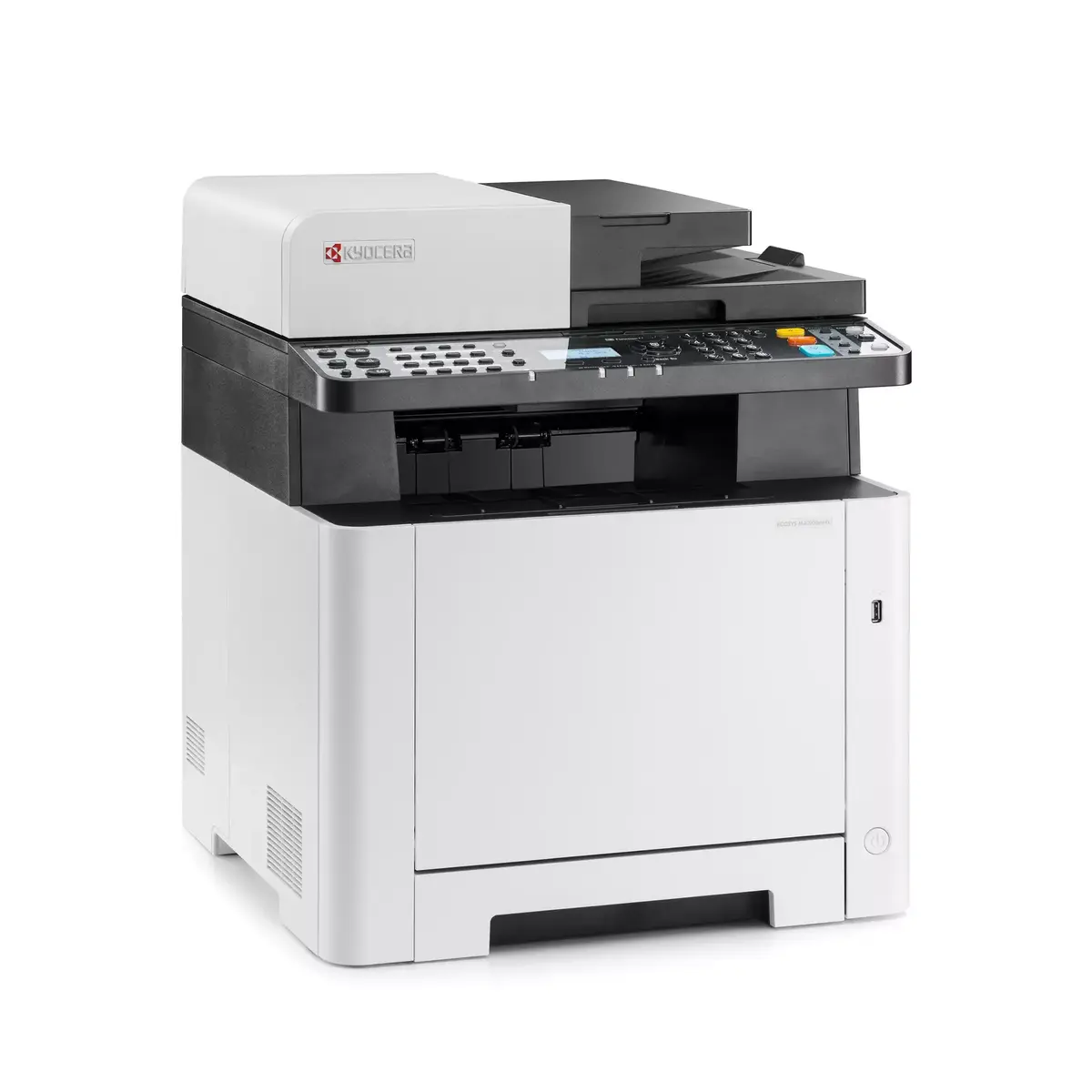
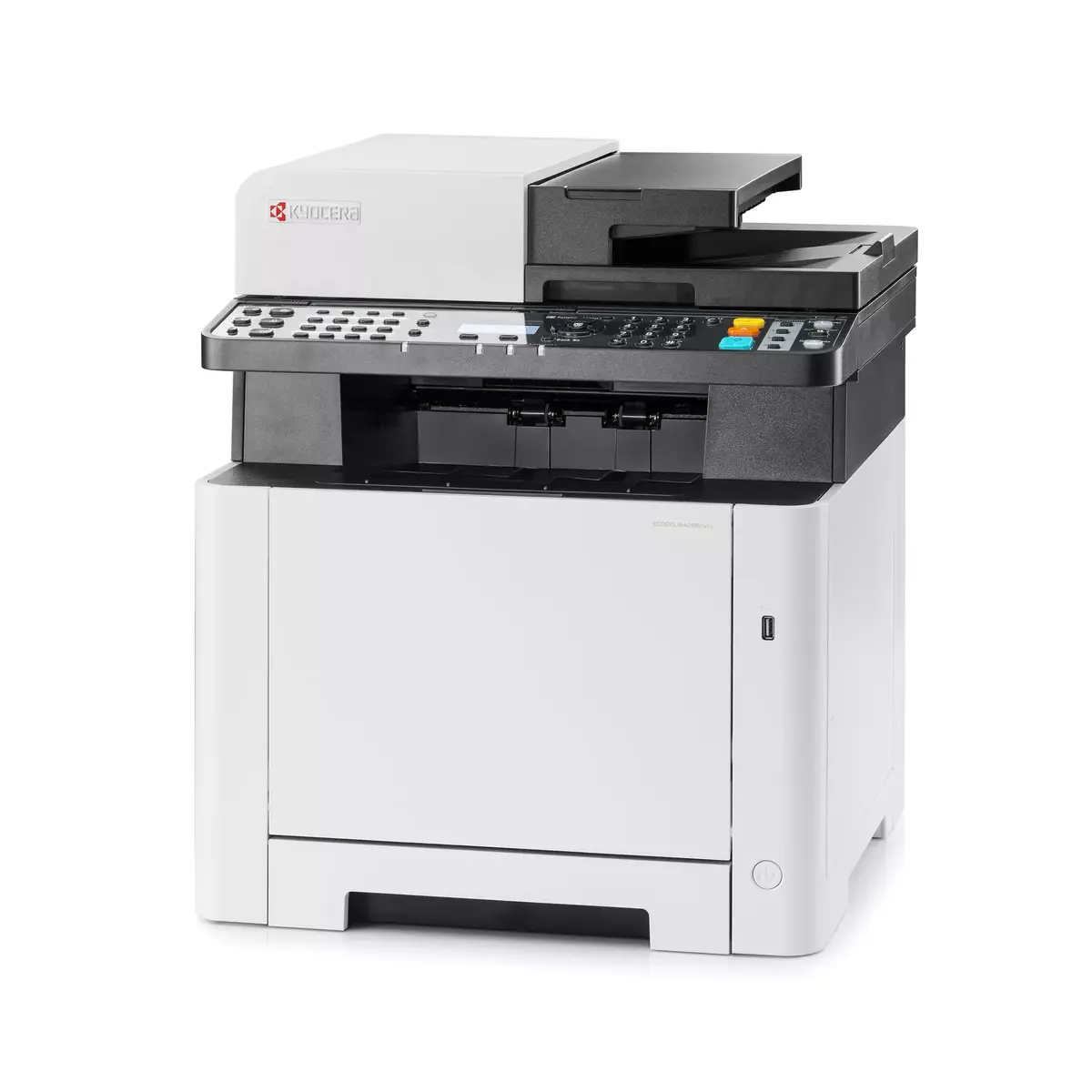
header-product Kyocera ECOSYS MA2100cwfx Colour Laser Printer A4 1200 x 1200 DPI 21 ppm Wi-Fi Ethernet LAN
453.99 €

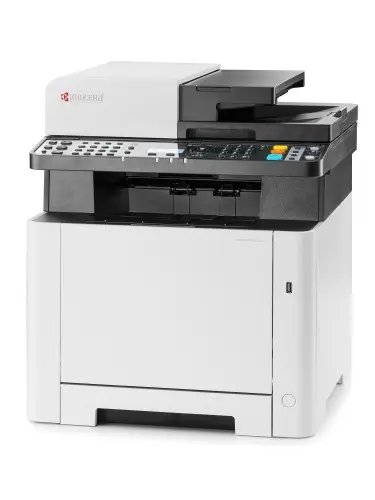
Kyocera ECOSYS MA2100cwfx Colour Laser Printer A4 1200 x 1200 DPI 21 ppm Wi-Fi Ethernet LAN

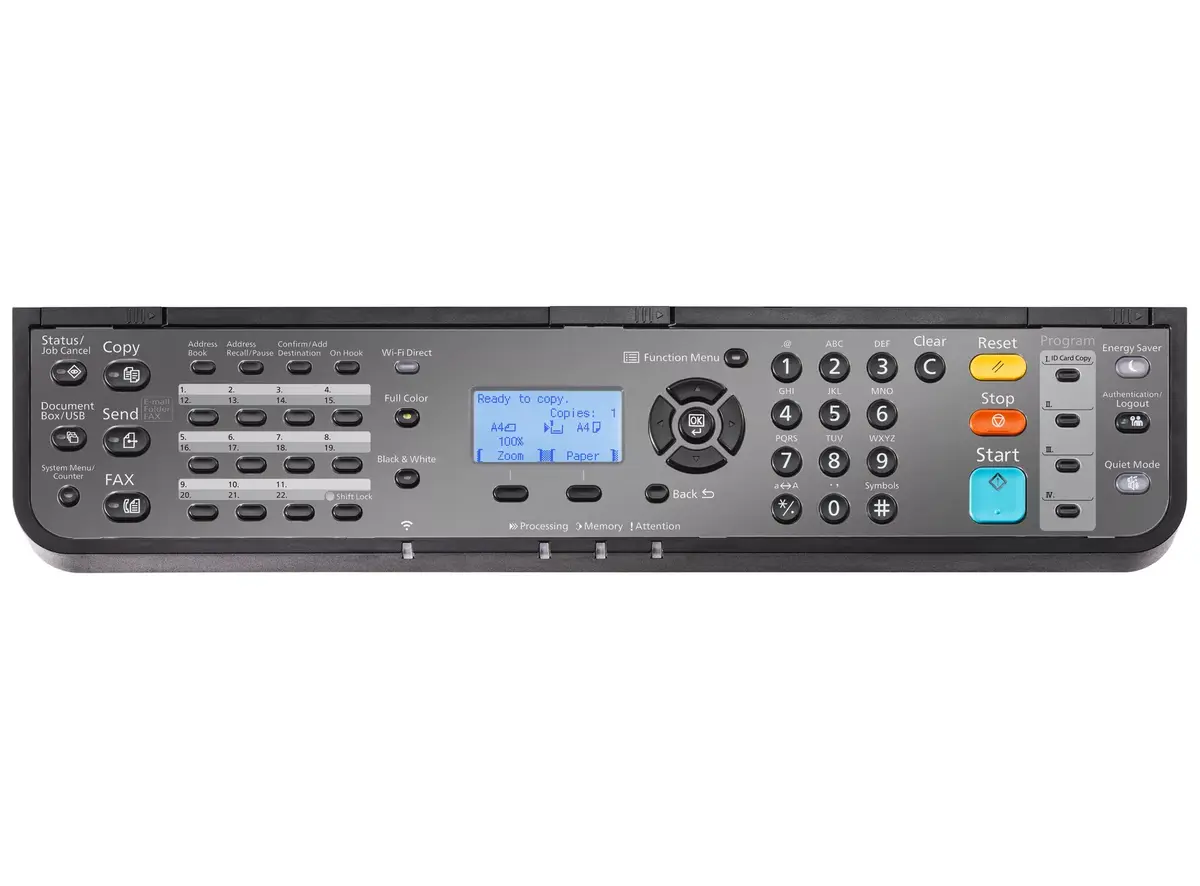
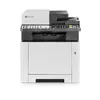
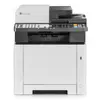
Kyocera ECOSYS MA2100cwfx Colour Laser Printer Photo 1
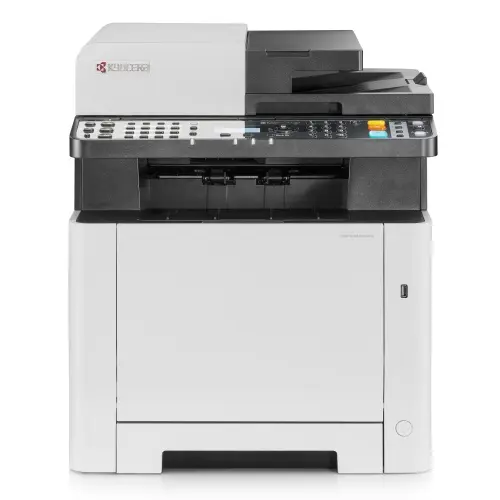
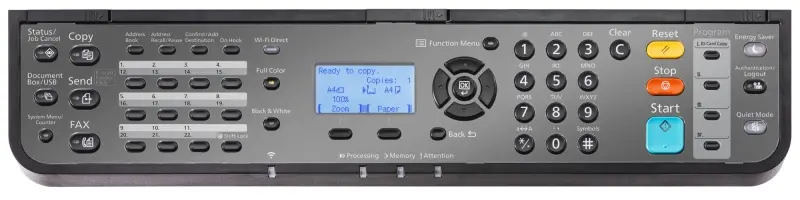
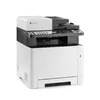
Kyocera ECOSYS MA2100cwfx Colour Laser Printer Photo 2
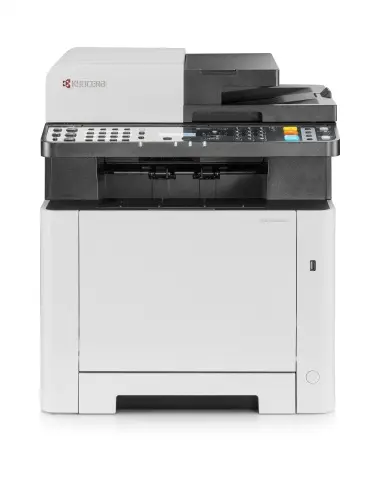
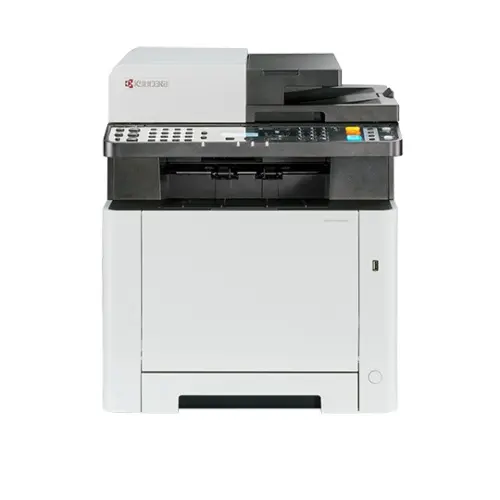
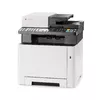
Kyocera ECOSYS MA2100cwfx Colour Laser Printer Photo 3
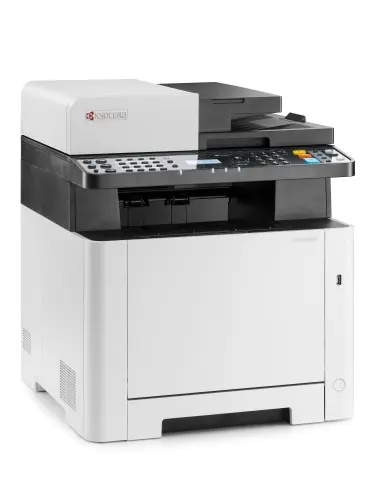
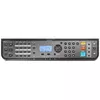
Kyocera ECOSYS MA2100cwfx Colour Laser Printer Photo 4
Kyocera ECOSYS MA2100cwfx Colour Laser Printer Photo 5
Kyocera ECOSYS MA2100cwfx Colour Laser Printer Photo 6
Kyocera ECOSYS MA2100cwfx Colour Laser Printer Photo 7
Kyocera ECOSYS MA2100cwfx Colour Laser Printer Photo 8
Kyocera ECOSYS MA2100cwfx Colour Laser Printer Photo 9
Kyocera ECOSYS MA2100cwfx Colour Laser Printer Photo 10
Kyocera ECOSYS MA2100cwfx Colour Laser Printer Photo 11
Kyocera ECOSYS MA2100cwfx Colour Laser Printer Photo 1
Kyocera ECOSYS MA2100cwfx Colour Laser Printer Photo 2
Kyocera ECOSYS MA2100cwfx Colour Laser Printer Photo 3
Kyocera ECOSYS MA2100cwfx Colour Laser Printer Photo 4
Kyocera ECOSYS MA2100cwfx Colour Laser Printer Photo 5
Kyocera ECOSYS MA2100cwfx Colour Laser Printer Photo 6
Kyocera ECOSYS MA2100cwfx Colour Laser Printer Photo 7
Kyocera ECOSYS MA2100cwfx Colour Laser Printer Photo 8
Kyocera ECOSYS MA2100cwfx Colour Laser Printer Photo 9
Kyocera ECOSYS MA2100cwfx Colour Laser Printer Photo 10
Kyocera ECOSYS MA2100cwfx Colour Laser Printer Photo 11
Keep track of price changes You keep track of price changes
Watch the price drop

Leave your address - as soon as the price of the product goes down, you'll know about it right away

You keep track of price changes

Kyocera ECOSYS MA2100cwfx Colour Laser Printer A4 1200 x 1200 DPI 21 ppm Wi-Fi Ethernet LAN

{{email}}
You keep track of price changes

Kyocera ECOSYS MA2100cwfx Colour Laser Printer A4 1200 x 1200 DPI 21 ppm Wi-Fi Ethernet LAN

{{email}}
{{selectedOffer && selectedOffer.price | formatAmount}}

Short description

Kyocera ECOSYS MA2100cwfx colour laser printer designed for home and office environments. Features a maximum print resolution of 1200 x 1200 DPI, print speed of 21 ppm for A4 documents, automatic duplex printing, colour copying, colour scanning, and mono faxing. Equipped with built-in Wi-Fi, Ethernet LAN, and direct printing capabilities. It supports a total input capacity of 300 sheets and offers reliable performance for daily document workflows.
Available for order: 39 pcs.
Warranty: 2 Years
SKU: 4594032

delivery
to the Customer Service Center at Kengaraga 2b, Riga
03.11.2026 {{selectedOffer.officeDeliveryString}}
free
Customer service center
2b. Kengaraga str., Riga, Latvia, LV-1063
03.11.2026 {{selectedOffer.officeDeliveryString}}
free
Courier Delivery Please note that in case of a large parcel additional delivery costs may apply!
06.11.2026 {{selectedOffer.courierDeliveryString}}
From 53.99 € (Weight: 33.00 kg)
0 credit

pay in 3 equal parts

today

0 €

afterward

3 mth. × 151.33 €

overpayment

0 €

All payment Methods:
Bank transfer, Bank cards on-line, Apple Pay, Google Pay, Installment
36 months installment: from 12.61 euros per month
Together cheaper
{{product.price | formatAmount}}
{{product.title}}
{{productBundle.reference.specialPrice | formatAmount}}
{{productBundle.title}}
{{productBundlePreviousPrice | formatAmount}}
{{productBundleSpecialPrice | formatAmount}}

You saving {{productBundleYouSave | formatAmount}}

Product information

Description

The Kyocera ECOSYS MA2100cwfx colour laser printer is a versatile multifunction device designed to support daily document workflows in home and office environments. Offering a combination of colour printing, colour copying, colour scanning, and mono faxing, this A4 device delivers reliable performance with a print speed of up to 21 pages per minute. Equipped with built-in Wi-Fi, Ethernet LAN, and direct printing capabilities, it integrates smoothly into modern wired and wireless networks.

Advantages

This colour laser printer provides sharp text and vibrant graphics with a maximum print resolution of up to 1200 x 1200 DPI. It supports automatic duplex printing to help reduce paper consumption during routine tasks. The combination of a flatbed and ADF scanner, alongside colour scanning and mono faxing functions, covers all essential office administration needs. With a robust monthly duty cycle and a generous total input capacity of 300 sheets, the device minimizes the frequency of paper refills and handles moderate workloads efficiently.

Suitable for

  • Printing colour documents and reports for home offices
  • Small business administration tasks including copying and scanning
  • Sending and receiving mono faxes
  • Wireless and wired network printing from various devices

This multifunction device may not be suitable for large workgroups with very high daily print volumes exceeding its recommended monthly duty cycle, or for environments requiring automatic duplex scanning, as duplex functionality is limited to printing.

Key specifications

  • Laser print technology with a maximum resolution of 1200 x 1200 DPI
  • Print speed of 21 ppm for A4 documents in black and colour
  • Colour printing, colour copying, colour scanning, and mono faxing
  • Automatic duplex printing function
  • Total input capacity of 300 sheets across two trays and 150 sheets output capacity
  • Flatbed and ADF scanner with 600 x 600 DPI optical resolution
  • Connectivity options include Wi-Fi, Ethernet LAN, and direct printing
  • Internal memory of 512 MB and built-in display
  • Supports A4, A5, and A6 ISO A-series paper sizes

To operate the device, connect it to your power source and network via Ethernet or Wi-Fi, or connect directly using a compatible USB device. Load plain paper into the input trays up to the specified capacity limits. Use the built-in display and control panel or connected computers and mobile devices to manage print, copy, scan, and fax jobs. Replace the four individual print cartridges when indicated by the device status.

What to consider before purchase

  • Verify that the maximum monthly duty cycle matches your anticipated workload
  • Check available physical space, as the device handles A4 media and includes an ADF
  • Confirm compatibility with your existing network infrastructure and wireless devices
  • Note that scanning is single-sided only since duplex scanning is not supported

For optimal performance and longevity of the Kyocera ECOSYS MA2100cwfx, use recommended paper types, perform regular maintenance checks, and replace toner cartridges with genuine Kyocera supplies as needed.

Specifications

Built-in display: A display which is part of the product, so you do not need to attach another display.
Yes
Market positioning: Under which category can the device be positioned in the market, e.g. camera phone.
Home & Office
Internal memory: The amount of memory, usually measured in bytes (e.g. MB, GB), which is installed in the system's hardware.
512 MB
Ethernet LAN: An Ethernet LAN (Local Area Network) interface is present, for a wired conection via a cable.
Yes
Wi-Fi: Popular technology that allows an electronic device to exchange data or connect to the internet wirelessly using radio waves.
Yes
Direct printing: With direct printing it is possible to print your photographs or other documents directly to a printer from a compatible device, without the use of a computer.
Yes
Maximum ISO A-series paper size: The maximum paper size the device can handle, defined by ISO A-series.
A4
Total output capacity:
150 sheets
Total input capacity:
300 sheets
Total number of input trays:
2
Number of print cartridges: The amount of print cartridges. A print cartridge is a container holding a quantity of ink which is inserted into a inkjet printer mechanism.
4
Maximum duty cycle: The maximum number of prints/copies made by a printer/copier in a fixed period.
65000 pages per month
Faxing: To send an exact copy of a document made by electronic scanning and transmitted as data by telecommunications links.
Mono faxing
Scanner type: Indicates the type of scanner this product is.
Flatbed & ADF scanner
Optical scanning resolution: How many pixels a scanner can see. Most commonly, this is measured in dots per inch (dpi).For example, a typical flatbed scanner will use a scanning head with 300 sensors per inch, so it can sample 300 dots per inch (dpi) in one direction. To scan in the other direction, it will move the scanning head along the page, stopping 300 times per inch, so it can scan 300 dpi in the other direction as well. This scanner would have an optical resolution of 300 x 300 dpi. Some manufacturers stop the scanning head more frequently as it moves down the page, so their machines have resolutions of 300 x 600 dpi or 300x1200 dpi.
600 x 600
Duplex scanning: Feature of computer scanners and multifunction printers (MFPs) that allows the automatic scanning of a sheet of paper on both sides.
No
Scanning: To convert a document or picture into digital form for storage or processing on a computer, by scanning it using a scanner.
Colour scanning
Maximum copy resolution: The greatest amount of detail that can be produced by a copy of a document.
600 x 600
Duplex copying:
No
Copying: Description of copying function (colour or monochrome).
Colour copying
Print speed (black, normal quality, A4/US Letter): The print speed of a printer for black & white A4 pages, normal quality. The exact speed varies depending on the system configuration, software program, and document complexity.
21 ppm
Maximum resolution: Maximum printing resolution.
1200 x 1200
Printing: Producing a paper copy of information stored on a computer.
Colour printing
Print technology: Indicates the method used to print by this product.
Laser
Product colour: The colour e.g. red, blue, green, black, white.
Black, White
ISO A-series sizes (A0...A9): Different sizes of paper from A0 (big) to A9 (small). A4 is the most common size used for printing documents.
A4, A5, A6
Paper tray media types:
Plain paper
Printing colours: The colours that can be produced by the printer.
Black, Cyan, Magenta, Yellow
Duplex functions: The product has the ability to print, scan etc. on both sides of a sheet of paper.
Print
All features

Other features

Duplex printing: Feature of computer printers and multifunction printers (MFPs) that allows the printing of a sheet of paper on both sides (automatically or manually)
Yes

Logistics data

Harmonized System (HS) code:
84433100

Packaging content

Cables included:
AC
Imaging unit included:
Yes
Included cartridge capacity (CMY):
1500 pages
Included cartridge capacity (black):
1500 pages
Cartridge(s) included:
Yes

Packaging data

Package weight: Weight of the packaged product.
33000 g
Package height: The distance from the top to the bottom of the packaging.
637 mm
Package depth: The distance from the front to the back of the packaging.
567 mm
Package width: The distance from one side of the packaging to the other.
592 mm

Weight & dimensions

Weight: Weight of the product without packaging (net weight). If possible, the net weight is given including standard accessories and supplies. Please note that sometimes the manufacturer leaves out the weight of accessories and/or supplies.
26 kg
Height: The measurement of the product from head to foot or from base to top.
495 mm
Depth: The distance from the front to the back of something.
429 mm
Width: The measurement or extent of something from side to side.
417 mm

System requirements

Linux operating systems supported: 8 RT. Linux (9.4, 9.5), Red Hat Enterprise Linux 5.0 (supported with a pre-built package); SUSE Linux (10.3, 11.0, 11, 11.1, 11.2), Fedora (9, 9.0, 10, 10.0, 11.0, 11, 12, 12.0), Ubuntu (8.04, 8.04.1, 8.04.2, 8.10, 9.04, 9.10, 10.04), Debian (5.0, 5.0.1, 5.0.2, 5.0.3)
Y
Mac operating systems supported: Mac operating systems e.g. OS X can be used with the device.
Mac OS X 10.10 Yosemite, Mac OS X 10.11 El Capitan, Mac OS X 10.12 Sierra, Mac OS X 10.13 High Sierra, Mac OS X 10.14 Mojave, Mac OS X 10.15 Catalina, Mac OS X 10.15.3 Catalina, Mac OS X 10.5 Leopard, Mac OS X 10.6 Snow Leopard, Mac OS X 10.7 Lion, Mac OS X 10.8 Mountain Lion, Mac OS X 10.9 Mavericks, Mac OS X 11.0 Big Sur
Windows operating systems supported: Windows vesions wich can be used with the device.
Y

Power

AC input frequency:
50 - 60
AC input voltage: The voltage of the AC electricity that is inputted into the product.
220 - 240
Energy Star Typical Electricity Consumption (TEC):
0.73 kWh/week
Power consumption (off):
0.2 W
Power consumption (sleep):
1 W
Power consumption (ready):
41 W
Power consumption (copying):
345 W
Power consumption (printing):
345 W
Power consumption (max): The maximum amount of power used by the device.
1062 W

Design

Colour display:
No
Control type: The way in which the device is controlled.
Buttons
Display: The description of display that can includes display type, resolution, size etc.
LCD
Built-in display: A display which is part of the product, so you do not need to attach another display.
Yes
Market positioning: Under which category can the device be positioned in the market, e.g. camera phone.
Home & Office
Product colour: The colour e.g. red, blue, green, black, white.
Black, White

Performance

Sound pressure level (standby):
30 dB
Sound pressure level (copying):
48 dB
Sound pressure level (printing):
48 dB
Processor frequency: The clock rate is the fundamental rate in cycles per second (measured in hertz) at which a computer performs its most basic operations such as adding two numbers. There are more factors, like internal memory size, that influence a computer's actual response time.
800 MHz
Processor family: A family of processors is a group of processors produced by one company over a short period of time e.g. Intel Pentium processors.
ARM Cortex-A9
Built-in processor: Whether or not a processor is built into the device.
Yes
Compatible memory cards: Types of memory cards which can be used with this product.
SD, SDHC
Card reader integrated: A card reader is a device that enables reading and, in some cases, writing data to and from a memory card.
Yes
Maximum internal memory: The maximum amount of memory inside a product, usually measured in bytes e.g megabytes (MB) or gigabytes (GB).
1536 MB
Internal memory: The amount of memory, usually measured in bytes (e.g. MB, GB), which is installed in the system's hardware.
512 MB

Network

Mobile printing technologies: Apps etc. which allow users to send a print job from a smartphone or tablet to a printer via a wireless network.
Kyocera Mobile Print
Bluetooth: Bluetooth is a low-power radio technology developed to replace the cables and wires currently used to link or connect electronic devices such as personal computers, printers, and a wide variety of handheld devices including mobile phones. Because it uses radio-wave connectivity, a Bluetooth-enabled device has a constant, established connection to whatever browser it uses. This saves the user the trouble of logging on to check for emails or news updates, for example.
No
Near Field Communication (NFC):
No
Wi-Fi standards: The type of wireless local area network (LAN). It can be ad-hoc, where units in a network communicate peer-to-peer, or Infrastructure, where units communicate with each other via an access point A LAN interconnects computers in a small area e.g. home, school or office.
802.11b, 802.11g, Wi-Fi 4 (802.11n)
Cabling technology: Type of cable technology performance.
10/100/1000Base-T(X)
Ethernet LAN data rates: The different speed levels of the Ethernet LAN connection.
10, 100, 1000
Ethernet LAN: An Ethernet LAN (Local Area Network) interface is present, for a wired conection via a cable.
Yes
Wi-Fi: Popular technology that allows an electronic device to exchange data or connect to the internet wirelessly using radio waves.
Yes

Ports & interfaces

USB port: The device features a socket into which a USB cable can be plugged.
Yes
Direct printing: With direct printing it is possible to print your photographs or other documents directly to a printer from a compatible device, without the use of a computer.
Yes

Paper handling

Multi-Purpose Tray media weight:
60 - 220
Paper tray media weight:
60 - 163
Non-ISO print media sizes:
Legal (media size), Letter (media size)
ISO B-series sizes (B0...B9):
B5, B6
ISO A-series sizes (A0...A9): Different sizes of paper from A0 (big) to A9 (small). A4 is the most common size used for printing documents.
A4, A5, A6
Paper tray media types:
Plain paper
Maximum print size: The maximum size that an image can be printed with a good resolution.
216 x 356 mm
Maximum ISO A-series paper size: The maximum paper size the device can handle, defined by ISO A-series.
A4

Input & output capacity

Maximum output capacity: Maximum number of sheets this product can hold in all available standard and optional output trays.
150 sheets
Maximum input capacity:
550 sheets
Maximum number of input trays:
3
Auto document feeder (ADF) input capacity: Number of sheets this product can hold in its ADF tray; expressed in sheets
50 sheets
Auto document feeder (ADF):
Yes
Multi-Purpose tray input capacity:
50 sheets
Multi-Purpose tray:
Yes
Paper tray 1 input capacity:
250 sheets
Total output capacity:
150 sheets
Total input capacity:
300 sheets
Total number of input trays:
2

Features

Replacement cartridges:
TK-5430K Zwart (toner 1.250) ISO/IEC 19798 TK-5430Y Geel (toner 1.250) ISO/IEC 19798 TK-5430M Magenta (toner 1.250) ISO/IEC 19798 TK-5430C Cyaan (toner 1.250) ISO/IEC 19798 TK-5440K Zwart (toner 2.800) ISO/IEC 19798 TK-5440Y Geel (toner 2.400) ISO/IEC 19798 TK-5440M Magenta (toner 2.400) ISO/IEC 19798 TK-5440C Cyaan (toner 2.400) ISO/IEC 19798
Country of origin: Country where the device is made. Aka Country of manufacture (COM).
China
Printer fonts:
PCL, PostScript
Page description languages:
PCL 6, PDF, PostScript 3, XPS
Printing colours: The colours that can be produced by the printer.
Black, Cyan, Magenta, Yellow
Number of print cartridges: The amount of print cartridges. A print cartridge is a container holding a quantity of ink which is inserted into a inkjet printer mechanism.
4
Duplex functions: The product has the ability to print, scan etc. on both sides of a sheet of paper.
Print
Recommended duty cycle:
500 - 1500
Maximum duty cycle: The maximum number of prints/copies made by a printer/copier in a fixed period.
65000 pages per month

Fax

Modem speed: The speed at which data is transferred by a modem.
33.6 Kbit/s
Fax transmission speed:
2 sec/page
Fax resolution (black):
400 x 400
Duplex faxing:
No
Faxing: To send an exact copy of a document made by electronic scanning and transmitted as data by telecommunications links.
Mono faxing

Scanning

Document formats supported: The type of document formats that can be read/produced with this device e.g. .docx, .pdf.
PDF, XPS
Image formats supported: The type of image files that the device can use/display e.g. gif, JPEG (jpg).
JPEG, TIFF
Scan speed (colour):
23 ppm
Scan speed (black):
30 ppm
Scan to:
E-mail, FTP, SMB, TWAIN, USB, WIA
Scanner type: Indicates the type of scanner this product is.
Flatbed & ADF scanner
Optical scanning resolution: How many pixels a scanner can see. Most commonly, this is measured in dots per inch (dpi).For example, a typical flatbed scanner will use a scanning head with 300 sensors per inch, so it can sample 300 dots per inch (dpi) in one direction. To scan in the other direction, it will move the scanning head along the page, stopping 300 times per inch, so it can scan 300 dpi in the other direction as well. This scanner would have an optical resolution of 300 x 300 dpi. Some manufacturers stop the scanning head more frequently as it moves down the page, so their machines have resolutions of 300 x 600 dpi or 300x1200 dpi.
600 x 600
Duplex scanning: Feature of computer scanners and multifunction printers (MFPs) that allows the automatic scanning of a sheet of paper on both sides.
No
Scanning: To convert a document or picture into digital form for storage or processing on a computer, by scanning it using a scanner.
Colour scanning

Copying

ID-card copy function:
Yes
Copy programming function:
Yes
N-in-1 copy function (N=):
2, 4
N-in-1 copy function:
Yes
Copier resize:
25 - 400
Maximum number of copies:
999 copies
Copy speed (colour, normal quality, A4):
21 cpm
Copy speed (black, normal quality, A4):
21 cpm
Maximum copy size:
A4
Maximum copy resolution: The greatest amount of detail that can be produced by a copy of a document.
600 x 600
Duplex copying:
No
Copying: Description of copying function (colour or monochrome).
Colour copying

Printing

Borderless printing: Indicates whether this product is capable of printing borderless photos.
No
DVD/CD printing:
No
Poster printing function:
Yes
Booklet printing function:
No
Economical printing: Whether or not the product is equipped with features that allow economical printing.
Yes
Secure printing:
Yes
Watermark printing:
Yes
N-up printing:
2, 4, 6, 8, 9, 16, 25
N-in-1 print function:
Yes
Time to first page (colour, normal):
12.5 s
Time to first page (black, normal):
11 s
Warm-up time: Time needed before printing after power switched on.
32 s
Print speed (colour, normal quality, A4/US Letter):
21 ppm
Print speed (black, normal quality, A4/US Letter): The print speed of a printer for black & white A4 pages, normal quality. The exact speed varies depending on the system configuration, software program, and document complexity.
21 ppm
Maximum resolution: Maximum printing resolution.
1200 x 1200
Duplex printing mode:
Auto
Printing: Producing a paper copy of information stored on a computer.
Colour printing
Print technology: Indicates the method used to print by this product.
Laser

Description

Machine translation.

Similar products

{{product.title}}
Show details Hide details

{{highlightedFeature.featureTitle}}:

{{getProductFeatureValueById(product, highlightedFeature.featureId)}}

{{product.price | formatAmount}}
Might be useful
{{product.manufacturerName}}
{{product.categoryName}}
{{product.title}}
{{product.specialPrice}}
{{product.price}}

Customer reviews

Customer questions

FAQ

How much does the Kyocera ECOSYS MA2100cwfx Colour Laser Printer cost, and is it available for purchase?

The price is 453.99 € (valid at the time of publication and already includes all taxes). The item is available for order — 39 pcs. are in stock, and you can place your purchase right now with delivery across Latvia and Europe or choose pickup at the Riga collection point. We offer favorable purchase terms, including the option to split the payment into convenient monthly installments. Availability and price are updated in real time, so we recommend placing your order in advance.

If I order this product today, when will I receive my order?

If you place your order today, delivery will be as fast and convenient as possible. You will be able to pick up your order on 03.11.2026 at the Riga pickup point or choose delivery across Latvia and Europe. We carefully inspect every purchase and pack it securely for safe transportation.

What payment options are available?

AiO.lv offers several payment methods: Bank transfer, Bank cards on-line, Apple Pay, Google Pay, Installment. All transactions are 100% secure and encrypted.

Can Kyocera ECOSYS MA2100cwfx Colour Laser Printer be purchased with a lease?

Yes, the purchase is available both on credit and with an interest-free installment plan. We work with leading banks and leasing companies in Latvia, allowing you to make your purchase on convenient terms — with a minimal down payment and a repayment period from 3 to 36 months. You can apply for credit or installments for the Kyocera ECOSYS MA2100cwfx Colour Laser Printer online, and the application process is as simple as possible:
  • Select the product on the website and add it to your cart;
  • When placing your order, choose the payment method “Installments”;
  • Fill in the required details for the lending partner;
  • Receive a decision within a few minutes.
For more information about available payment options, interest-free installment terms, and credit conditions in Latvia, please visit the Payment page.

Can this product be purchased for a company (with VAT)?

Yes. AiO.lv works with legal entities in Latvia and across Europe. The product price already includes VAT. For certain product categories, as well as for companies from other EU countries with a valid VAT number, a 0% VAT rate may apply. We issue the invoice immediately after the order is placed, support electronic BIS invoices, and automatically generate all necessary accounting documents. You can complete the purchase for a company online — simply select the company profile and choose bank transfer as the payment method during checkout.

What is the warranty period?

All Kyocera products come with an official 2 Years warranty. It covers all manufacturing defects and malfunctions that may occur during use. The warranty is valid at all authorized Kyocera service centers and through AiO.lv

Can the product be returned after purchase?

Yes, you can return the product within 14 days of purchase if you bought it as a consumer (not a legal entity). Returns are possible without giving any reason — the main condition is that the product retains its original appearance and full set of accessories. We will make the process as simple and convenient as possible: just contact our customer support team, and we will help you arrange the return.

Where should I contact for warranty service?

For warranty-related questions you can contact the AiO.lv (SIA VSPRO) customer support team. We will assist with consultation, warranty claim processing, and coordination with certified service centers.

How can I tell if this product suits my needs?

When making a choice, we recommend paying attention to the key features: built-in display, market positioning, internal memory, ethernet lan, wi-fi, direct printing, maximum iso a-series paper size, total output capacity, total input capacity, total number of input trays, number of print cartridges, maximum duty cycle, faxing, scanner type, optical scanning resolution, duplex scanning, scanning, maximum copy resolution, duplex copying, copying, print speed (black, normal quality, a4/us letter), maximum resolution, printing, print technology, product colour, iso a-series sizes (a0...a9), paper tray media types, printing colours, duplex functions, compatibility with your devices or usage conditions, material quality, functionality, and warranty terms. These characteristics will help you determine how well the model meets your needs.

Where can I download the instructions for Kyocera ECOSYS MA2100cwfx Colour Laser Printer?

You can download the instructions in PDF format from the “Instructions” section on the product description page. The file contains complete information about installation, setup, and usage.
warranty
14-Day Return Policy We are confident in our quality, but if the purchase doesn’t fit — you have 14 days to return the product with peace of mind.
shipping
Fast Delivery Get your orders as quickly as possible — right to your door, parcel lockers, or pickup points across Latvia and the EU.
payment
Secure Payment Pay the way you prefer: cash, VISA, MasterCard, Apple Pay, Google Pay, bank transfer, or 0% installment plan.
warranty
Quality Since 2008 AiO.lv has been on the market for over 18 years and has earned trust — with more than 6000 genuine positive reviews on Google.