Dreame vacuums for fast and efficient cleaning!
In cart {{totalProductsCount}} item(s)
Your cart is empty
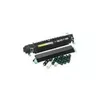
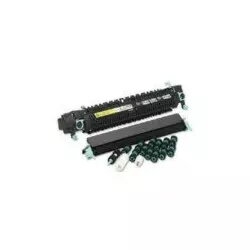
Kyocera MK-865A Maintenance Kit for TASKalfa 250ci Laser Printers
The Kyocera MK-865A maintenance kit is a professional-grade solution engineered specifically for TASKalfa 250ci laser printers. This comprehensive kit is designed to restore your printer to its optimal operating condition by replacing critical components that naturally wear down over time. By utilizing genuine Kyocera parts, you ensure that your office equipment continues to deliver high-quality, consistent, and reliable print output while minimizing the risk of unexpected mechanical failures during demanding print cycles.
The primary advantage of the MK-865A maintenance kit is its ability to extend the operational lifespan of your printer by replacing essential wear parts in a single, convenient package. This kit includes the drum, developer, fuser, and transfer roller assemblies, which are vital for maintaining sharp text and accurate image reproduction. Using this kit helps maintain consistent performance levels, reduces the frequency of service calls, and ensures that your printer remains productive during high-volume office tasks.
This maintenance kit is specifically designed for the TASKalfa 250ci model and is not compatible with other printer series. It is not intended for users who are not comfortable performing internal printer maintenance or those who do not have the necessary technical guidance for installation.
Installation of the maintenance kit should be performed by a trained technician or an individual familiar with printer hardware procedures. Before beginning, ensure the printer is powered off and disconnected from the power source. Carefully follow the service manual provided with your printer to access the internal compartments. Replace each component—the drum, developer, fuser, and transfer roller—according to the specific instructions for your model. Once the new parts are installed, ensure all connections are secure and replace the VOC filters before powering the device back on.
For best results and to maintain the warranty of your printing equipment, it is recommended to perform maintenance according to the manufacturer's suggested page intervals and to use only genuine Kyocera replacement parts.
{{highlightedFeature.featureTitle}}:
{{getProductFeatureValueById(product, highlightedFeature.featureId)}}
{{ productComparisonGenerationError }}