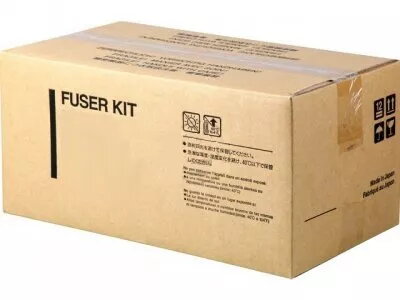
The Kyocera FK-580 fuser unit is an OEM replacement part designed for use with the Kyocera FS-C5350DN colour laser printer. It restores the heat and pressure necessary for proper toner fixation to paper, helping to maintain consistent print quality and reliable printer operation. The unit is intended for routine maintenance or service interventions to extend the service life of compatible Kyocera devices and reduce print defects such as smudging or poor toner adhesion.
Advantages
As an original-equipment manufacturer (OEM) fuser, the FK-580 is engineered to match the thermal and mechanical specifications of the printer, which helps preserve factory print quality and dependable performance. Using this replacement fuser reduces the risk of paper jams and uneven fusing, and supports consistent colour and black-and-white output across large print runs. The unit is supplied ready for installation and manufactured to the same tolerances as other Kyocera components to ensure compatibility and longevity.
Suitable for
- Scheduled maintenance and part replacement for Kyocera FS-C5350DN printers
- Office environments with moderate to high-volume colour printing
- Service technicians performing on-site repairs or refurbishment
- Businesses aiming to restore reliable toner fixation and reduce reprints
When it may not be suitable
The FK-580 is intended specifically for compatible Kyocera models; it may not fit or function correctly in non-supported printers or third-party designs. If the printer has multiple concurrent faults (for example, separate issues with the transfer belt, developer units, or paper feed mechanisms), replacing the fuser alone may not resolve all printing problems.
Key specifications
- Component type: Heat fuser unit for laser printing
- Function: Heats and presses toner into paper for permanent fixation
- Intended device class: Colour laser printers of the corresponding Kyocera series
- Durability: Designed for regular maintenance cycles typical of office use
- Compatibility: Matches physical and thermal requirements of compatible Kyocera printers
How to use
Turn off the printer and disconnect it from the power source before beginning any maintenance. Allow the unit to cool if the printer was recently used. Open the printer access panels according to the service manual, remove the old fuser following the manufacturer’s instructions, and install the FK-580 in the correct orientation until it clicks or seats securely. Reassemble the printer panels, reconnect power, and run the printer’s fuser or maintenance calibration procedure if available to ensure correct operation.
What to consider before purchase
- Verify printer model compatibility to ensure the fuser fits your FS-C5350DN or other supported Kyocera devices
- Check the printer’s service history to confirm that replacing the fuser is the appropriate action
- Consider having service personnel perform the replacement if you are not familiar with printer repairs
- Factor in any required maintenance resets or calibration steps after installation
Usage recommendations
Install the fuser as part of routine preventive maintenance, monitor print quality after replacement, and keep spare units available in environments with continuous high-volume printing to minimize downtime.