JBL speakers and headphones for pure and deep sound!
In cart {{totalProductsCount}} item(s)
Your cart is empty
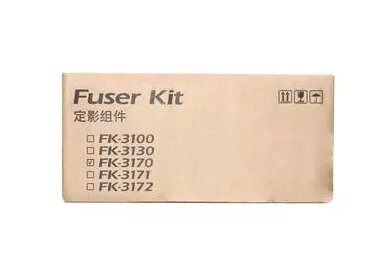
Fuser KYOCERA 302T993010 for P3045dn
The KYOCERA 302T993010 fuser for the P3045dn is a factory-designed replacement unit that restores reliable paper heating and fixing for monochrome laser prints. It is built to match the printer's thermal and mechanical requirements, providing consistent toner adhesion and stable output across standard office workloads. The unit is intended for direct swap-in installation and helps maintain scheduled uptime and predictable print quality.
The fuser features a robust construction designed for extended service life and consistent temperature control, reducing the risk of print defects such as streaks or poor toner fusion. Its compatibility with the P3045dn ensures accurate alignment and sensor operation, while the straightforward mechanical design simplifies replacement and reduces downtime. Overall, it contributes to stable print density and media handling reliability.
Power off the printer and allow internal components to cool before replacing the fuser. Open the printer access panels as indicated in the P3045dn service guide, remove the existing fuser by releasing the retaining clips or screws, and install the replacement unit until it seats securely. Reclose panels, power the printer on, and run a test print to confirm proper operation. Follow any printer on-screen prompts or error codes if detected after installation.
Use genuine Kyocera replacement parts and follow the manufacturer's maintenance schedule. Replace the fuser when print defects such as scuffing, ghosting, or poor toner adhesion appear, or according to the device's recommended service life. Ensure the printer is operated on stable power and within recommended environmental conditions to prolong fuser life.
{{highlightedFeature.featureTitle}}:
{{getProductFeatureValueById(product, highlightedFeature.featureId)}}