Filters you can trust. Pure water every day.
In cart {{totalProductsCount}} item(s)
Your cart is empty
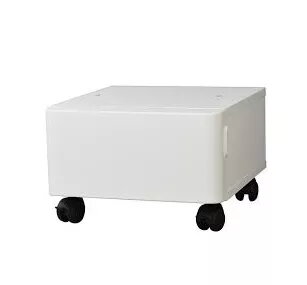
Paper feed unit / cabinet Kyocera CB-365W-B — floor, wood, white, W380×D410×H250 mm
Kyocera CB-365W-B is a purpose-built floor cabinet for compatible Kyocera M/P series printers. Constructed from wood with a white finish, the unit measures 380 × 410 × 250 mm and provides a stable base that raises the printer to an ergonomic operating height. The cabinet is intended to sit on the floor and to simplify placement, access to controls and paper tray handling while keeping the printer station neat.
The cabinet offers a compact footprint and a finished exterior that integrates with office furniture. Its raised platform improves user access to the printer’s control panel and paper drawers and supports stable operation on a flat floor surface. The wooden construction and white finish give a neutral appearance suitable for many work environments and help conceal cables and supplies under the device.
This cabinet is designed specifically for floor use and for printers of compatible size and footprint. It may not be suitable for very large or unusually shaped devices that exceed the listed dimensions or for installations where elevated shelving or wall mounting is required. The unit does not provide integrated power management or ventilation designed for heavy-duty thermal loads.
Place the cabinet on a level floor surface and ensure there is sufficient clearance around it for paper handling and airflow. Position the compatible Kyocera printer on top of the cabinet so that the printer’s feet sit securely within the cabinet top area. Route power and data cables to avoid pinch points and to keep the area tidy. Use the cabinet to raise the printer height for easier access to control panels and paper drawers; store paper supplies beneath the device if there is available space.
For stable operation, place the cabinet on a flat and level surface, avoid overhanging loads, and keep ventilation openings of the printer unobstructed. Regularly check that the printer sits securely on the cabinet and that cables are free from strain.
{{highlightedFeature.featureTitle}}:
{{getProductFeatureValueById(product, highlightedFeature.featureId)}}
{{ productComparisonGenerationError }}