Hurry and order now – up to 50% off!
In cart {{totalProductsCount}} item(s)
Your cart is empty
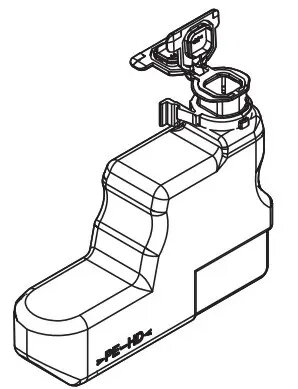
Kyocera WT-3100 Waste Toner Container for Ecosys FS-2100D, FS-2100DN, FS-4100DN, FS-4200DN, FS-4300DN
The Kyocera WT-3100 waste toner container is a critical maintenance component engineered specifically for Kyocera Ecosys laser printers. This unit is designed to collect residual toner that is not transferred to the paper during the printing process, preventing internal contamination and ensuring that your printer continues to produce high-quality, professional documents. By capturing excess toner, the container helps maintain the internal cleanliness of the printer, which is essential for the longevity and reliable operation of your office equipment.
Using an original Kyocera waste toner container provides peace of mind regarding compatibility and performance. The WT-3100 is built to exact manufacturer standards, ensuring a perfect fit and seamless integration with your printer's internal mechanisms. Its robust design prevents leakage, protecting the internal components of your machine from toner dust buildup. Regular replacement of this container is a simple yet effective way to avoid print defects and mechanical issues, ensuring that your printer remains in peak condition throughout its service life.
This waste toner container is exclusively designed for the specific Kyocera printer models listed. It is not compatible with other printer brands or different Kyocera series not mentioned in the specifications. Attempting to use this component in an incompatible device may result in improper installation or printer errors.
To replace the waste toner container, ensure the printer is powered on and in a ready state. Open the front cover of the printer and locate the waste toner box, which is typically situated near the toner cartridge area. Carefully remove the full container by following the release mechanism instructions provided in your printer's user manual. Insert the new WT-3100 container until it clicks securely into place. Close the printer cover, and the device will automatically detect the new component and reset the maintenance counter.
Always handle the waste toner container with care to avoid spilling residual toner. Dispose of the used container according to local environmental regulations for electronic and office waste.
{{highlightedFeature.featureTitle}}:
{{getProductFeatureValueById(product, highlightedFeature.featureId)}}
{{ productComparisonGenerationError }}