Save time and money with our discounts!
In cart {{totalProductsCount}} item(s)
Your cart is empty
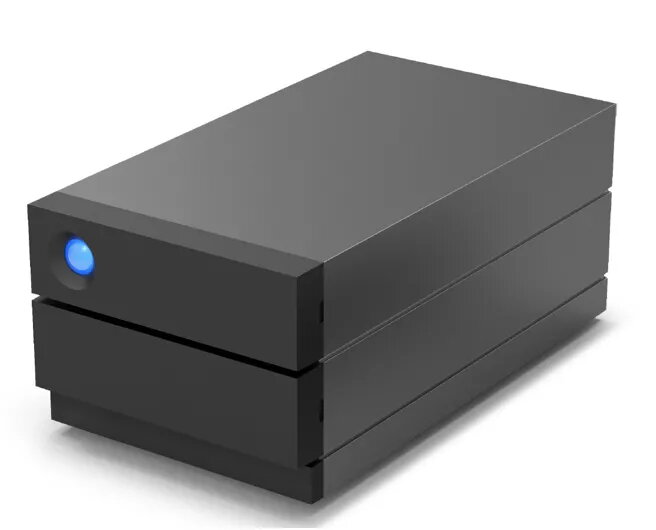
HDD LaCie 40TB USB-C 2big Raid Desktop
The LaCie 2big RAID USB-C 40TB is a desktop RAID storage solution designed for creative professionals and businesses that require high-capacity, reliable local storage. It combines two hot‑swappable IronWolf Pro hard drives in an easy-to-configure hardware RAID enclosure, providing options for speed, redundancy, and large-volume file handling while offering integrated system health alerts via LaCie RAID Manager.
Provides up to 40 TB of desktop storage in a compact enclosure with 7,200 RPM IronWolf Pro drives for consistent performance. Hardware RAID 0/1 configuration enables selectable speed or data redundancy while hot-swappable bays simplify drive replacement without powering down the unit. LaCie RAID Manager monitors drive and system health and the included 5‑year Rescue Data Recovery Services add an extra layer of protection in case of accidental data loss.
Connect the LaCie 2big RAID to your computer using the USB‑C port and power on the unit. Configure the hardware RAID mode (RAID 0 for maximum performance or RAID 1 for redundancy) using the device controls or the LaCie RAID Manager software. Copy or move files to the mounted volume as with any external drive. If a drive requires replacement, remove the failed drive from the hot‑swappable bay and insert a new compatible IronWolf Pro drive while the unit remains powered, then rebuild the array per the manager instructions.
Place the unit on a stable, well‑ventilated surface and maintain current backups in addition to RAID redundancy. Use RAID 1 for critical data that requires redundancy and RAID 0 only for workflows where maximum throughput is essential and external backups are maintained. Regularly monitor drive health with LaCie RAID Manager and keep firmware and management software up to date.
{{highlightedFeature.featureTitle}}:
{{getProductFeatureValueById(product, highlightedFeature.featureId)}}
{{ productComparisonGenerationError }}