
JBL speakers and headphones for pure and deep sound!
In cart {{totalProductsCount}} item(s)
Your cart is empty
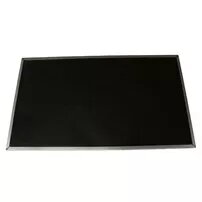
Display Lenovo 00HT622
The Lenovo 00HT622 is a 14-inch (35.6 cm) Full HD replacement display compatible with select Lenovo ThinkPad models. Designed as a direct-fit screen for compatible T-series laptops, it delivers 1920 x 1080 resolution to provide sharper text, clearer images and improved workspace clarity compared with lower-resolution panels. The slim profile and standardized connector make it suitable for repair or upgrade projects where original-fit visual performance and colour consistency are required.
This display offers Full HD resolution on a compact 14-inch diagonal, enabling detailed visuals without increasing laptop size. The panel provides balanced colour reproduction and sufficient brightness for typical indoor work and multimedia playback. Its construction follows Lenovo mechanical dimensions and connector placement to ensure compatibility and straightforward installation in supported ThinkPad models.
To install the display, power off the laptop and disconnect the battery and power adapter. Remove the display bezel and unscrew the mounting brackets according to the service manual for the specific ThinkPad model. Carefully disconnect the old panel’s ribbon cable, align the new Lenovo 00HT622 display in the frame and connect the ribbon cable securely. Reattach mounting screws and the bezel, then reconnect power and perform a functional check to confirm correct image output and backlight operation.
Handle the panel by its edges to avoid pressure marks on the LCD. Use antistatic precautions and follow the laptop manufacturer’s service guide. If backlight or image abnormalities are present after installation, re-check the connector seating and driver/software settings in the operating system.
{{highlightedFeature.featureTitle}}:
{{getProductFeatureValueById(product, highlightedFeature.featureId)}}
{{ productComparisonGenerationError }}
