
JBL speakers and headphones for pure and deep sound!
In cart {{totalProductsCount}} item(s)
Your cart is empty
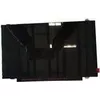
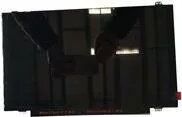
Laptop display panel Lenovo 14.0 FHD IPS AG — model 00NY422, 14.0-inch 1920×1080, anti-glare
Replacement laptop display panel Lenovo 14.0 FHD IPS AG (14.0-inch, 1920×1080) provides a Full HD IPS matrix with an anti-glare surface designed for direct swap into compatible Lenovo notebooks. The panel delivers consistent color reproduction and wide viewing angles typical of IPS technology while the anti-reflective coating reduces screen glare in bright environments. It is intended for use where improved image clarity and minimized reflections are required for everyday work, multimedia playback and mobile computing.
The 14.0-inch Full HD resolution ensures sharp text and detailed images for typical productivity and media tasks. IPS technology maintains color accuracy and contrast at off-center viewing angles, making the display suitable for multi-user viewing and angled screen positions. The anti-glare surface reduces distracting reflections from ambient light sources and helps maintain visibility in bright indoor or outdoor-shaded environments. The panel is a factory-grade component built to match the optical characteristics expected in Lenovo laptop displays.
Install the display panel as a direct replacement for the compatible Lenovo laptop screen following standard disassembly and reassembly procedures for your notebook model. Power off the laptop, remove the battery if applicable, and disconnect the device from power before starting. Carefully detach the bezel and disconnect the existing panel's display cable and any inverter or backlight connectors if present. Mount the replacement panel, reconnect the display cable securely and reassemble the bezel and housing. After reassembly, power on the laptop and verify correct image, backlight function and touch (if applicable).
Handle the panel by its edges and avoid touching the display surface. Use an anti-static wrist strap during installation to reduce the risk of electrostatic damage. If the laptop supports display configuration in the operating system, calibrate brightness and color settings after installation to match user preferences and ensure optimal image quality.
{{highlightedFeature.featureTitle}}:
{{getProductFeatureValueById(product, highlightedFeature.featureId)}}
{{ productComparisonGenerationError }}
