
Hurry and order now – up to 50% off!
In cart {{totalProductsCount}} item(s)
Your cart is empty
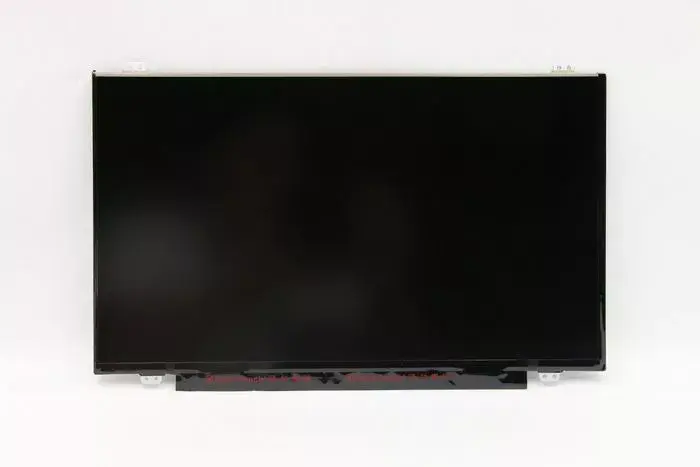
Display Lenovo 00NY673 Laptop Spare Part
The Lenovo 00NY673 display is a 14-inch (35.6 cm) replacement panel designed for use in compatible Lenovo laptop models. This spare part restores screen functionality and image clarity after damage or wear, providing native-size coverage and a fitting electrical and mechanical interface for straightforward installation in supported notebooks.
This 14-inch replacement panel delivers consistent color reproduction and brightness suited to everyday computing tasks. It is engineered to match the original dimensions and connector type, reducing the need for modifications. Built to withstand normal handling and installation, the display helps extend the service life of a laptop while maintaining visual performance comparable to the factory screen.
Before installation, power off the laptop, disconnect any power sources and remove the battery if possible. Remove the bezel and any securing screws to access the existing panel, then disconnect the display cable and carefully detach the old screen. Position the new Lenovo 14-inch panel in the chassis, connect the display cable firmly, and refit mounting screws and bezel. Reconnect power and start the laptop to verify correct image output and alignment. If the screen remains dark or shows distorted colors, recheck the cable seating and connector orientation.
Handle the panel by its edges to avoid pressure on the display surface, and ensure a clean, static-free workspace during replacement. Use appropriate screwdrivers and store removed screws in a secure place. For model-specific guidance, consult the laptop service manual or a qualified technician if uncertain about connector compatibility or installation steps.
{{highlightedFeature.featureTitle}}:
{{getProductFeatureValueById(product, highlightedFeature.featureId)}}
{{ productComparisonGenerationError }}
