
Dreame vacuums for fast and efficient cleaning!
In cart {{totalProductsCount}} item(s)
Your cart is empty
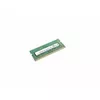
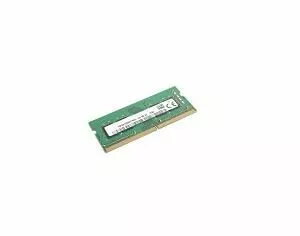
Memory Module Lenovo SODIMM DDR4 8GB 260-Pin
Lenovo SODIMM DDR4 8GB (01AG854) is a 260-pin laptop memory module that provides 8GB of DDR4 RAM in a compact SODIMM form factor. It is intended for upgrading compatible notebooks and small-form-factor systems to improve multitasking and system responsiveness by offering higher data transfer rates compared with older memory generations.
This 8GB DDR4 SODIMM module supports faster clock speeds and improved energy efficiency relative to DDR3, enabling smoother application switching and reduced load times. The 260-pin configuration is standard for many laptops, making installation straightforward on compatible models. Being a single 8GB module, it allows flexible memory expansion without replacing existing modules.
Power off the laptop, unplug it and remove the battery if possible. Open the memory compartment or bottom cover according to the device manufacturer's instructions. Ground yourself to avoid electrostatic discharge, then remove the existing module (if replacing) by gently spreading the retention clips and pulling the SODIMM out at an angle. Align the notch of the Lenovo 8GB DDR4 SODIMM with the slot, insert it at the same angle and press down until the retention clips lock it in place. Reassemble the laptop, reconnect power and verify that the system recognizes the new memory in BIOS or the operating system.
Verify laptop compatibility with 260-pin DDR4 SODIMM modules and check maximum supported memory per slot in your device manual. For dual-channel operation, install matching modules (same capacity and speed) in both slots when possible. Handle the memory module by its edges and avoid touching contacts.
{{highlightedFeature.featureTitle}}:
{{getProductFeatureValueById(product, highlightedFeature.featureId)}}
{{ productComparisonGenerationError }}
