
Hurry and order now – up to 50% off!
In cart {{totalProductsCount}} item(s)
Your cart is empty
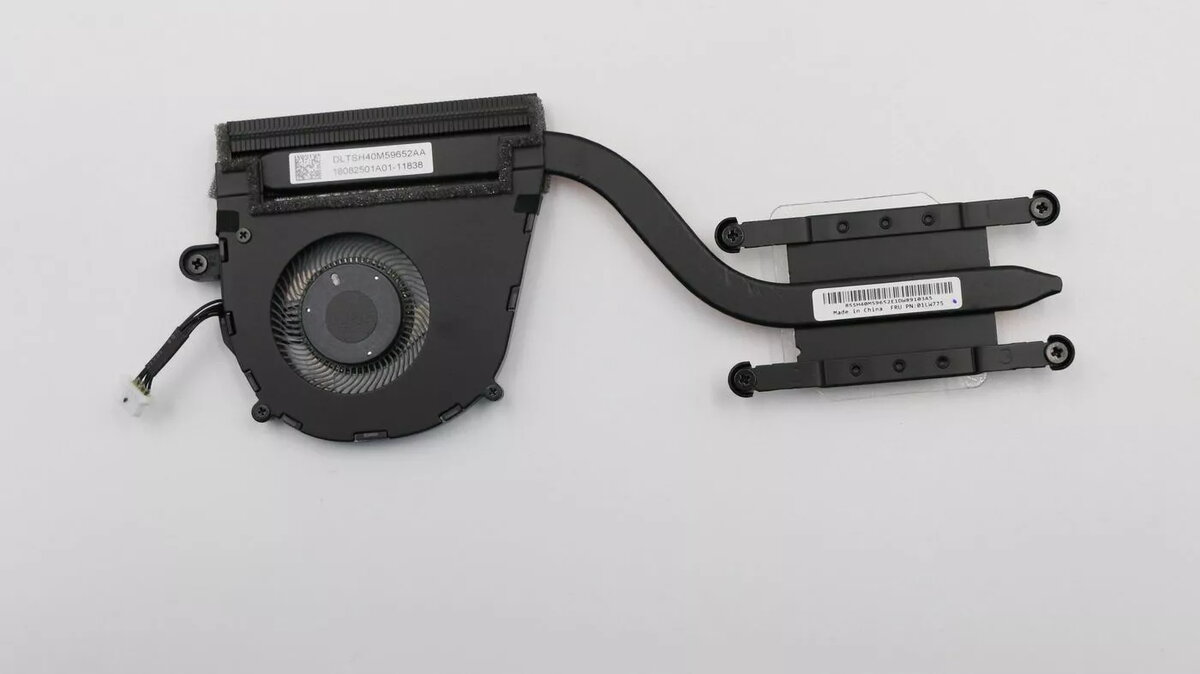
Lenovo 01LW775 Thermal Module for UMA Systems
The Lenovo 01LW775 thermal module is a high-quality, genuine cooling component specifically engineered for Lenovo laptops equipped with UMA (Unified Memory Architecture) graphics. This integrated heatsink and fan assembly is designed to effectively manage thermal output, ensuring that the processor remains within safe operating temperature ranges during standard computing tasks. By facilitating efficient heat dissipation, this module helps prevent thermal throttling and contributes to the overall longevity and stability of your notebook system.
This thermal module offers a precise fit for compatible Lenovo systems, ensuring seamless integration and optimal thermal contact with the processor. As a genuine manufacturer component, it meets strict quality standards for airflow and heat transfer efficiency, providing reliable performance compared to generic alternatives. Its robust construction ensures consistent cooling, which is vital for maintaining system performance and preventing unexpected shutdowns caused by overheating.
This module is designed exclusively for systems with UMA graphics and will not be compatible with laptops featuring discrete graphics cards, as the physical layout of the heatsink differs significantly. It is also not suitable for use in non-Lenovo devices or laptop models that do not explicitly list this component as a compatible part.
Installation should be performed by a qualified technician or an experienced user. Begin by powering off the laptop, disconnecting the power adapter, and removing the battery if possible. Open the laptop chassis to access the cooling system, carefully unscrew the existing thermal module, and disconnect the fan cable from the motherboard. Clean any residual thermal paste from the processor surface before applying a thin, even layer of new thermal compound. Position the new module, secure the screws in the manufacturer-specified order, and reconnect the fan cable before reassembling the device.
Regularly clean the air vents of your laptop with compressed air to prevent dust accumulation, which can obstruct airflow and reduce the efficiency of the thermal module over time.
{{highlightedFeature.featureTitle}}:
{{getProductFeatureValueById(product, highlightedFeature.featureId)}}
{{ productComparisonGenerationError }}
