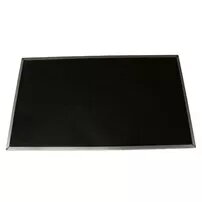
This replacement display panel for Lenovo laptops 04X4143 is a 14" (35.6 cm) HD laptop LCD module intended to restore or upgrade screen functionality in compatible notebook models. It provides the original HD resolution and physical form factor expected for direct replacement, matching connector and mounting patterns typical for the specified Lenovo series. The panel is intended for use by technicians, service centres, or DIY users who need a like-for-like visual output module.
Advantages
The panel offers a native HD resolution on a 14-inch diagonal, maintaining the original visual sharpness and color reproduction for routine computing tasks. Its design follows standard laptop LCD module dimensions and connector placement to facilitate direct installation into compatible Lenovo chassis. Because it is a purpose-made replacement, it can return a damaged or non-functioning display to working order without requiring additional screen adapters.
Suitable for
- Repairing or refurbishing compatible Lenovo laptops with a failed or damaged 14" HD screen
- Replacing cracked, flickering, or dark displays to restore normal visual output
- Service workshops and technicians performing component-level laptop repairs
- Users performing guided DIY screen replacements with basic laptop disassembly skills
When it may not be suitable
This panel is specifically a 14" HD laptop LCD module and may not be compatible with models that require different panel sizes, resolutions (for example Full HD or higher), touch functionality, or alternate connector types. It will not add touchscreen capability or change the laptop's graphics performance; compatibility must be verified against the laptop's original display specifications before purchase.
Key specifications
- Screen size: 14 inches (35.6 cm) diagonal
- Resolution class: HD
- Panel type: laptop LCD display module
- Mounting: standard 14" laptop mounting pattern (mounting brackets and screw locations compatible with matching models)
- Connector: standard LCD connector used in the compatible Lenovo series (verify physical pin layout and cable type)
How to use
Power down the laptop, disconnect power and battery if possible, then remove the bezel and existing screen following the manufacturer's disassembly procedure or a reliable repair guide. Disconnect the old panel from the display cable and remove mounting screws. Align the replacement panel in the bracket, reconnect the display cable securely, and reattach mounting screws and bezel. Reconnect battery and power, then test the display for proper image, backlight, and connector seating before final reassembly.
What to consider before purchase
- Confirm physical dimensions and diagonal size (14" / 35.6 cm) match the laptop's original screen
- Verify the required resolution is HD and that the connector type and pin layout correspond to the laptop's display cable
- Check whether the laptop requires a matte or glossy finish and whether the panel supports touch input (this panel is a non-touch LCD module)
- If uncertain, consult the laptop's service manual or a technician to confirm compatibility
Usage recommendations
Handle the panel by its edges to avoid pressure on the LCD surface, work on an anti-static surface, and ensure the replacement is carried out in a clean environment. Test the panel connection before finalizing reassembly to confirm image output and avoid rework.