
Filters you can trust. Pure water every day.
In cart {{totalProductsCount}} item(s)
Your cart is empty
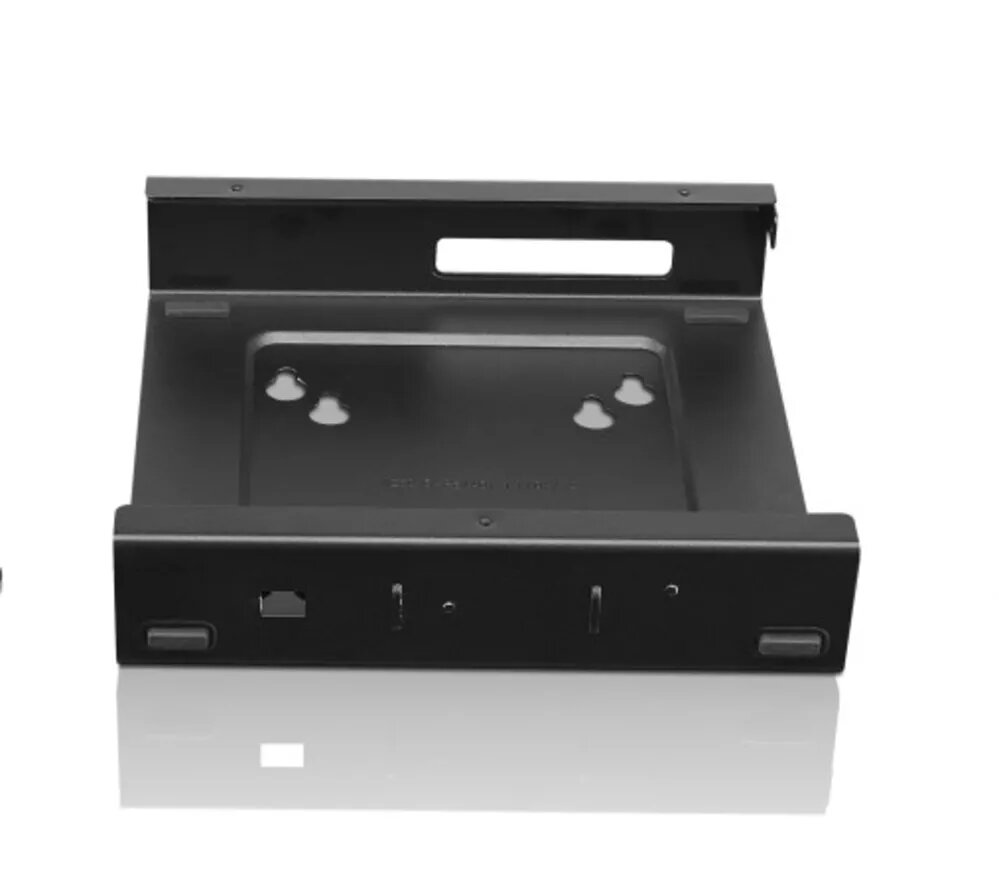
Lenovo ThinkCentre Tiny VESA Mount Mounting Kit Black
The Lenovo ThinkCentre Tiny VESA Mount is a specialized mounting solution engineered to securely attach your Lenovo Tiny PC to VESA-compatible monitors, wall mounts, or monitor arms. This mounting kit is designed to provide a clean, professional, and space-saving setup, allowing you to reclaim valuable desk space by tucking your computer neatly behind your display. It is an essential accessory for modern office environments and home workstations that prioritize ergonomics and a clutter-free workspace.
This mounting kit offers exceptional versatility by utilizing the universal VESA standard, which ensures compatibility with a wide range of display hardware and mounting arms. By integrating your PC directly with your monitor, you create a unified workstation that is easier to manage and keep organized. The robust construction ensures that your device remains stable and secure, while the minimalist black finish blends seamlessly with professional office equipment. This solution is ideal for users looking to optimize their desk layout without compromising on accessibility or device performance.
This mount is specifically designed for Lenovo Tiny PC models and may not be compatible with other small form factor computers or non-standard mounting brackets. It is also not suitable for monitors that lack VESA mounting holes or for setups where the monitor stand does not provide enough clearance for the mounted PC.
To install the mount, first ensure your monitor is compatible with the VESA standard and that the mounting holes are accessible. Attach the bracket to the back of your monitor or your chosen mounting arm using the provided hardware. Once the bracket is securely fastened, slide your Lenovo Tiny PC into the designated housing until it clicks or is firmly held in place. Ensure all cables are routed neatly to maintain the clean aesthetic of your workspace.
For the best results, ensure that the monitor is positioned on a stable surface or a high-quality monitor arm to support the combined weight of the display and the PC. Regularly check the mounting screws to ensure they remain tight over time.
{{highlightedFeature.featureTitle}}:
{{getProductFeatureValueById(product, highlightedFeature.featureId)}}
{{ productComparisonGenerationError }}
