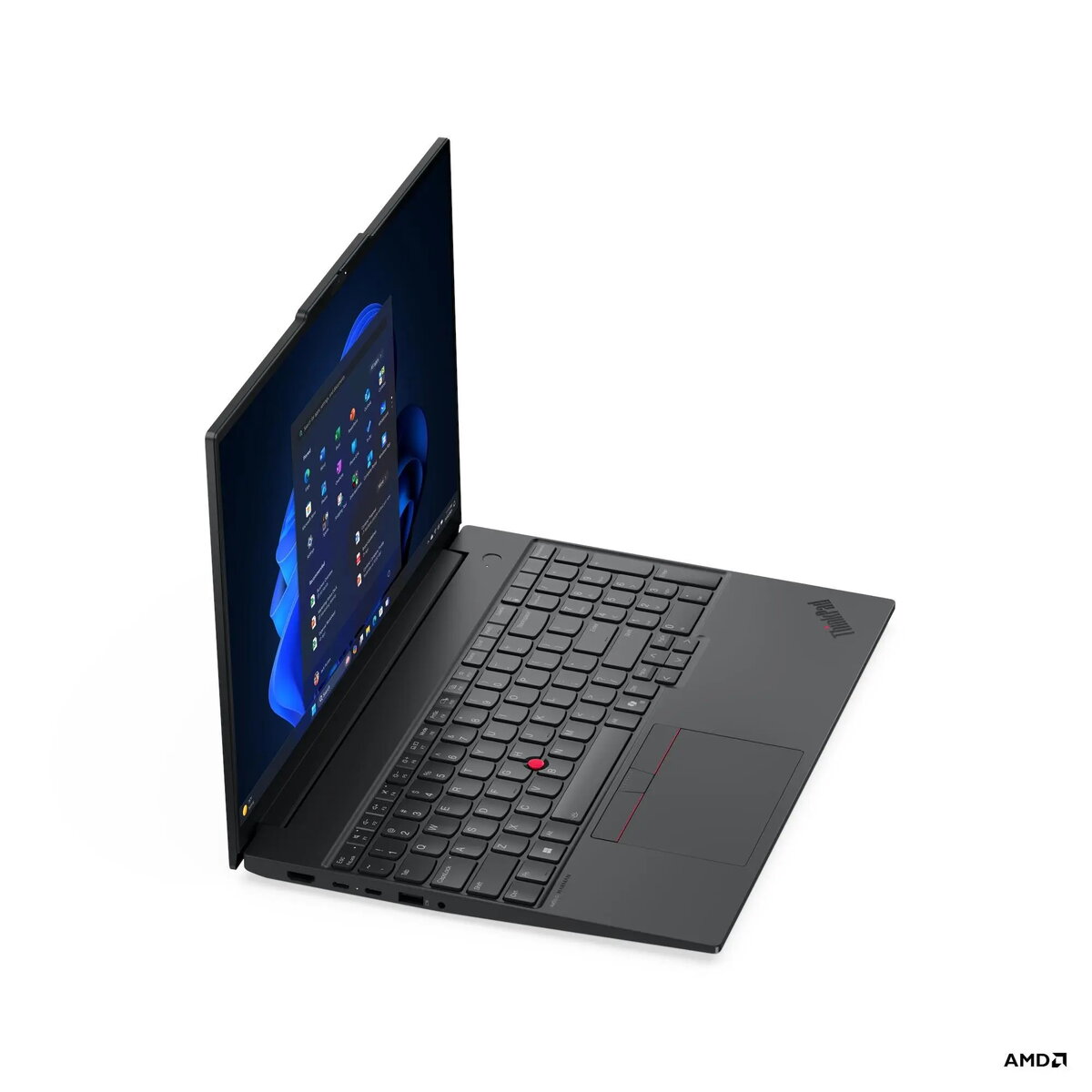
The Lenovo ThinkPad E16 Gen 4 is a robust 16-inch business laptop engineered to deliver reliable performance for professionals. Powered by the AMD Ryzen AI 5 330 processor and equipped with 16GB of DDR5 memory, this device ensures smooth multitasking and efficient handling of daily office applications. Its sleek black aluminum chassis houses a crisp WUXGA IPS display, providing clear visuals for documents, presentations, and video conferencing. With Windows 11 Pro pre-installed, it offers a secure and productive environment for both office-based and remote work scenarios.
Advantages
This laptop stands out due to its durable construction, featuring aluminum top and bottom covers that provide a professional look and feel. The inclusion of the latest Wi-Fi 7 technology ensures high-speed connectivity, while the integrated AMD Ryzen AI capabilities offer advanced processing power for modern workflows. Users benefit from a comfortable, backlit keyboard and a high-quality FHD camera with an IR sensor for secure facial recognition. The device also supports extensive expandability, allowing for memory upgrades up to 64GB and additional storage via a second M.2 slot, ensuring the laptop can grow alongside your professional needs.
Suitable for
- Daily office productivity and administrative tasks
- Remote work and professional video conferencing
- Multitasking with multiple business applications
- Data analysis and document management
When it may not be suitable
This laptop is not designed for high-end gaming or intensive 3D rendering, as it relies on integrated graphics rather than a dedicated GPU. Additionally, users who require a highly portable, ultra-compact device might find the 16-inch form factor and weight of 1.63 kg less convenient than smaller 13 or 14-inch alternatives.
Key specifications
- 16-inch WUXGA (1920x1200) IPS anti-glare display
- AMD Ryzen AI 5 330 processor
- 16GB DDR5-5600 RAM (expandable up to 64GB)
- 512GB PCIe 4.0 NVMe SSD
- Integrated AMD Radeon 820M Graphics
- FHD 1080p IR webcam with privacy shutter
- Wi-Fi 7 and Bluetooth 5.4 connectivity
- 64Wh battery with 65W USB-C charging
- Fingerprint reader and TPM 2.0 security
How to use
To begin using your Lenovo ThinkPad E16 Gen 4, connect the provided 65W USB-C power adapter to one of the USB-C ports to charge the battery. Power on the device using the button located on the keyboard deck. Follow the on-screen Windows 11 Pro setup instructions to configure your user account, network settings, and security features, such as the fingerprint reader. You can connect external peripherals, such as monitors or docking stations, using the versatile USB4 or HDMI 2.1 ports. The integrated camera cover can be slid over the lens when the webcam is not in use to ensure your privacy.
What to consider before purchase
- Verify if your specific software requires a dedicated graphics card.
- Consider if the 16-inch screen size meets your portability requirements.
- Check if you need additional storage, as the laptop supports a second M.2 SSD.
- Confirm that your workspace has sufficient room for a 16-inch laptop footprint.
Usage recommendations
For optimal battery longevity, keep the device updated with the latest firmware via the Lenovo Vantage software. Utilize the Always On USB port for charging mobile devices even when the laptop is in sleep mode, and always use the physical camera shutter when the webcam is not in use to maintain maximum privacy.