
Save time and money with our discounts!
In cart {{totalProductsCount}} item(s)
Your cart is empty
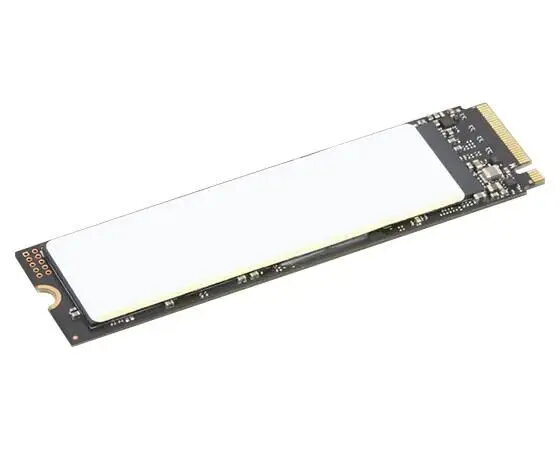
SSD drive Lenovo 1TB M.2 PCIe G4 4XB1M86955-RFB
The Lenovo 1TB SSD (M.2, PCIe G4, model 4XB1M86955-RFB, EAN 5715328142312) is a solid-state drive intended for high-performance computing. This M.2 NVMe form-factor drive uses the PCIe Gen4 interface to support faster sequential and random data transfers compared with older generation SSDs. The 1TB capacity provides a balance between storage space and performance for system drives, application loads, and large file handling in desktops and compatible laptops that accept M.2 PCIe G4 modules.
The drive delivers improved throughput due to the PCIe Gen4 interface, resulting in reduced application load times and faster file transfers when used with compatible motherboards. The M.2 form factor enables compact installation directly on the motherboard without occupying drive bays. With 1TB capacity, it supports a typical mix of operating system, applications, and user data for power users and professionals. The Lenovo 4XB1M86955-RFB is designed to offer reliable solid-state storage characteristics: lower latency, no mechanical parts, and consistent performance under sustained workloads.
Install the SSD into an available M.2 slot on a compatible motherboard or laptop that supports PCIe Gen4. Secure the module with the mounting screw and ensure the system BIOS recognizes the drive. For a new installation, initialize, partition, and format the drive within your operating system before installing the OS or transferring data. When cloning an existing system, use reliable cloning software and verify alignment and partition sizes after the process completes. Refer to the system or motherboard manual for slot priority and thermal considerations.
Use the SSD in systems that support PCIe Gen4 to realize the highest performance. Keep firmware up to date by checking Lenovo or vendor resources. For sustained heavy workloads, ensure adequate airflow or M.2 cooling on the motherboard to help maintain performance. Back up important data regularly and follow standard drive maintenance practices such as avoiding filling the drive to full capacity to retain optimal performance.
{{highlightedFeature.featureTitle}}:
{{getProductFeatureValueById(product, highlightedFeature.featureId)}}
{{ productComparisonGenerationError }}
