

Save time and money with our discounts!
In cart {{totalProductsCount}} item(s)
Your cart is empty
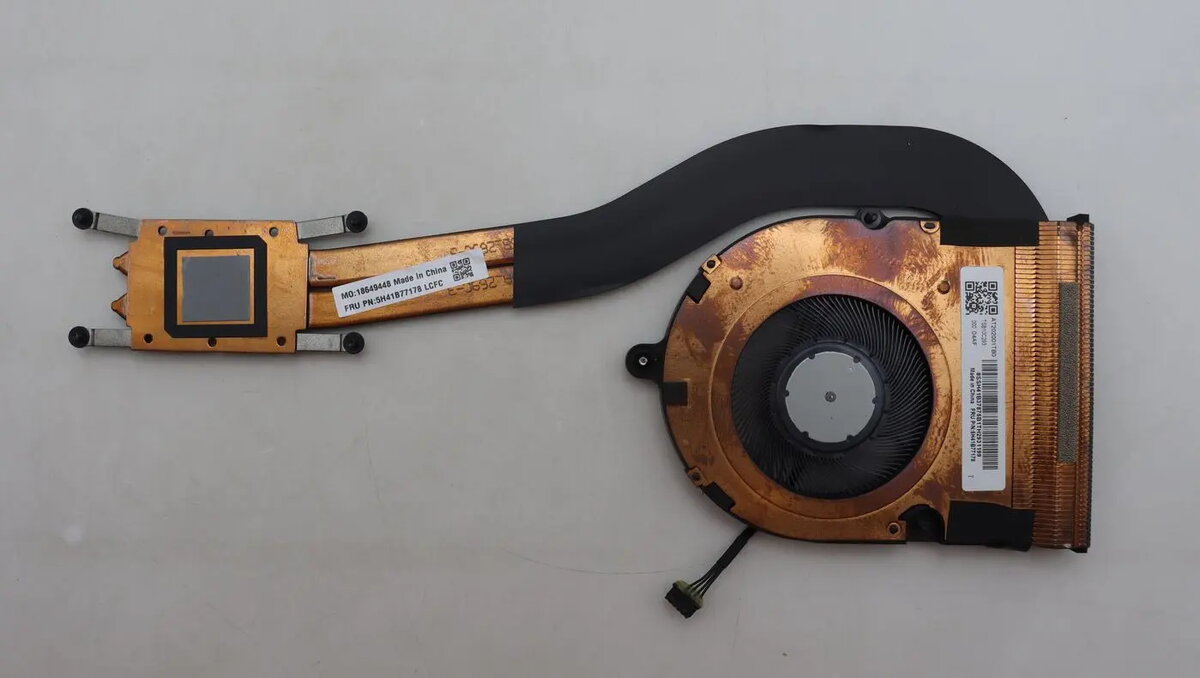
Lenovo Heatsink Assembly for Toshiba 5H41B77178
The Lenovo Heatsink Assembly for Toshiba 5H41B77178 is a precision-engineered thermal management component designed to maintain optimal operating temperatures for your laptop processor. By efficiently transferring heat away from critical internal components, this assembly prevents thermal throttling and ensures consistent system performance during demanding tasks. As a genuine replacement part, it provides a reliable solution for restoring the cooling efficiency of compatible Toshiba hardware configurations.
This heatsink assembly offers superior heat dissipation capabilities, which are vital for protecting sensitive internal electronics from damage caused by excessive heat. Its robust construction ensures a perfect fit within the chassis, facilitating efficient airflow and reducing the workload on the system cooling fan. By maintaining stable temperatures, this component helps extend the overall lifespan of your laptop and prevents unexpected shutdowns or performance degradation associated with overheating.
This component may not be suitable for laptop models outside of the specific Toshiba configurations for which it was designed. Attempting to install this part in an incompatible device may result in poor thermal contact or physical damage to the motherboard.
Installation should be performed by a qualified technician or an experienced user familiar with laptop disassembly. Begin by powering off the device and disconnecting the power supply and battery. Carefully remove the bottom casing to access the cooling system. Unscrew the existing heatsink assembly, ensuring that any thermal paste residue is cleaned from the processor surface using isopropyl alcohol. Apply a thin, even layer of new thermal compound to the processor die before positioning the new heatsink. Secure the assembly using the original screws, ensuring even pressure across the mounting points, and reassemble the laptop.
Regularly clean the air vents of your laptop to prevent dust accumulation, which can impede the performance of the heatsink assembly and lead to increased operating temperatures.
{{highlightedFeature.featureTitle}}:
{{getProductFeatureValueById(product, highlightedFeature.featureId)}}
{{ productComparisonGenerationError }}
