
Powerful EcoFlow stations for energy anywhere!
In cart {{totalProductsCount}} item(s)
Your cart is empty
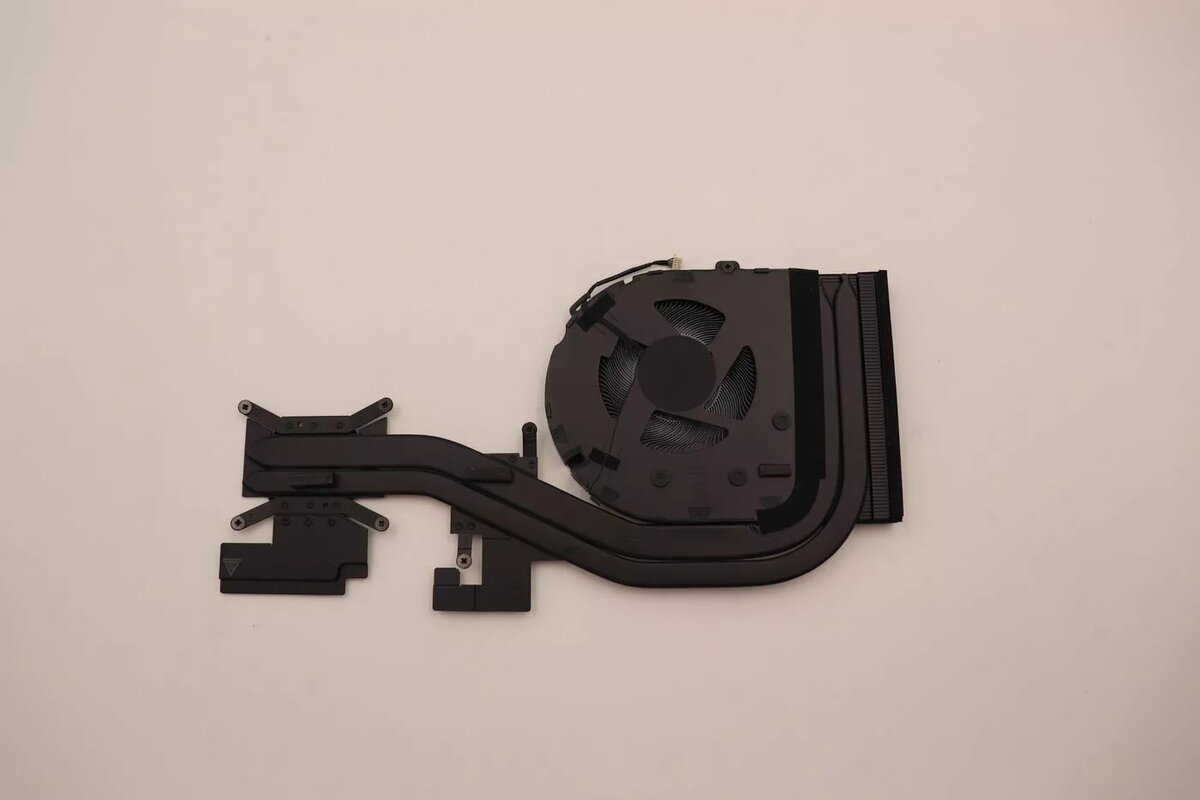
Heatsink for Lenovo laptops – model JT6C0 (MPN 5H41B77280)
This replacement heatsink is designed for compatible Lenovo laptops, model JT6C0. It serves as a thermal management component that channels heat away from the CPU and GPU assemblies to maintain optimal operating temperatures. The unit is intended for use during repair, servicing or as part of an upgrade to restore proper cooling performance in laptops that share this heatsink design.
The heatsink is manufactured to match the thermal path and mounting points of compatible Lenovo systems, enabling direct replacement without modification when the laptop model supports this part. By restoring efficient heat dissipation, the component helps reduce the risk of thermal throttling and supports sustained processor performance under load. The design focuses on reliable heat transfer and mechanical fit, which contributes to improved system stability after installation.
Power off the laptop and remove the battery (if removable) before beginning the procedure. Follow the manufacturer’s service manual or a trusted disassembly guide to access the motherboard and cooling assembly. Remove the existing heatsink by unscrewing the mounting screws in the recommended sequence and disconnecting any fan or sensor cables as required. Clean old thermal interface material from the CPU/GPU surfaces and from the mating surface of the replacement heatsink using appropriate cleaning solvent and lint-free cloth. Apply new, thinly spread thermal paste to the processor surfaces according to the paste manufacturer’s instructions. Position the replacement heatsink so that its mounting points align with the motherboard, secure it with the specified screws, and reconnect any cables. Reassemble the laptop and verify normal fan operation and BIOS/OS temperature readings before full use.
Use the replacement heatsink only with confirmed compatible Lenovo models and follow static‑safe handling practices. Always replace thermal paste when installing a heatsink and verify screw torque and alignment to avoid uneven pressure on the CPU/GPU. If uncertain about compatibility or installation, consult Lenovo support or a qualified technician.
{{highlightedFeature.featureTitle}}:
{{getProductFeatureValueById(product, highlightedFeature.featureId)}}
{{ productComparisonGenerationError }}
