
Hurry and order now – up to 50% off!
In cart {{totalProductsCount}} item(s)
Your cart is empty
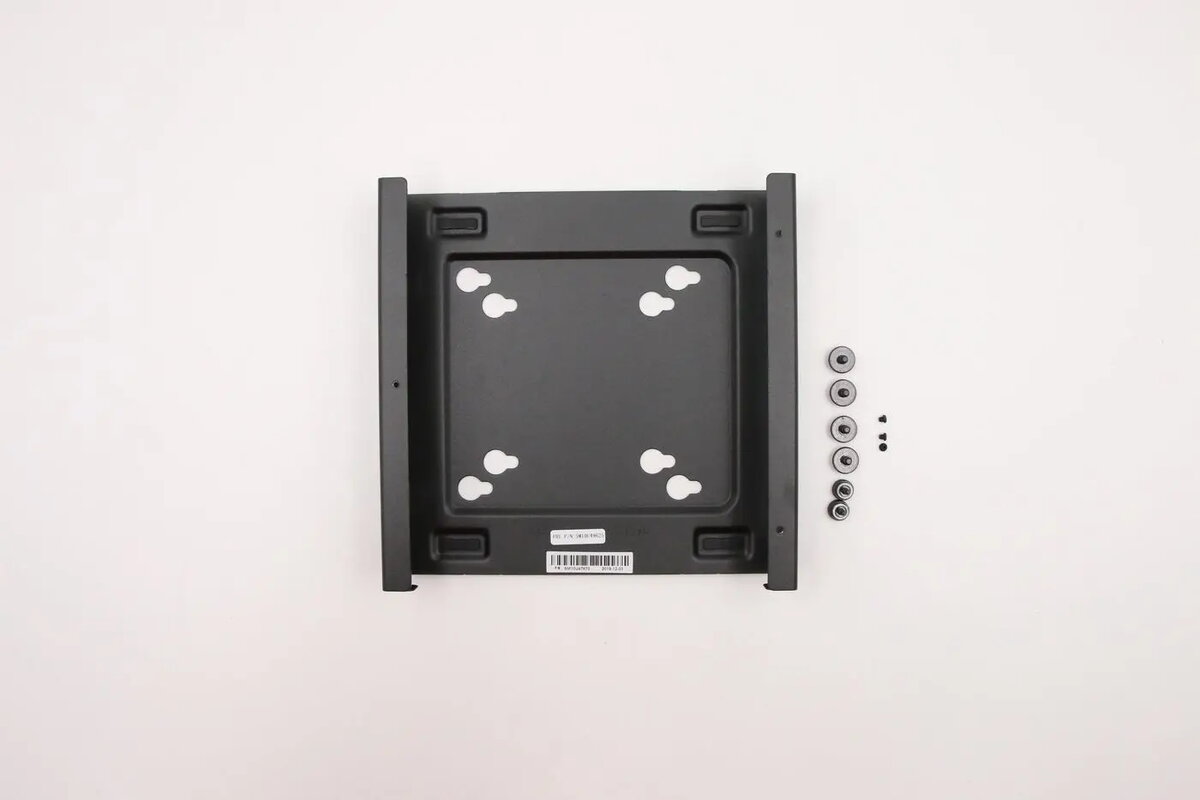
Lenovo ThinkCentre Tiny VESA Mount II
The Lenovo ThinkCentre Tiny VESA Mount II is a specialized mounting bracket engineered to integrate your ThinkCentre Tiny desktop computer directly with a monitor or a wall-mounted display. By utilizing standard VESA mounting patterns, this accessory allows you to reclaim valuable desk space and maintain a professional, clutter-free workstation. The mount is constructed to provide a secure and stable attachment, ensuring your hardware remains safely positioned in any office or home environment.
This mounting solution offers a significant improvement in workspace ergonomics by removing the computer unit from the desk surface. Its robust design ensures that the ThinkCentre Tiny PC is held firmly in place, reducing the risk of accidental damage or displacement. The installation process is straightforward, allowing for a seamless transition to a more organized and efficient setup without requiring complex tools or modifications to your existing equipment.
This mount is specifically designed for the ThinkCentre Tiny form factor and may not be compatible with other desktop models or non-standard monitor configurations. It is also not suitable for monitors that lack standard VESA mounting holes or those that have a curved back panel which might interfere with the bracket's fit.
To install the mount, first ensure your monitor is compatible with the VESA standard and that the display is placed on a stable surface or wall mount. Attach the bracket to the back of the monitor using the provided screw holes, ensuring all fasteners are tightened securely. Once the bracket is fixed, slide the ThinkCentre Tiny PC into the designated slot until it clicks or is locked into place. Verify that all cables are connected properly and that the unit is stable before powering on the system.
For optimal performance and safety, always ensure that the monitor is mounted on a stable support structure capable of holding the combined weight of the display and the computer. Regularly check the mounting screws to ensure they remain tight over time.
{{highlightedFeature.featureTitle}}:
{{getProductFeatureValueById(product, highlightedFeature.featureId)}}
{{ productComparisonGenerationError }}
