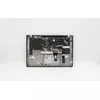
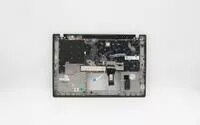
The Lenovo Top Cover with Integrated Backlit Keyboard is a high-quality replacement component designed to restore the structural integrity and input functionality of your laptop. This assembly combines the top chassis cover with a fully integrated backlit keyboard, ensuring a perfect fit and seamless operation with compatible Lenovo devices. By replacing both the casing and the keyboard in one unit, you can effectively address issues such as damaged keys, unresponsive typing, or physical wear on the laptop surface.
Advantages
This original spare part offers the benefit of factory-grade precision, ensuring that all mounting points, screw holes, and cable connectors align perfectly with your existing laptop hardware. The integrated design simplifies the repair process by reducing the number of individual components that need to be installed, which helps maintain the structural rigidity of the device. Furthermore, the inclusion of the backlit feature ensures that you retain the original functionality of your laptop, allowing for comfortable typing in low-light environments without compromising on aesthetics or performance.
Suitable for
- Replacing a damaged or non-functional laptop keyboard
- Repairing a cracked or worn-out top chassis cover
- Restoring the original backlit typing experience
- Professional laptop maintenance and hardware refurbishment
When it may not be suitable
This component is not suitable for laptop models that are not explicitly listed as compatible with this specific assembly. Attempting to install this part on an incompatible device may result in physical damage to the chassis or electrical failure of the keyboard interface.
Key specifications
- Integrated backlit keyboard assembly
- Durable top chassis construction
- Precision-engineered for specific Lenovo laptop models
- Original equipment manufacturer design
How to use
To install the top cover and keyboard assembly, first ensure the laptop is completely powered off and the battery is disconnected to prevent electrical shorts. Carefully disassemble the laptop chassis by removing the bottom cover and any internal components that obstruct access to the top case assembly. Transfer the motherboard, screen assembly, and other internal hardware into the new top cover unit, ensuring all ribbon cables are securely connected to their respective ports. Once all components are transferred, reassemble the laptop casing and perform a functional test of the keyboard and backlight settings.
What to consider before purchase
- Verify your laptop model number for exact compatibility
- Ensure you have the necessary tools for laptop disassembly
- Check if your current keyboard issues are related to software or hardware
- Consider professional installation if you are not experienced with laptop repairs
Usage recommendations
Regularly clean the keyboard surface with a dry, lint-free cloth to maintain the responsiveness of the keys and ensure the backlight remains clear. Avoid exposing the keyboard to liquids or excessive moisture to prevent internal circuit damage.