
JBL speakers and headphones for pure and deep sound!
In cart {{totalProductsCount}} item(s)
Your cart is empty
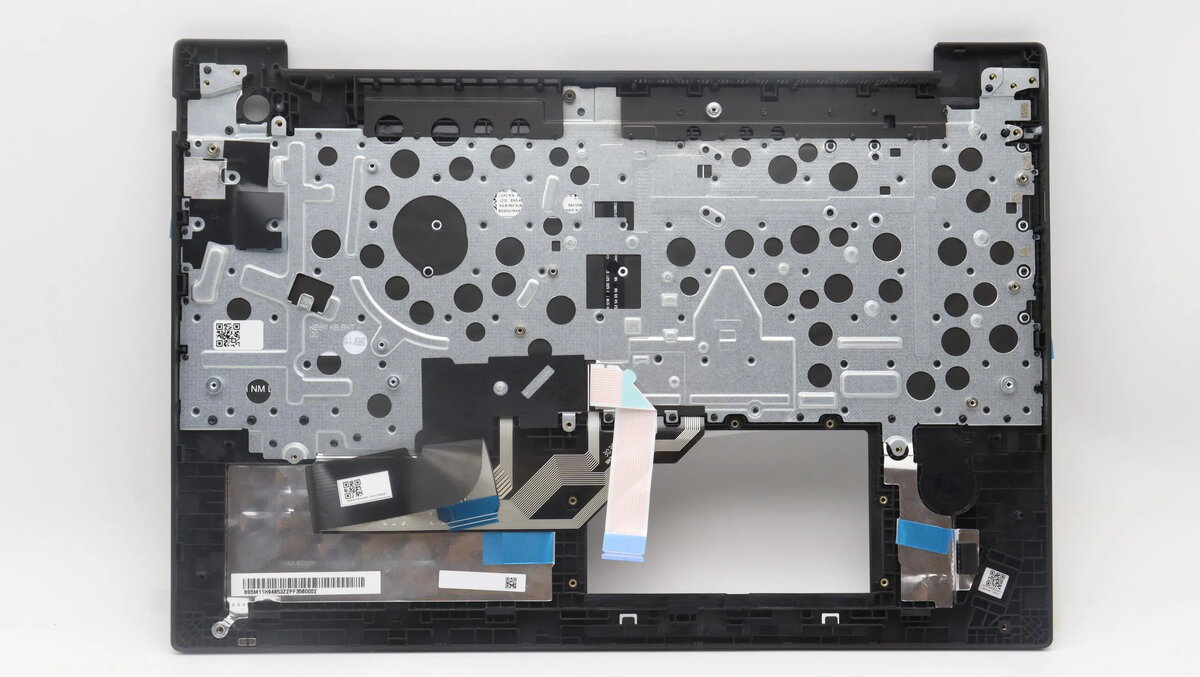
Lenovo Laptop Keyboard and Top Cover Assembly for ThinkPad E16 Gen 1, Black
The Lenovo Laptop Keyboard and Top Cover Assembly for ThinkPad E16 Gen 1 is a genuine replacement component designed to restore your workstation to its original factory condition. This integrated assembly combines the keyboard and the top chassis cover into a single unit, ensuring a seamless fit and consistent aesthetic. Finished in a professional black, this part is engineered to meet the exact specifications of the ThinkPad E16 Gen 1, providing reliable input performance and structural integrity for your device.
Choosing this original assembly offers the benefit of a perfect mechanical and electrical match for your laptop. Because the keyboard and top cover are pre-assembled, the installation process is significantly simplified compared to replacing individual components. This genuine part maintains the tactile feel and durability expected from Lenovo hardware, ensuring that your typing experience remains consistent with the original device. By replacing the entire top assembly, you also address potential wear or damage to the chassis surface, effectively refurbishing the appearance of your laptop.
This assembly is not suitable for other laptop models outside of the ThinkPad E16 Gen 1 series. It is also not intended for users who only need to replace individual keycaps or a single key switch, as this is a complete top cover and keyboard module.
To use this assembly, you must first power off the laptop and disconnect all power sources and peripherals. The installation requires opening the laptop chassis and transferring internal components, such as the motherboard, battery, and storage drives, from the old assembly to the new one. It is recommended to use appropriate precision tools and follow the official Lenovo hardware maintenance manual for your specific model to ensure all internal cables and connectors are properly seated.
Usage recommendations: Always perform repairs in a clean, static-free environment. If you are not experienced with laptop hardware disassembly, it is highly recommended to have this component installed by a certified technician to avoid accidental damage to internal components.
{{highlightedFeature.featureTitle}}:
{{getProductFeatureValueById(product, highlightedFeature.featureId)}}
{{ productComparisonGenerationError }}
