
Dreame vacuums for fast and efficient cleaning!
In cart {{totalProductsCount}} item(s)
Your cart is empty
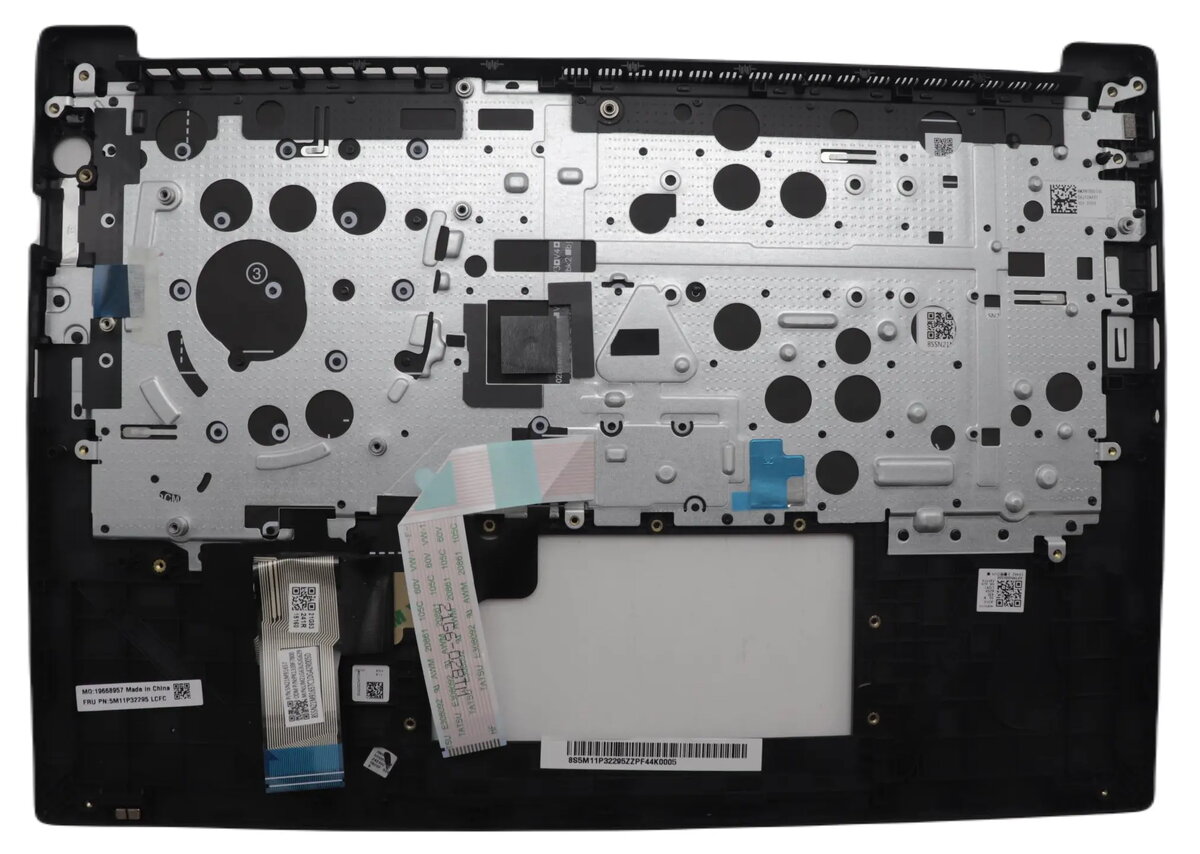
Lenovo 5M11N99992 Keyboard and Cover Assembly for ThinkPad E14 Gen 6
The Lenovo 5M11N99992 is a genuine replacement keyboard and cover assembly specifically engineered for the ThinkPad E14 Gen 6 laptop. This high-quality spare part is designed to restore the original input functionality and structural integrity of your device, ensuring a precise fit and reliable performance. As a factory-authorized component, it maintains the professional aesthetic and tactile experience expected from Lenovo hardware, making it an essential solution for laptop repairs and maintenance.
Choosing this genuine assembly ensures seamless compatibility with your ThinkPad E14 Gen 6, eliminating the risks associated with third-party alternatives. The integrated design combines the keyboard and top cover into a single unit, which simplifies the repair process and ensures that all internal components are properly aligned. Its durable construction provides long-lasting reliability, helping to maintain the structural stability of your laptop chassis while offering a consistent and responsive typing experience.
This component is exclusively designed for the ThinkPad E14 Gen 6 model and is not compatible with other laptop series or different generations of the ThinkPad line. Attempting to install this assembly on an incompatible device may result in permanent damage to the hardware or the component itself.
Installation of this assembly requires technical knowledge of laptop disassembly. Before beginning, ensure the laptop is completely powered off and disconnected from any power source. It is recommended to remove the battery to prevent electrical shorts. Carefully open the chassis, disconnect the existing keyboard and trackpad cables from the motherboard, and remove the mounting screws. Once the old assembly is removed, place the new unit into position, secure it with the appropriate screws, and reconnect all ribbon cables. Test the keyboard functionality before fully reassembling the laptop casing.
For optimal results and to maintain the longevity of your device, handle the ribbon cables with extreme care during installation to avoid bending or tearing. Always perform a hardware diagnostic test after installation to confirm that all keys and the trackpad are functioning correctly.
{{highlightedFeature.featureTitle}}:
{{getProductFeatureValueById(product, highlightedFeature.featureId)}}
{{ productComparisonGenerationError }}
