
Dreame vacuums for fast and efficient cleaning!
In cart {{totalProductsCount}} item(s)
Your cart is empty
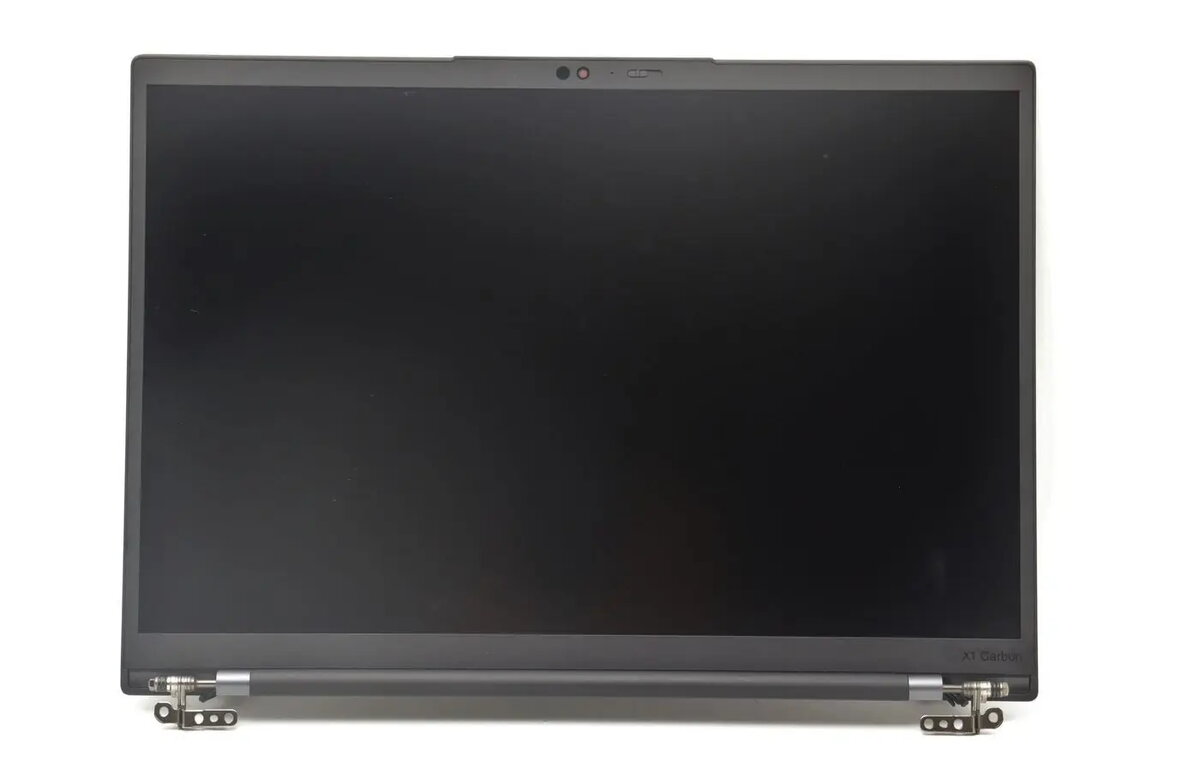
LCD module 14-inch WUXGA for Lenovo — replacement display panel (model 5M11U27620)
This 14-inch WUXGA LCD module is a replacement display panel compatible with select Lenovo laptops. Designed to restore the original screen functionality, the module delivers a 1920×1200 resolution in a 14-inch form factor suitable for repair or refurbishment of compatible notebook models. The panel is intended as an internal assembly replacement and matches common mechanical dimensions and connector locations used in the specified Lenovo screen family.
The replacement LCD module provides a high-resolution WUXGA image with fine detail and increased vertical pixel count compared to standard 1366×768 panels. Its original-equivalent form factor and connector alignment simplify installation and reduce the need for additional adapters. The panel is a direct option for restoring native display performance, helping maintain accurate color rendering and sharpness when replaced correctly.
Install this LCD module by powering off the laptop, disconnecting the battery if possible, and following the device-specific disassembly procedure to access the internal display assembly. Remove the bezel and loosen the mounting screws to detach the old panel, then disconnect the display cable and ambient light/inverter connections where present. Align the replacement panel within the mounting brackets, connect the display cable securely, reinstall mounting screws and bezel, and reconnect the battery before powering on the laptop. Verify screen functionality, brightness control, and image alignment after installation.
Handle the panel by its edges to avoid pressure on the glass and protective films. Use ESD protection when working inside the laptop and ensure the replacement part matches the original panel’s connector orientation and mounting points to avoid compatibility issues. If uncertain about model compatibility or the installation process, consult a qualified technician or the service manual for the specific Lenovo notebook.
{{highlightedFeature.featureTitle}}:
{{getProductFeatureValueById(product, highlightedFeature.featureId)}}
{{ productComparisonGenerationError }}
