
Save time and money with our discounts!
In cart {{totalProductsCount}} item(s)
Your cart is empty
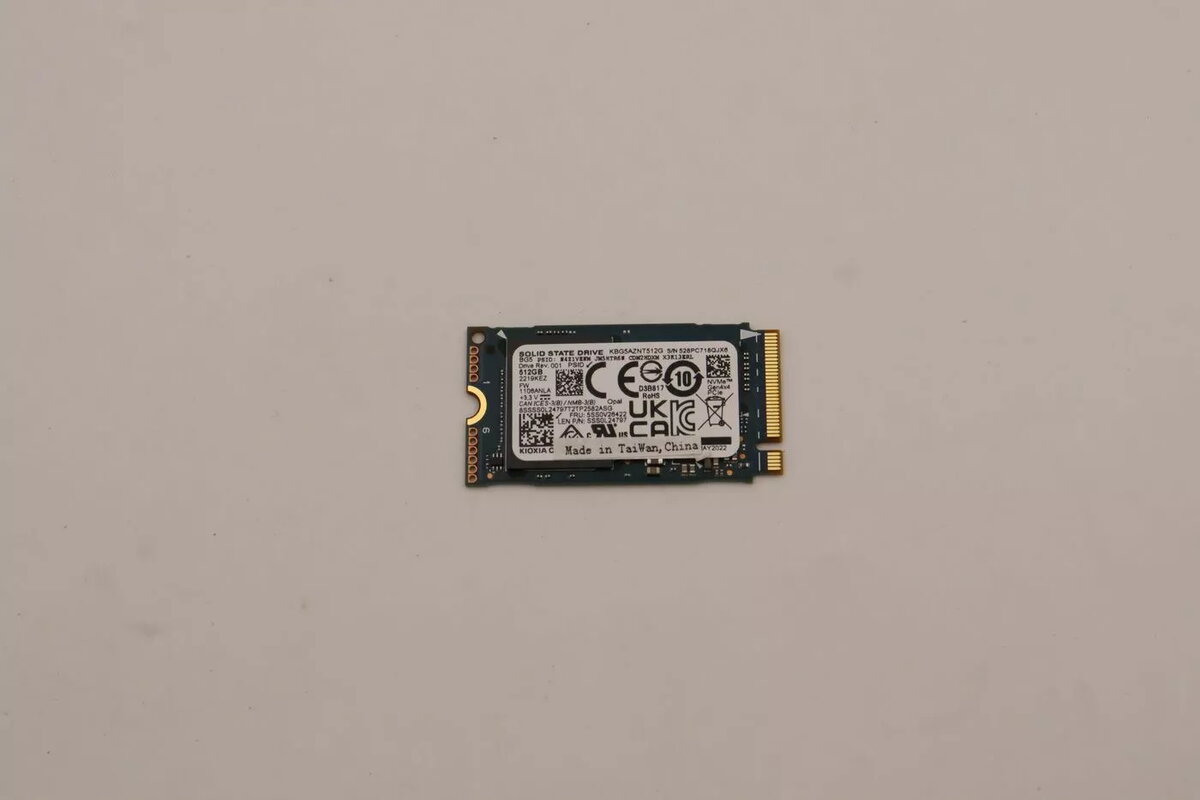
Internal M.2 2242 SSD Lenovo 512GB PCIe 4.0
The Lenovo 512GB M.2 2242 SSD with PCIe 4.0 interface is a high-performance solid-state storage solution designed for modern laptops and compact computing systems. By utilizing the advanced PCIe 4.0 standard, this drive delivers significantly faster data transfer rates and improved system responsiveness compared to traditional SATA-based storage. Its compact 2242 form factor makes it an ideal choice for devices where space is at a premium, ensuring that users can upgrade their storage capacity without compromising on speed or reliability.
This SSD offers a substantial boost in performance for everyday computing tasks, including rapid operating system boot times and quick application launches. The integration of PCIe 4.0 technology ensures that the drive remains efficient under heavy workloads, providing a stable and consistent user experience. Its small physical footprint allows for seamless installation in thin-and-light laptops and small form-factor PCs that specifically support the 2242 M.2 standard, making it a versatile component for hardware upgrades.
This drive is not compatible with systems that only support the longer 2280 M.2 form factor unless a specific mounting adapter is used. Furthermore, it is not suitable for devices that lack an M.2 slot or for systems that are limited to SATA-only M.2 interfaces, as it requires a PCIe-compatible slot to function correctly.
To install the SSD, ensure your device is powered off and disconnected from any power source. Open the chassis of your laptop or desktop to locate the M.2 slot. Insert the drive into the slot at a slight angle, press it down gently, and secure it using the appropriate mounting screw. Once installed, initialize the drive through your operating system's disk management utility to format it and make it available for file storage or system installation.
Usage recommendations: For optimal performance and longevity, keep the drive firmware updated and ensure that your operating system supports TRIM commands to maintain data efficiency over time.
{{highlightedFeature.featureTitle}}:
{{getProductFeatureValueById(product, highlightedFeature.featureId)}}
{{ productComparisonGenerationError }}
