
Save time and money with our discounts!
In cart {{totalProductsCount}} item(s)
Your cart is empty
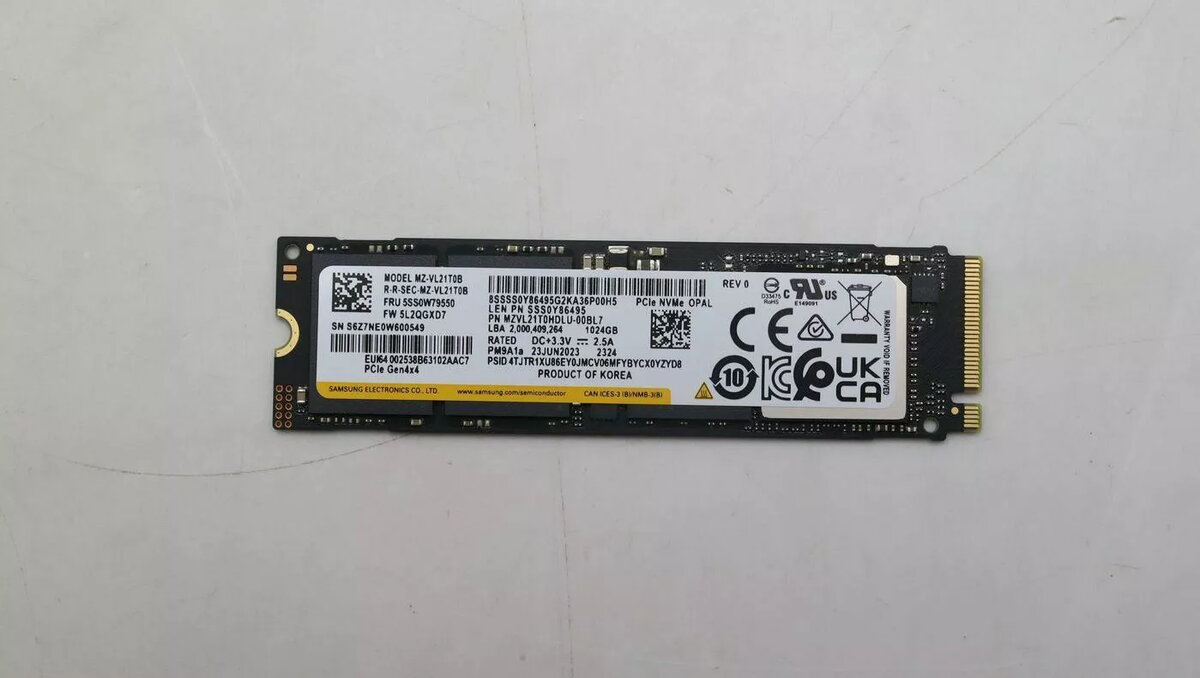
SSD Lenovo M.2 2280 PCIe 4.0 NVMe 1TB
Lenovo M.2 2280 PCIe 4.0 NVMe 1TB is an internal solid-state drive designed for systems with an M.2 2280 slot and PCIe 4.0 support. The drive provides 1TB of NAND flash storage in a compact M.2 2280 form factor, intended for installation in compatible laptops and desktop motherboards. It is suitable for storing operating systems, applications and large user files while delivering faster read/write performance than traditional SATA SSDs when connected to a PCIe 4.0-enabled controller.
The SSD delivers higher sequential read and write throughput and lower latency compared with SATA-based drives, which helps reduce system boot times and application load times. Its NVMe protocol and PCIe 4.0 interface enable improved sustained transfer rates for large file operations. The M.2 2280 form factor offers a compact, screw-mounted installation that saves internal space in thin notebooks and small-form-factor desktops. Additionally, the absence of moving parts improves reliability and reduces noise.
Power off the computer and disconnect it from power sources before installing the M.2 SSD. Open the system chassis or access panel, locate the M.2 2280 slot on the motherboard, and align the module with the slot notch. Gently insert the module at an angle and secure it with the mounting screw provided by the system. Reassemble the enclosure, reconnect power, and enter the system BIOS/UEFI to confirm the drive is detected. Initialize, partition and format the drive within the operating system, then migrate the OS or install software as required.
For optimal performance, install the drive in a native PCIe 4.0 x4 M.2 slot. Ensure your motherboard and CPU support PCIe 4.0 to benefit from maximum bandwidth; if installed in a PCIe 3.0 slot, the drive will operate at the lower interface speed. Keep firmware up to date using Lenovo-supplied tools or system utilities, maintain regular backups, and allow adequate airflow or passive cooling around the M.2 slot to manage operating temperatures during sustained workloads.
{{highlightedFeature.featureTitle}}:
{{getProductFeatureValueById(product, highlightedFeature.featureId)}}
{{ productComparisonGenerationError }}
