
Hurry and order now – up to 50% off!
In cart {{totalProductsCount}} item(s)
Your cart is empty
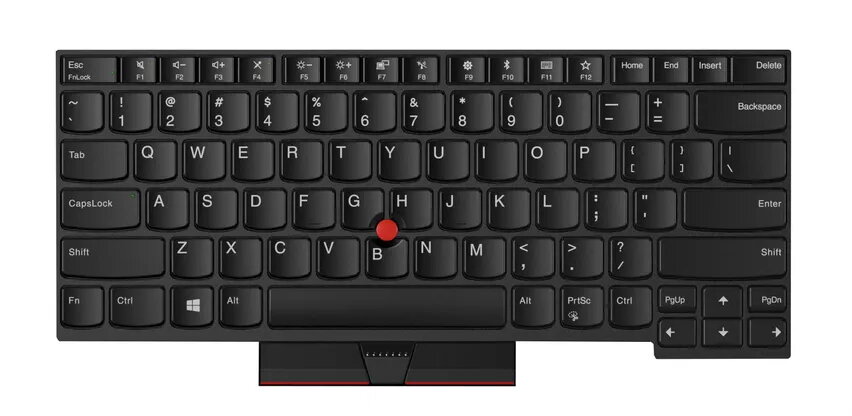
Keyboard for Lenovo ThinkPad T480 — Lenovo 01HX447, UK English, backlit
Replacement keyboard for Lenovo ThinkPad T480 with UK English layout and backlit keys. This OEM-compatible spare part fits the original keyboard interface and provides the standard ThinkPad key arrangement, enabling comfortable typing in low-light conditions. The component is intended as a direct replacement for the laptop’s keyboard assembly and is suitable for repair or upgrade of the T480 series.
The backlit UK English layout ensures accurate key labeling and visibility in dim environments while preserving the familiar ThinkPad key spacing and function keys. As an OEM-compatible unit, the keyboard is designed to match the original mechanical fit and connector type, supporting straightforward installation. The construction emphasizes durability and extended service life, with keys engineered for frequent use without rapid wear.
Power off the laptop and disconnect any external power source and battery if removable before starting. Remove the laptop bezel or top cover following the manufacturer’s disassembly procedure to access the keyboard connector. Disconnect the original keyboard cable and carefully remove the old keyboard assembly. Position the replacement keyboard into the chassis, connect the keyboard ribbon cable to the motherboard connector, and secure the keyboard in place with the original fasteners. Reassemble the top cover and test the keyboard and backlight functionality after reattaching power.
To ensure reliable operation, handle the keyboard ribbon cable and connector with care and avoid excessive force. Use ESD protection during installation and verify BIOS or OS keyboard backlight settings if illumination does not activate immediately.
{{highlightedFeature.featureTitle}}:
{{getProductFeatureValueById(product, highlightedFeature.featureId)}}
{{ productComparisonGenerationError }}
