
Dreame vacuums for fast and efficient cleaning!
In cart {{totalProductsCount}} item(s)
Your cart is empty
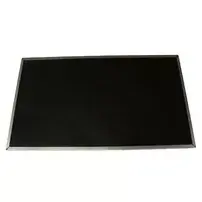
Display Lenovo 01AV853
The Lenovo 01AV853 display is a 14" Full HD replacement panel with a 35.6 cm diagonal, designed as a compatible screen for select Lenovo ThinkPad models. It provides a 1920 x 1080 resolution that delivers clear text rendering and detailed images for everyday laptop use. This display is intended as a direct replacement part for systems that require the specified form factor and connector compatibility.
This display offers Full HD clarity on a compact 14-inch form factor, improving sharpness and color fidelity compared with lower-resolution panels. As a compatible replacement for certain ThinkPad models, it helps restore original visual performance and maintain screen brightness and contrast parameters suitable for office tasks, web browsing, and media playback. The panel is manufactured to align with standard mounting points and connector types used in the compatible laptops.
Before installation, power off the laptop and disconnect the battery according to the manufacturer's service instructions. Remove the display bezel and any retaining screws, then carefully disconnect the inverter or display cable from the motherboard. Position the replacement panel in the laptop lid, reconnect the display cable ensuring the connector is seated correctly, and secure the panel with the original mounting screws. Reinstall the bezel, reconnect the battery, and power on the system to check for correct image output and backlight operation.
Handle the display panel by its edges to avoid pressure on the LCD surface. Use an ESD-safe workspace and appropriate tools for laptop disassembly. Verify compatibility with the specific laptop model and connector type before purchase to ensure a proper fit. If unsure, consult service manuals or a qualified technician.
{{highlightedFeature.featureTitle}}:
{{getProductFeatureValueById(product, highlightedFeature.featureId)}}
{{ productComparisonGenerationError }}
