
Dreame vacuums for fast and efficient cleaning!
In cart {{totalProductsCount}} item(s)
Your cart is empty
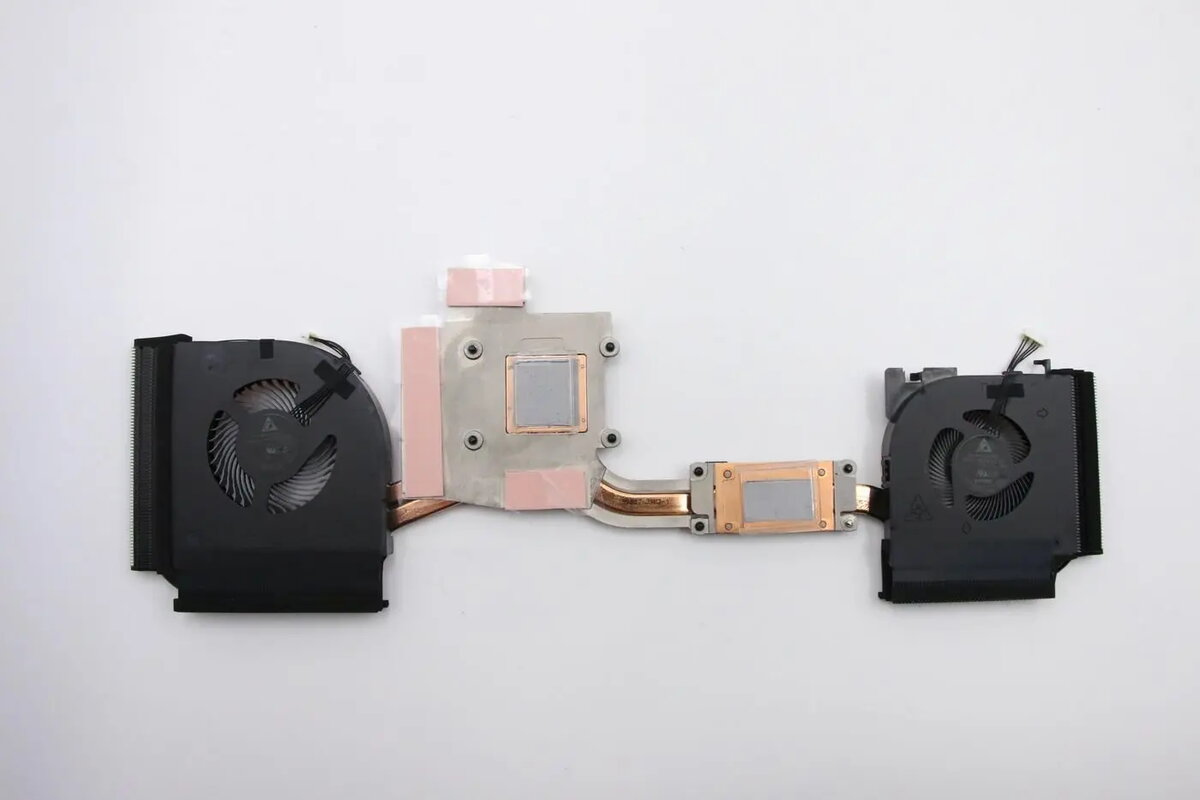
Thermal fan assembly Lenovo FRU01YU011 replacement cooling module for compatible Lenovo laptops
Thermal fan assembly Lenovo FRU01YU011 replacement cooling module for compatible Lenovo laptops is a direct-replacement cooling component that houses the fan and heat-dissipation elements needed to control internal temperatures. It is intended to restore or improve thermal performance in laptops that exhibit overheating, increased fan noise, or thermal throttling. The assembly is engineered to fit specified Lenovo chassis and interfaces, providing the airflow path and heat transfer surfaces required to maintain stable CPU and GPU operating temperatures during normal and intensive use.
This replacement cooling module combines a dedicated fan with heat-dissipation structures to reduce system temperature and help prevent performance drops due to thermal throttling. Designed for compatibility with certain Lenovo laptop models, it offers straightforward mechanical and connector alignment for repair or upgrade. The assembly can reduce excessive fan cycling by restoring proper airflow, which contributes to quieter operation and more consistent performance under load.
Power down the laptop, disconnect external power, and remove the battery if removable. Access the internal compartment by removing the service cover or bottom panel according to the laptop's service manual. Carefully disconnect the existing fan assembly connector from the motherboard and unscrew any mounting fasteners. Remove the old assembly, clean mating surfaces of residual thermal material if present, and position the replacement assembly in the same orientation. Secure mounting screws to the specified torque where applicable and reconnect the electrical fan connector. Reassemble the laptop, reconnect power, and verify fan operation and system temperatures during boot and typical workloads.
For reliable results, follow the laptop manufacturer's disassembly instructions, use compatible replacement parts, and apply fresh thermal interface material where the heatsink contacts processors. Inspect vents and fan intakes for dust and clean as needed to maintain optimal airflow. If uncertain about compatibility or installation, consider professional service to ensure correct fitment and electrical connection.
{{highlightedFeature.featureTitle}}:
{{getProductFeatureValueById(product, highlightedFeature.featureId)}}
{{ productComparisonGenerationError }}
