
Hurry and order now – up to 50% off!
In cart {{totalProductsCount}} item(s)
Your cart is empty
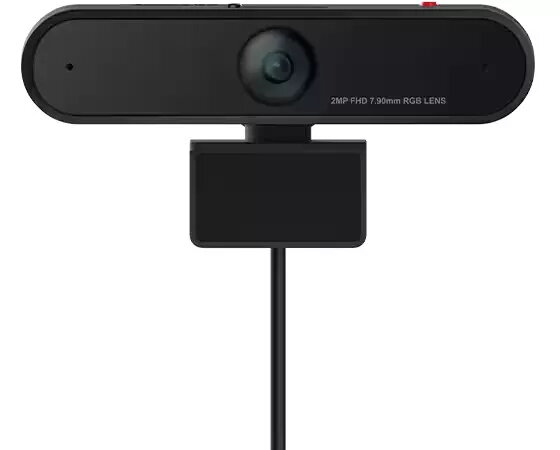
Web camera Lenovo LC50 Monitor WebCam for monitor mounting, model GXC1D66064
The Lenovo LC50 Monitor WebCam (model GXC1D66064) is a compact webcam designed for mounting on desktop monitors and laptop screens. It offers a plug-and-play USB connection for straightforward setup and reliable video capture during video calls, remote meetings and online classes. The camera’s fixed mount and compact housing make it suitable for small workstations and shared office environments where an easy-to-install, space-saving video solution is required.
The webcam provides consistent image capture with a fixed mounting position, reducing the need for frequent adjustments. Its plug-and-play design simplifies installation and eliminates the need for additional drivers on most modern operating systems. The compact form factor supports discreet placement on top of a monitor without obstructing the display, and the robust mounting clip helps maintain a steady view during use.
Attach the webcam clip to the top edge of your monitor or laptop screen, ensuring the camera is centered and the clip is secure. Connect the USB cable to an available port on your computer; most systems will recognize the device automatically. Open your preferred video conferencing or recording application and select the webcam as the video input device. Adjust the monitor tilt or the camera position slightly if needed to achieve the desired framing.
Position the camera at or slightly above eye level for natural framing, and ensure even front lighting to improve image clarity. Close unused applications that may use bandwidth during calls, and verify that the USB connection is secure to avoid intermittent video dropouts.
{{highlightedFeature.featureTitle}}:
{{getProductFeatureValueById(product, highlightedFeature.featureId)}}
{{ productComparisonGenerationError }}
