

Save time and money with our discounts!
In cart {{totalProductsCount}} item(s)
Your cart is empty
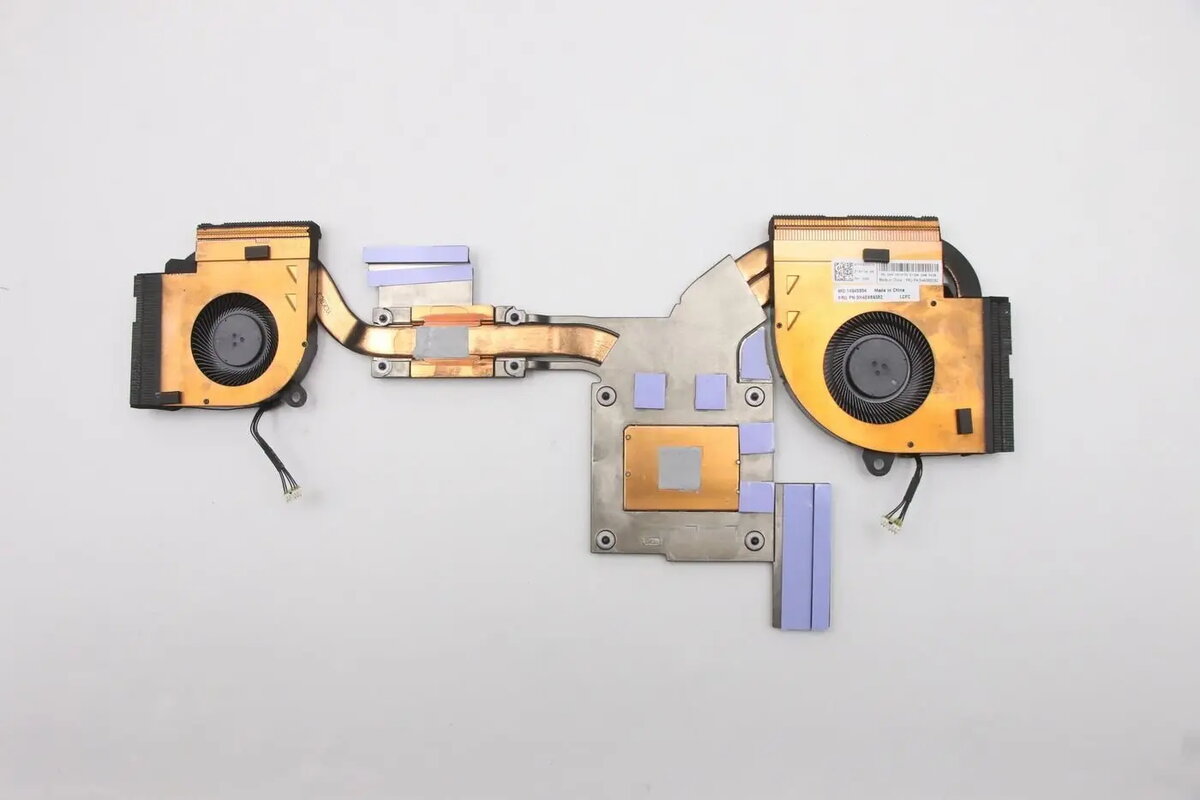
Lenovo Intel thermal module with fan — replacement cooling module for laptops
The Lenovo Intel thermal module with fan is a replacement cooling module designed for laptops. It combines a heat-dissipating thermal assembly and an active fan to transfer and remove heat from the CPU or chipset area. Intended for repair and maintenance, this module restores the laptop's thermal management to prevent overheating during everyday computing and higher-load tasks.
This replacement cooling module delivers targeted heat removal through an integrated heat sink and fan, enabling more consistent operating temperatures for the processor and adjacent components. It is designed to fit compatible Lenovo laptop cooling layouts, offering a straightforward swap for degraded or failed thermal components. By restoring airflow and thermal conduction paths, the module supports sustained performance under load and reduces the risk of thermal throttling and unexpected shutdowns.
Power down the laptop, disconnect external power and remove the battery if applicable before beginning. Access the internal cooling assembly by removing the service panel or bottom cover according to the device’s service instructions. Unscrew and disconnect the existing thermal module from the motherboard, carefully detach any fan connector and thermal pads or paste contact points, then remove the old unit. Position the replacement module in the same orientation, secure mounting screws to the specified torque values, reconnect the fan cable to the motherboard, and reapply manufacturer-recommended thermal paste or pads where necessary. Reassemble the laptop and verify fan operation and temperature behavior during initial power-up and light workload.
Use manufacturer service guides or professional repair services for correct disassembly and reassembly. Check compatibility with the exact laptop model before ordering. After installation, monitor temperatures and fan noise to confirm proper operation and consider replacing thermal paste periodically for optimal heat transfer.
{{highlightedFeature.featureTitle}}:
{{getProductFeatureValueById(product, highlightedFeature.featureId)}}
{{ productComparisonGenerationError }}
