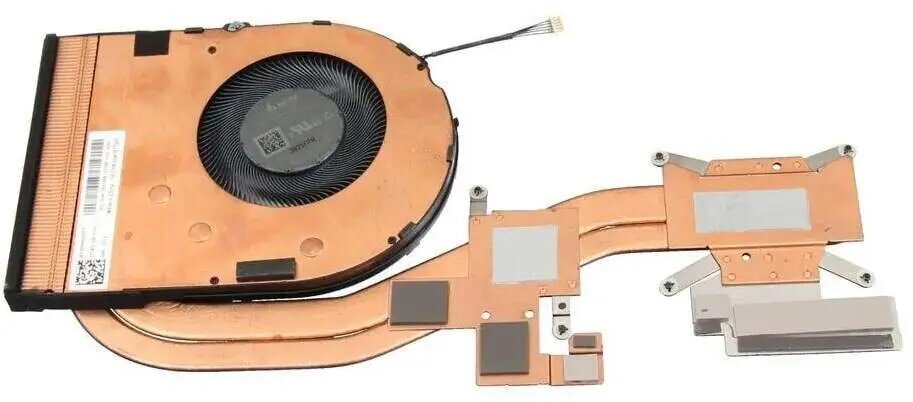
Replacement laptop heatsink for CPU compatible with Lenovo notebooks, designed as a cooling module for notebook processors. This component transfers heat from the CPU to the laptop chassis using a combination of a metal heatsink and heat pipe pathways, helping to maintain stable CPU temperatures during typical workloads. The module is intended for repair, refurbishment or upgrade of compatible Lenovo laptops and serves as a direct replacement part in systems that use a similar cooling layout.
Advantages
The heatsink uses conductive metal and integrated heat pipes to improve thermal transfer from the processor to the case, supporting steady performance and reducing thermal throttling risk under load. Its form factor and mounting points match the layout used in compatible Lenovo models, simplifying installation when replacing a worn or damaged cooling module. The design requires no additional software or configuration and works passively in conjunction with the laptop's fan assembly to evacuate heat.
Suitable for
- Repairing or replacing a damaged or failed CPU cooling module in compatible Lenovo laptops
- Refurbishment projects where original cooling components need replacement
- Maintenance tasks to restore thermal performance after long-term use
- Service operations requiring an OEM-compatible heatsink for tested laptop models
Key specifications
- Function: CPU heat dissipation module for notebook processors
- Construction: metal heatsink with integrated heat pipe(s)
- Compatibility: designed for Lenovo notebook cooling layouts (verify model fitment before installation)
- Mounting: fixed bracket and screw holes matching laptop motherboard layout
- Cooling method: passive conduction plus heat-pipe-assisted heat transfer to chassis and fan ducting
How to use
Power off the laptop, disconnect the battery if accessible, and ground yourself to prevent electrostatic discharge. Remove the laptop bottom cover and any components that obstruct access to the original cooling module, such as the fan assembly or memory modules, following the service manual for your specific Lenovo model. Unscrew and carefully lift the old heatsink, clean residual thermal compound from the CPU surface and the heatsink contact plate using isopropyl alcohol, then apply a thin, even layer of fresh thermal paste. Position the replacement heatsink so its screw holes and mounting points align with the motherboard, tighten screws in a cross pattern to the recommended torque where available, reassemble removed components, reconnect the battery and test the system for normal thermal operation under load.
Usage recommendations
Verify model compatibility by comparing mounting points and heat pipe routing with the original part before purchase. Use appropriate, high-purity isopropyl alcohol and lint-free wipes for cleaning, and apply a small, uniform amount of thermal compound to the CPU to ensure optimal contact. After installation, monitor temperatures under load to confirm proper heat transfer and re-seat the module if temperatures remain elevated.